4.3.7. Search
Press the latching Search sot key to bring up the search screen, where you can use the keypad to
type a keyword. Sessions containing the letters you type will appear in the ltered list of available
sessions. As you type additional characters, the list of sessions will further rene your search.
4.3.8. Preview
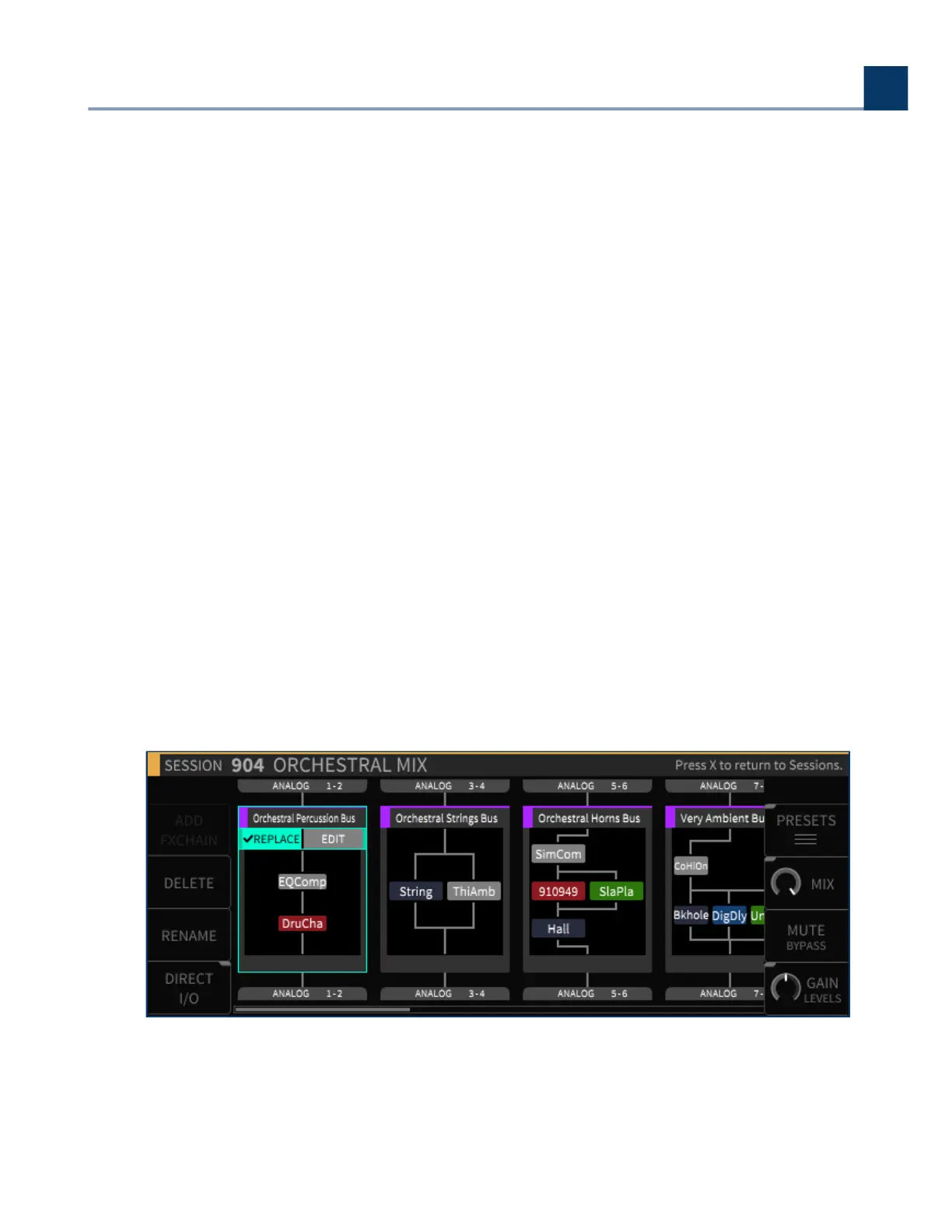
Press the latching Preview sot key to get a visual representation of the layout of the session:
The number of FX chains
The algorithms in each FX chain
Physical Inputs and Outputs
Since loading a session is not an immediate operation, the Preview function oers a quick way to see
what the session contains before you actually load it.
4.4. FX Chains
Press the front panel FX Chains button to switch the display to the FX Chains view screen, where you
can view and edit the FX chains of the currently loaded session.
•
•
•
4. Front Panel Operation
Copyright © 2021, Eventide Inc.



 To Next Page