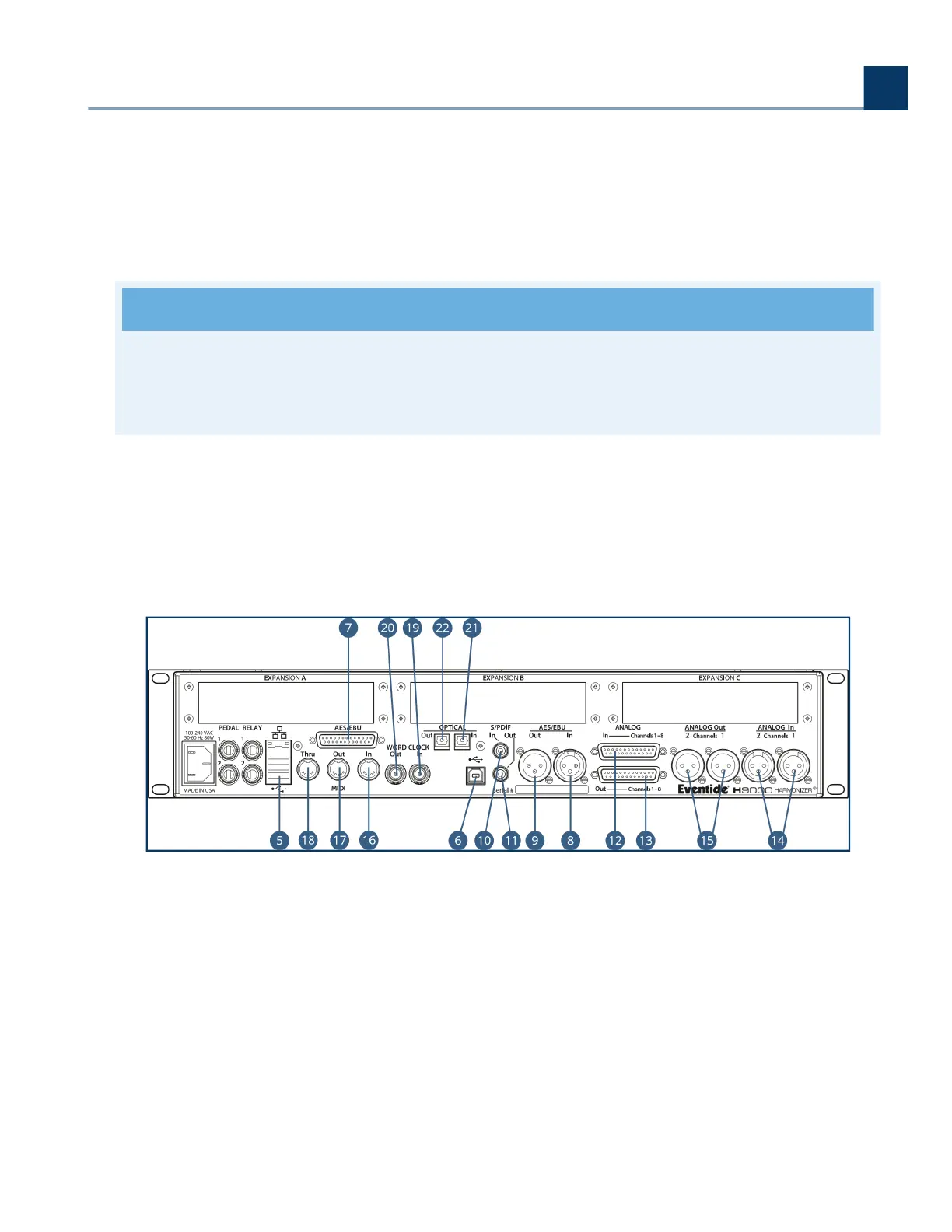
The H9000 has 2 1/4” TRS inputs that allow for a variety of external control sources including
expression pedals, foot switches, control voltages, or a combination.
Relay (x2)
The dual ¼” relay connectors allow the H9000 actions to close external circuits.
Note
Currently, the relay connectors on the H9000 are not yet functional. They will become useable in
a future revision.
Ethernet Connector
This standard RJ-45 connector allows you to connect the H9000 directly to your computer, or to
your Local Area Network (LAN). Once connected, you can view and control the H9000’s
operations or update your H9000’s rmware using Emote.
USB A Connector
The rear panel USB A ports provide the same functions as the front panel USB A ports:
Connect a FAT32-formatted USB thumb drive (Section 4.8) to either of the rear panel USB
ports to save or import any H9000 presets you have created or perform an oine rmware
update.
.
.
.
◦
3. Hardware
Copyright © 2021, Eventide Inc.



 To Next Page