CP-2232E
Remote Control Panel
Revision 1.1 Page 21
5.2.3.3. Service Properties
The user can adjust the properties of the service by entering the appropriate information into the fields
below:
• #: This field identifies the service template’s number in the list.
• Frame: This field enables the user to select the appropriate frame for the service.
• Slot: This field identifies the slot number of the card in the frame that will be controlled
by the panel.
• Input: This field enables the user to assign an input number.
5.2.3.4. Add a Service Template to the Service List
1. Navigate to the Service option from the Systems menu.
2. Select the desired template from the Available Service Templates column and drag and drop
a template to the Service Template list.
3. Assign a “Frame,” “Slot,” and “Input” number to each service.
4. To apply these changes, select the Save button in the top right hand corner.
Please note that the user must press the “Save” button in order for changes to
be saved and then select “Restart Panel Software” to apply the changes to the
control panel.
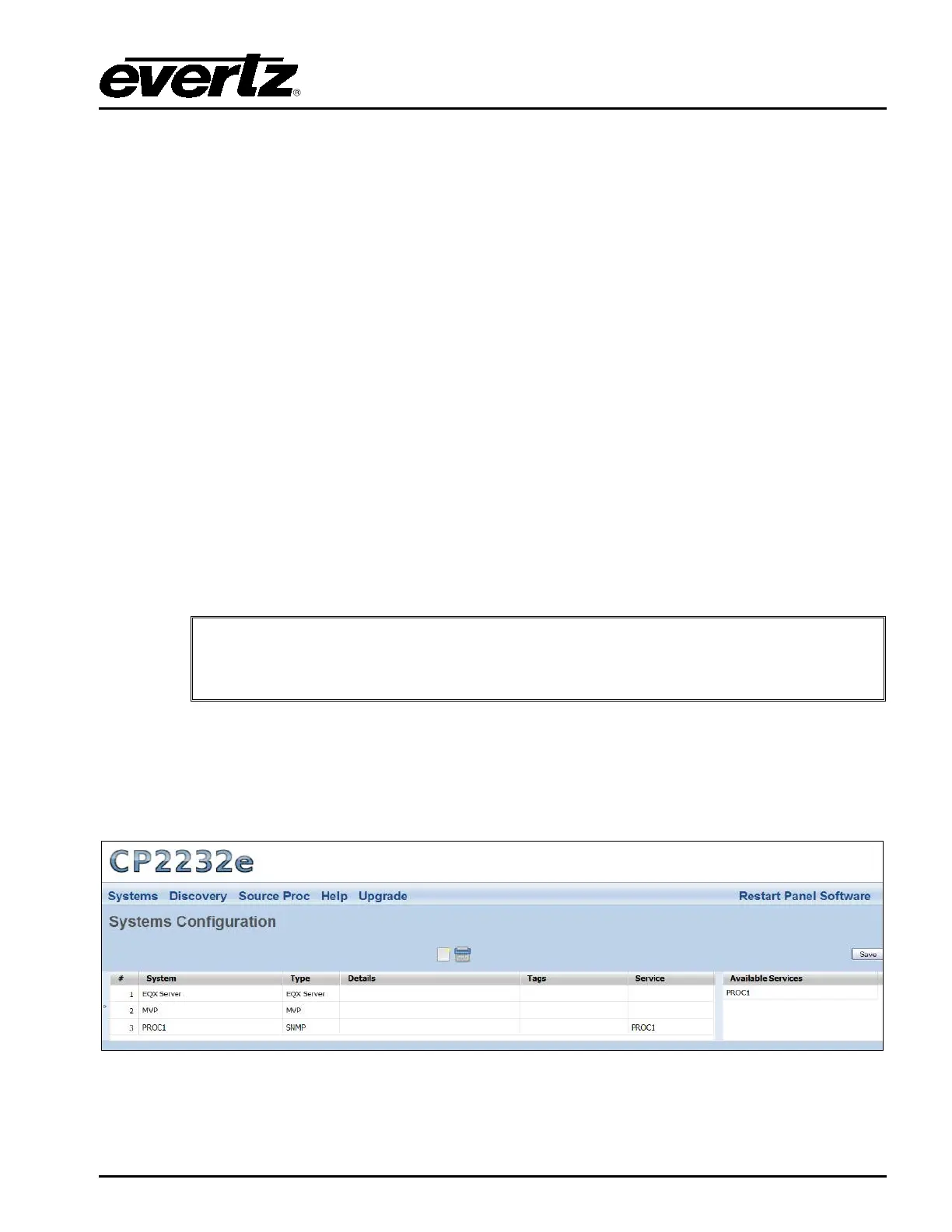
5.2.4. Systems Page
The Systems page enables the user to view the devices that are currently available on the CP-2232E
for connection and control as well as adding new devices. The user can also edit and/or change
details, tags, and services for specific devices.
Figure 5-13: Systems Page



 To Next Page