CP-2232E
Remote Control Panel
Page 48 Revision 1.1
Figure 7-10: Select the ALL Button
The Select ALL or None button will toggle the level state of the levels for the selected destination. If
levels have been disabled the associated level buttons will turn Red and the Right screen will not show
the Green X for those levels. The Left screen will display a breakaway icon for the destination. If levels
have been enabled the associated level buttons will turn Green and the Right screen will show the
Green X for those levels. The Left screen will display a Green X icon for the destination if all levels are
enabled. The level state will not change if the user selects the Back button to return to the Eight
Destination view.
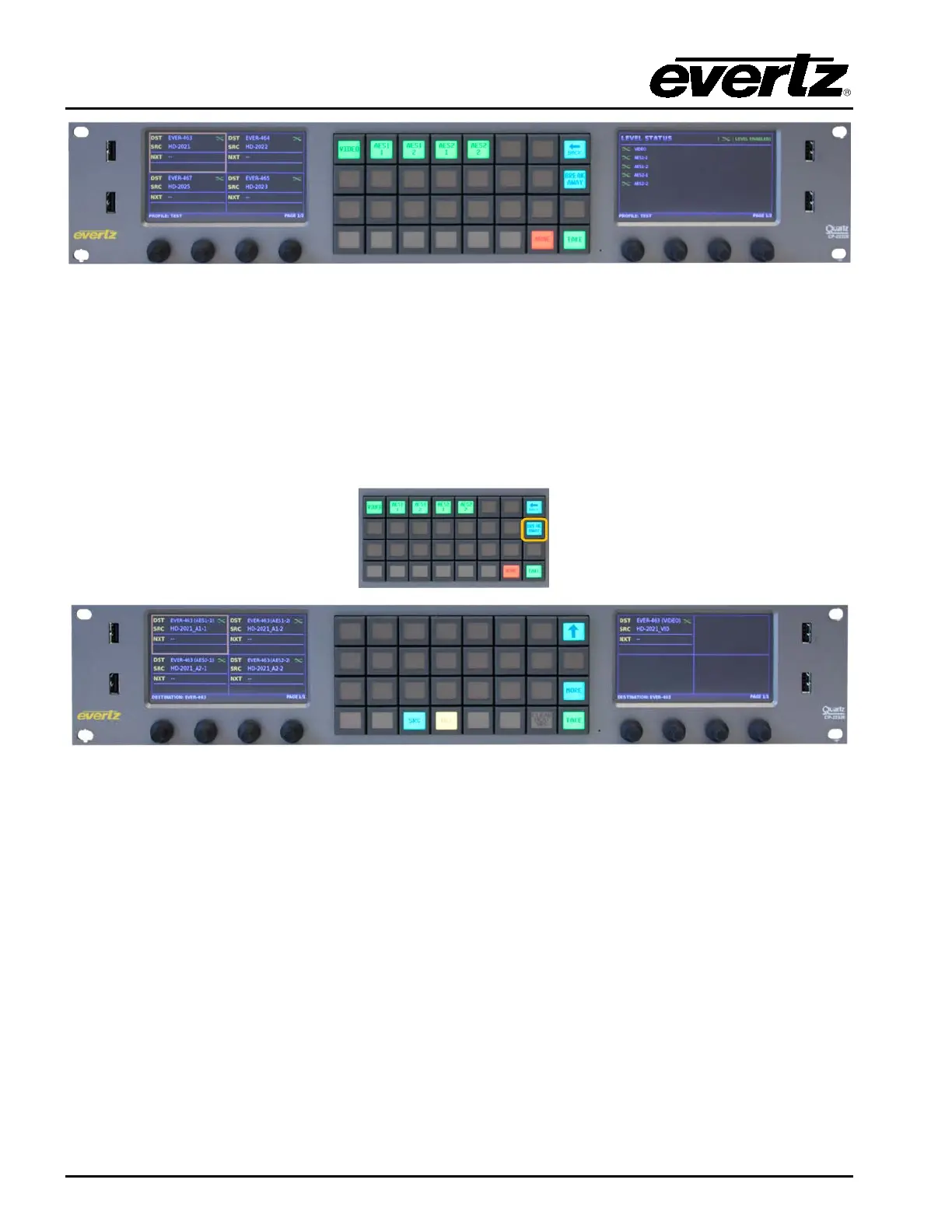
Figure 7-11: Selecting the BREAK AWAY Button
The Breakaway button when selected will each level individually on the LCD screen for the selected
destination. The user can then select a specific level and route a source to that level by pressing the
SRC button. The Up arrow will return the user to the Eight Destination view.



 To Next Page