CP-2232E
Remote Control Panel
Page 44 Revision 1.1
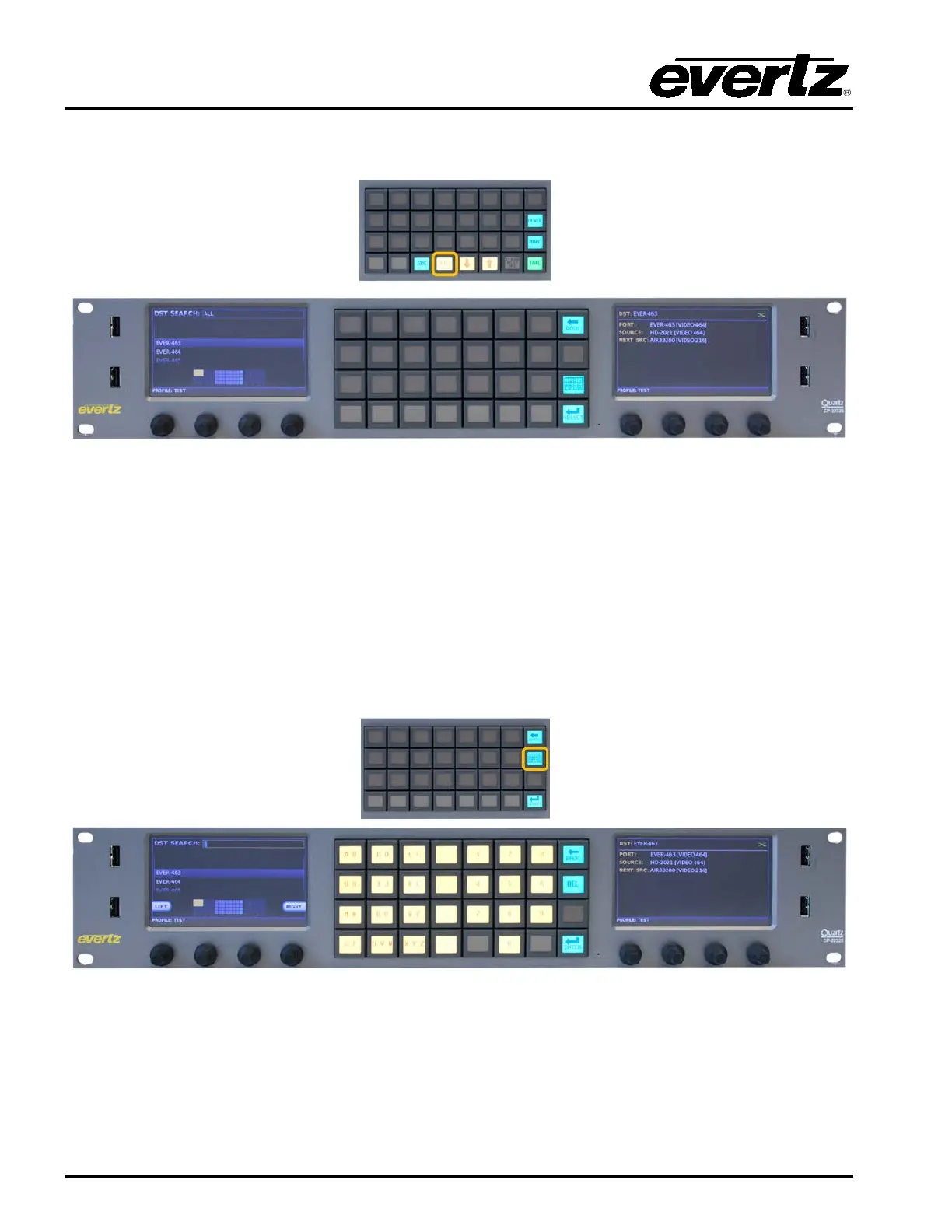
7.2. DESTINATION (DST) BUTTON
Figure 7-4: DST Layout
The DST button when pushed will display a list of available destinations in the Left display screen and
the information such as the Destination Physical Port Name/Number, the Current Source, and the
Next Source in the Right display screen. The shaft encoders under the Left display are used to
navigate through the destination list. When the required destination is highlighted, the Select button is
used to confirm the choice and return the user to Eight Destination view. The selected destination will
be automatically selected in the Eight Destination view. The quadrant view in the bottom of the Left
display will show the user where the destination will appear when returning to the Eight Destination
view. The Back button can be used to cancel the destination search and return to the Eight Destination
view.
Figure 7-5: DST Keypad Display
The Alpha-Numeric button when pressed will allow the user to type the name of the required
destination in the Left screen. As the user types the CP-2232E will automatically filter the destination
list to display any destination that matches the characters typed. If a character is typed incorrectly the
DEL button can be used to delete the characters. The Left and Right buttons on the Left screen can
be used to navigate the DST Search box. When the required destination is highlighted, the Enter



 To Next Page