Troubleshooting
Optical Explorer 211
Restoring Your Unit to Normal Operation
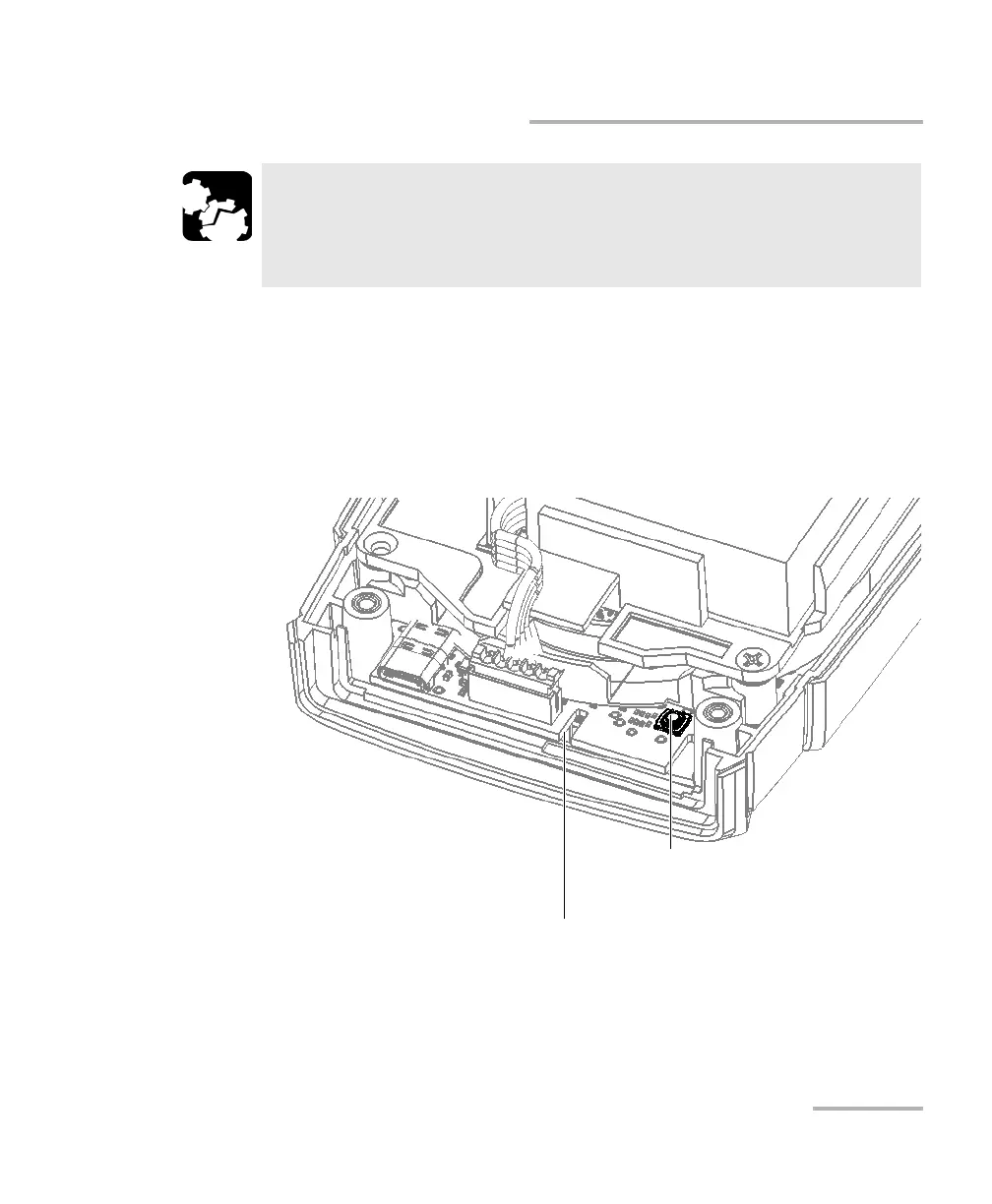
9. While pressing and holding the reset button, push the on/off button.
Release the on/off button as soon as the unit beeps once, but continue
to hold the reset button as long as the unit’s LED is lit or for about
10 seconds.
Note: The light is visible through the notch in the electronic board.
CAUTION
To avoid damaging your unit, do not use metallic objects such as
the ball of a pen to push the reset button. Always use your finger or
a non-metallic object.
Reset button
Light of the LED visible from here



 To Next Page