Getting Started with Your Unit
Optical Explorer 33
Working With Launch and Receive Test Cords
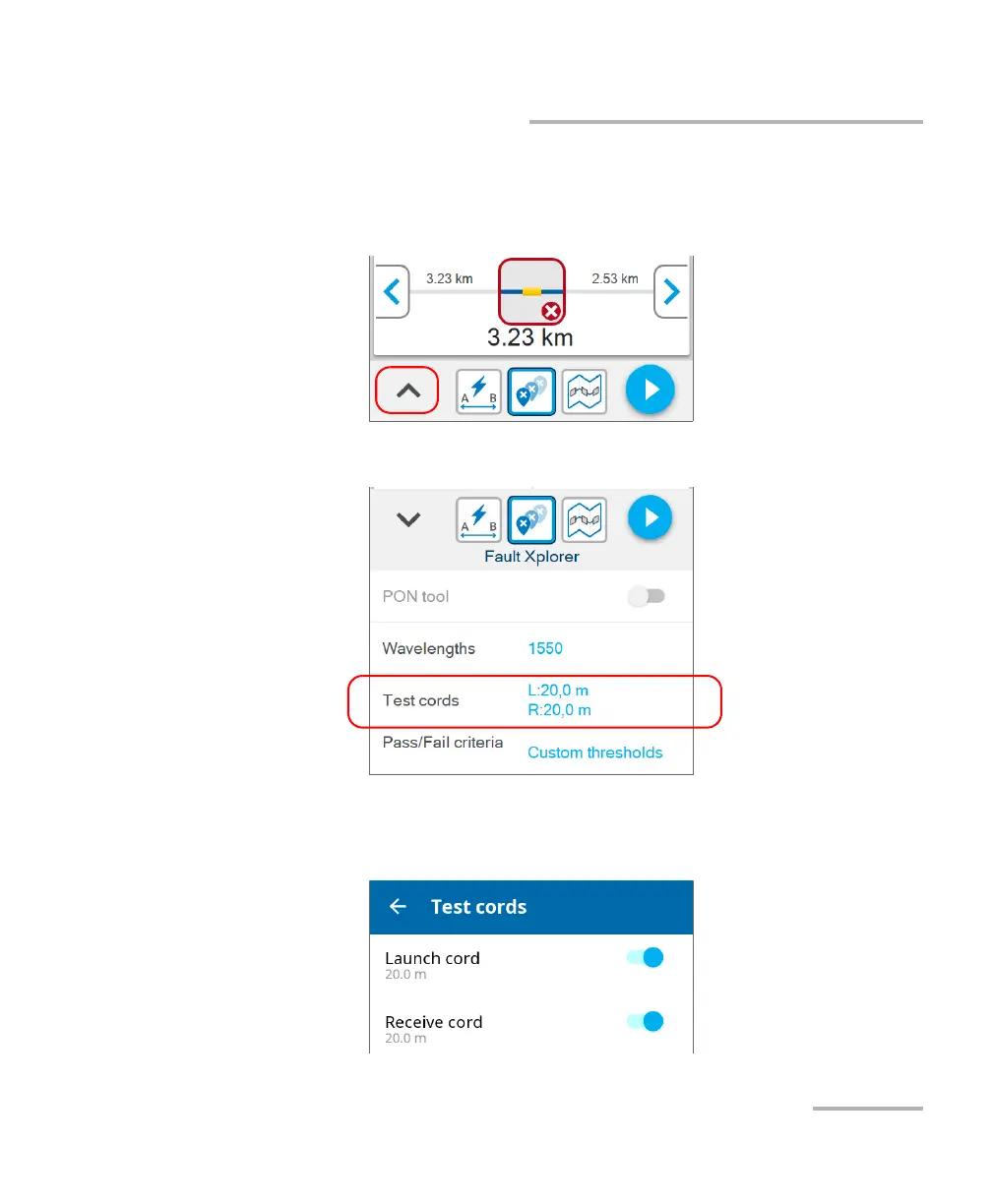
To configure the launch and receive cords lengths from Fiber
Xplorer:
1. From Fiber Xplorer, tap the arrow to access the drawer.
2. Tap Test cords.
3. To configure the launch and receive cords settings, proceed as follows:
3a. If necessary, activate the feature with the corresponding toggle.



 To Next Page