31
SunSDR2 DX User Manual
© 2020 Expert Electronics
ExpertSDR2 SOFTWARE DESCRIPTION
Macros Delay - CW macroses generation delay after switch from RX to TX, via TCI interface.
When you enable the BreakIn you’ll see the following message in the Status bar:
WARNING! PTT switching delays are disabled in CW mode, and with CW
manipulation in SSB! Be careful using an external PA!
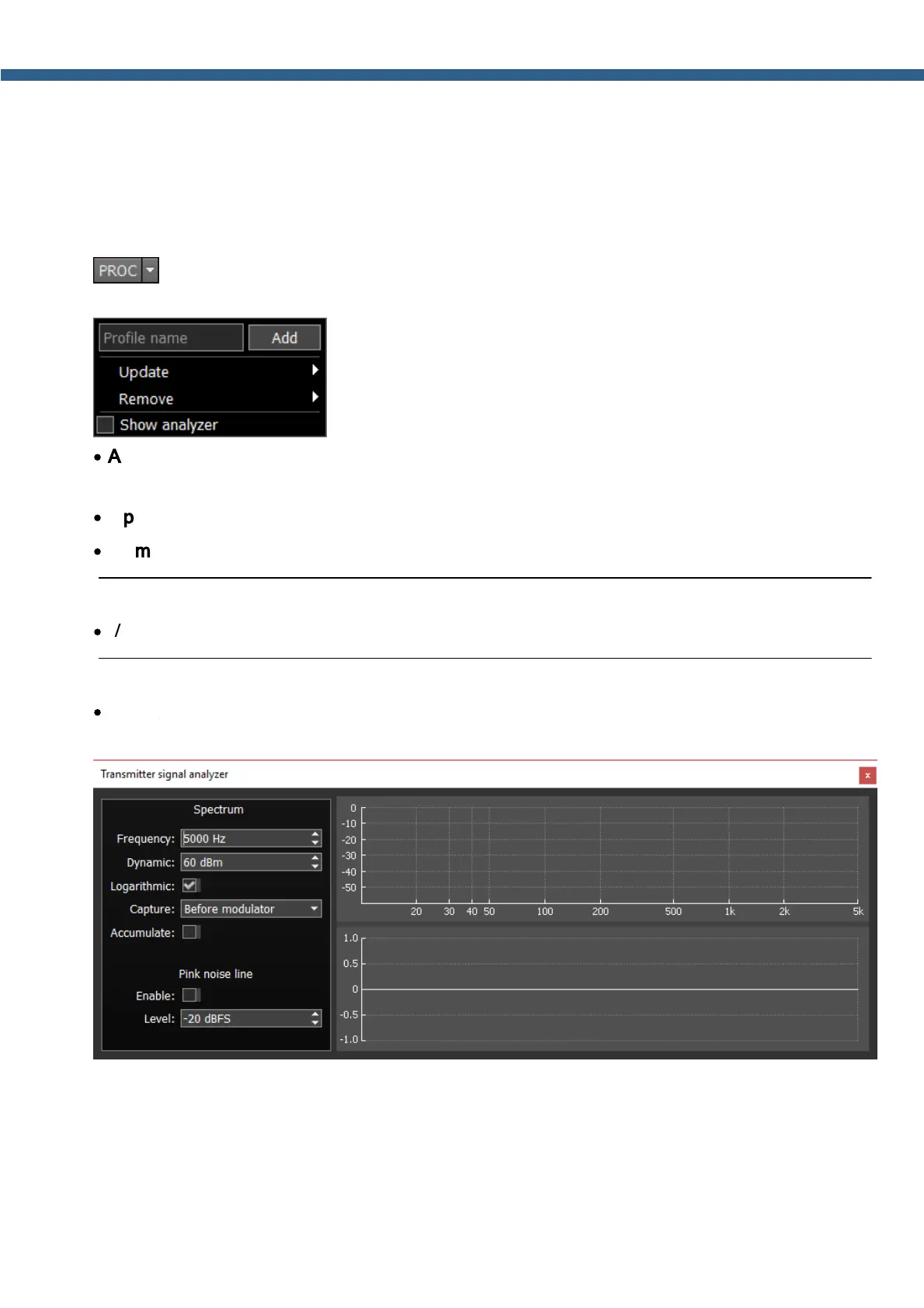
- enable the microphone signal processing menu (PROC). Profile adjustment in this
menu is similar to the global profile menu:
·
Add a new profile, by entering the name of the profile in the “Profile name” field and pressing
Add button.
·
Update the settings of the certain profile from the list to the current settings.
·
Remove the certain profile from the list.
Note:
·
All new profiles will be stacked up to the drop-down menu as a new line.
·
Show analyzer - enable it to activate Transmitter signal analyzer and analyze your own
TX signal.
Frequency – top limit of the horizontal (frequency) scale of the transmitter.
Dynamic – vertical scale (dynamic range).
Logarithmic – allows you to change the ratio of the Frequency scale, making it either linear (by
default) or logarithmic.



 To Next Page