37
SunSDR2 DX User Manual
© 2020 Expert Electronics
ExpertSDR2 SOFTWARE DESCRIPTION
Attack and Release parameters should be adjusted depending on how frequently signal volume
is changing.
Type Soft/Hard knee - controls whether the bend in the response curve between below
Threshold and above Threshold is abrupt (hard) or gradual (soft). A soft knee slowly increases
the compression as the level increases and eventually reaches the compression Ratio set by
the user. A soft knee reduces the audible change from uncompressed to compressed,
especially for higher Ratios where a hard knee changeover would be more noticeable.
Knee - available only for soft knee, determines the knee smoothness.
Mic Gain and Compression settings:
1. Set the Meter to the Mic-meter mode in the Desktop style (right click on the S-Meter->TX->
Mic-meter).
2. Set the Drive level to 0.
3. Enable the TX mode and speak in the microphone.
4. Increase the Mic gain from 0 dB till the Mic meter readings will reach -10...-5 dB in peaks.
5. If required enable the compressor.
6. Set Compression to 2-5; set COMP threshold to ~ -30 dB. This level should be more than
room noises for about 10-15 dB.
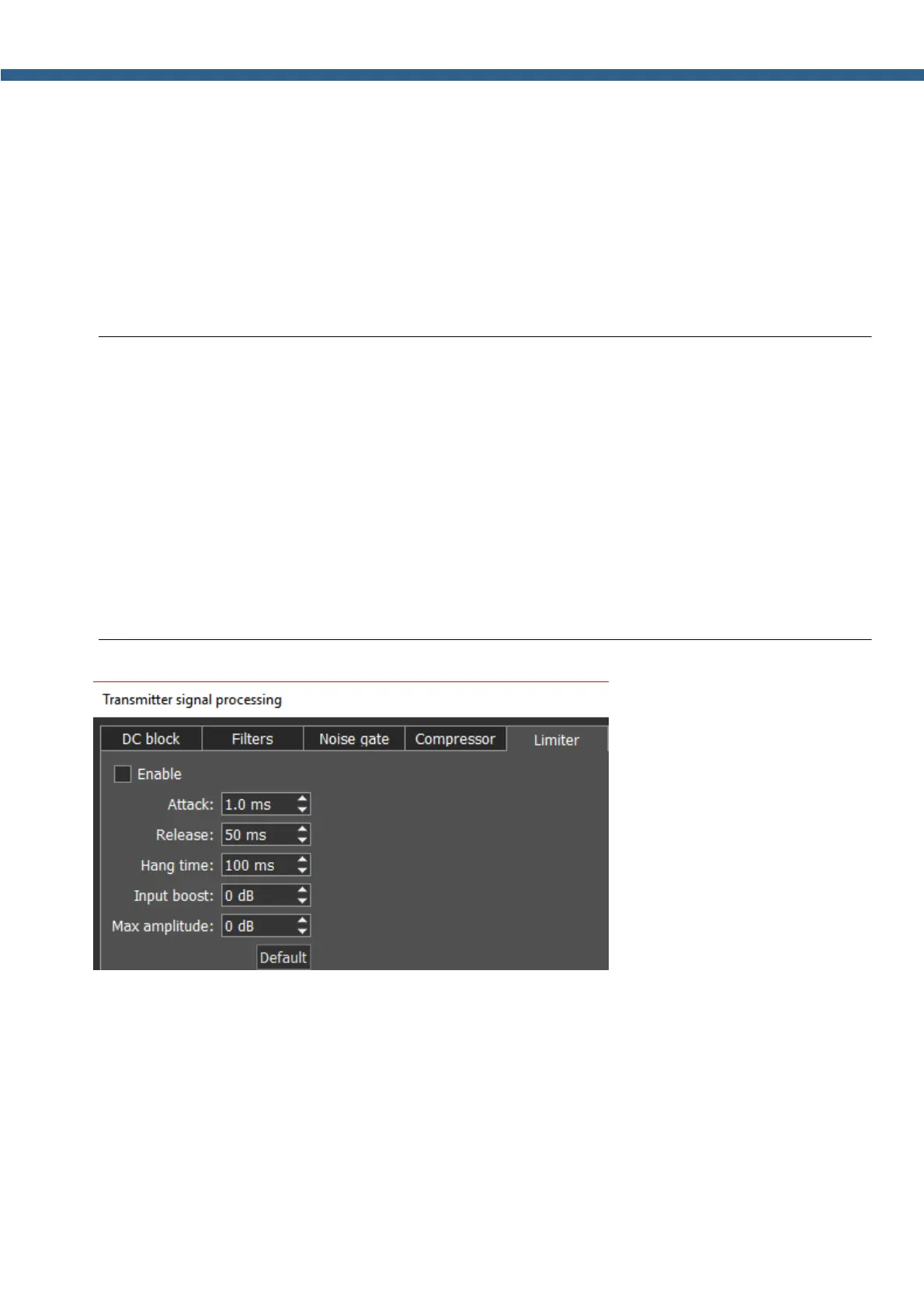
Limiter – is used to limit
dynamic range, when signal exceeds Maximum Amplitude value. In most cases used to avoid
overload (clipping) and suppression of short-term level peaks, while signal dynamic range is
being leveled. As a rule, limiter is used along with increasing the input level on the Input Boost
value, this technique increases overall signal level, while preventing distortion.
Parameters:
Attack - this is the period, when the limiter is decreasing volume to reach the level that is
determined by Max Amplitude.
Release - this is the period, required for the signal level to be restored to the default value.



 To Next Page