38
SunSDR2 DX User Manual
© 2020 Expert Electronics
ExpertSDR2 SOFTWARE DESCRIPTION
Hang time – sets time (in ms) to keep the signal level the same, after the Attack period is over
and before the Release period is initiated.
Input Boost – preamplifying of the input signal before limiter processing.
Maximum Amplitude - sets the signals maximum amplitude on the limiter output.
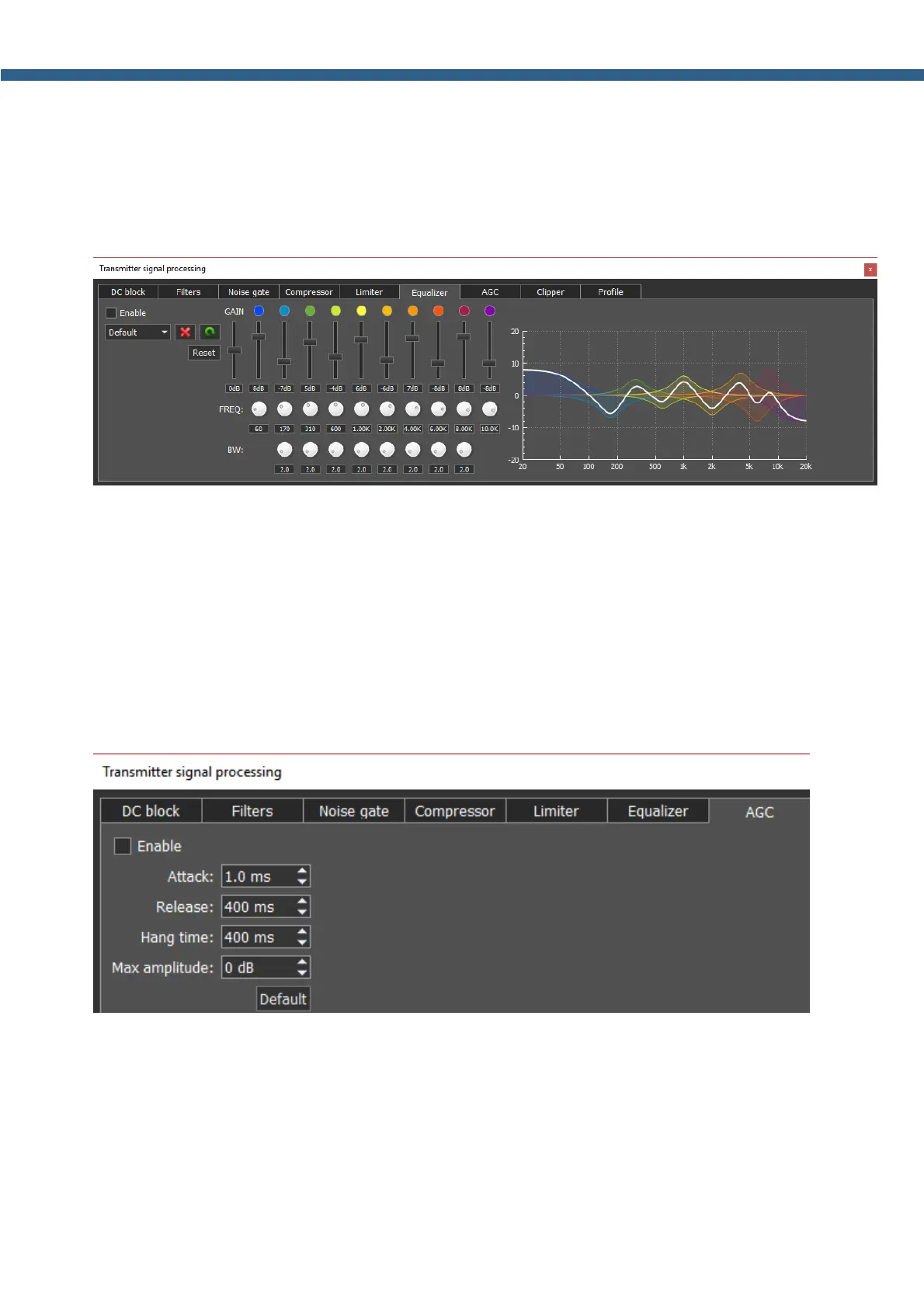
Parametric equalizer module with graphic display of the summed AFC (white line) and AFC of
each equalizer. Each equalizer has independent set of controls: the center or primary frequency
(FREQ), bandwidth (BW) and AFC level (boost or cut) – vertical slider. Press right mouse button
on any control element to set it to the default value. Thus, using the parametric equalizer you
can perform the finest tuning on any required frequency.
In this module, you can find 3 types of filters: Low Shelf (on the left), High Shelf (on the right),
Peaking or Bell (8 units in between). Their operation is similar to the filters described in the
Filters module.
AGC
module is responsible for keeping the constant volume level of the Mic signal. Max AGC value
might be adjusted by the Mic gain on the software front panel. If the Mic signal on the AGC
input is too weak, then you might need to increase the Mic gain. AGC has a delay period which
is adjusted by the Attack, increasing the Attack value will increase delay period.
Parameters:
Attack – signal attenuation period, this value determines how fast AGC will decrease the
amplitude of the loud signal to the Maximum Amplitude value.



 To Next Page