39
SunSDR2 DX User Manual
© 2020 Expert Electronics
ExpertSDR2 SOFTWARE DESCRIPTION
Release – signal recovery period, this value determines how fast AGC will increase the
amplitude of the loud signal to the value which does not exceeds Maximum Amplitude.
Hang time – sets time (in ms) to keep the signal level the same, after Attack period is over,
before beginning Release period.
Maximum Amplitude – sets the signals maximum amplitude on the AGC output.
Note:
·
Set the MIC AGC gain, that the microphone signal is increased to the level of -10...-5 dB on
the MIC-meter indicator (green bar).
·
For correct AGC operation, we recommend setting identical Hangtime and Decay
parameters. If you want to achieve leveled amplitude than Hangtime should be higher than
Decay.
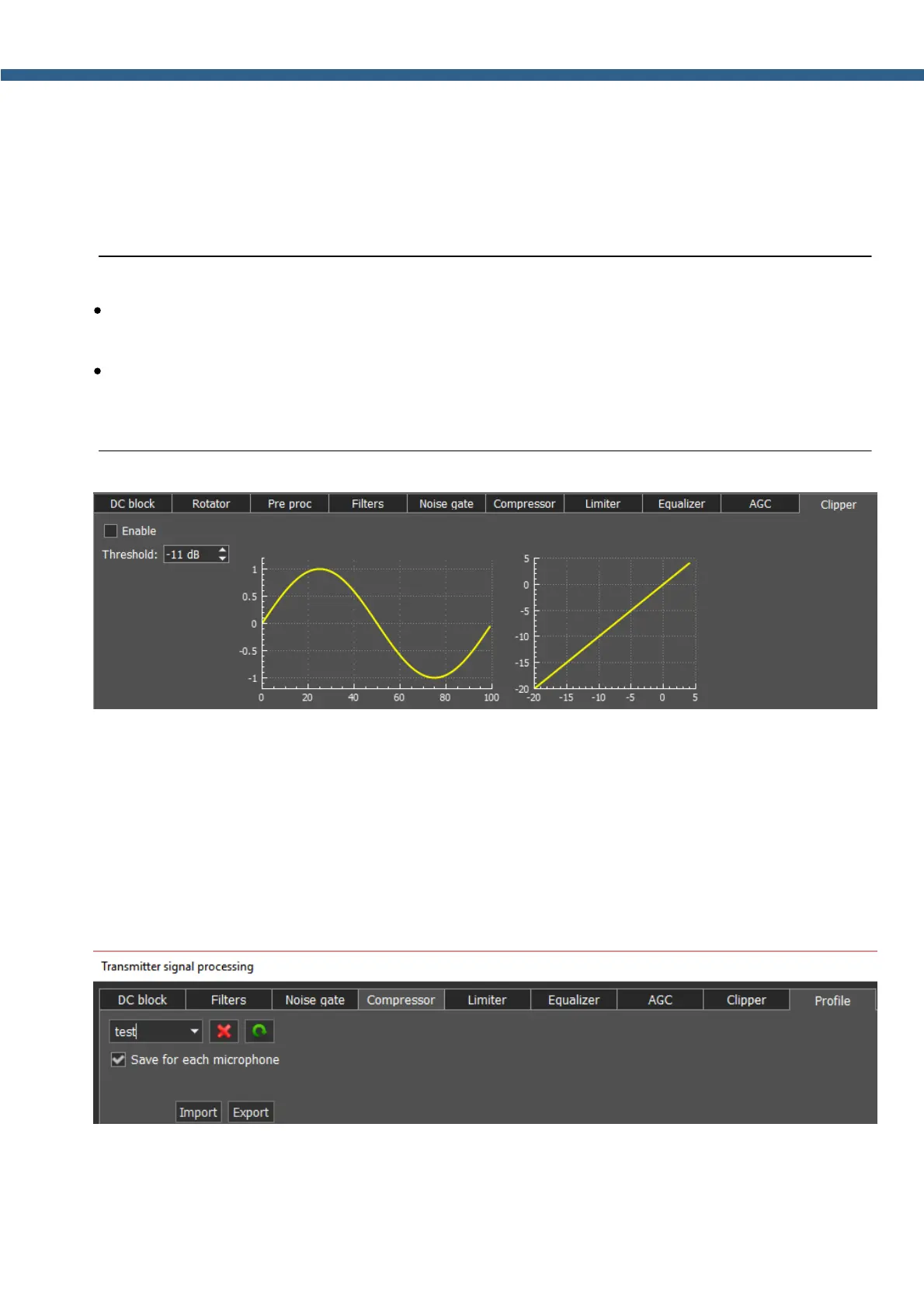
Clipping is a form of waveform distortion that occurs when the output Voltage exceeds
Threshold. Visually (on oscilloscope) it looks like altered signal peaks, you can hear it as
splutters and cracks. Clipper reduces signals peak-factor and increases overall power, but
distorts the signal. CESSB filter default bandwidth is from 0 Hz low and 5 kHz high. Signal
bandwidth can be adjusted by the user in the modulator settings.
Parameters:
Threshold – if the signal exceeds this level, Clipper alters it, sets in dB.
In the Profile tab, you can save settings of the whole TX processing module in a separate
module, independent from the main software profile. Load PROC settings from a file by pressing
the Import button and save a profile in a file by pressing the Export button.



 To Next Page