43
SunSDR2 DX User Manual
© 2020 Expert Electronics
ExpertSDR2 SOFTWARE DESCRIPTION
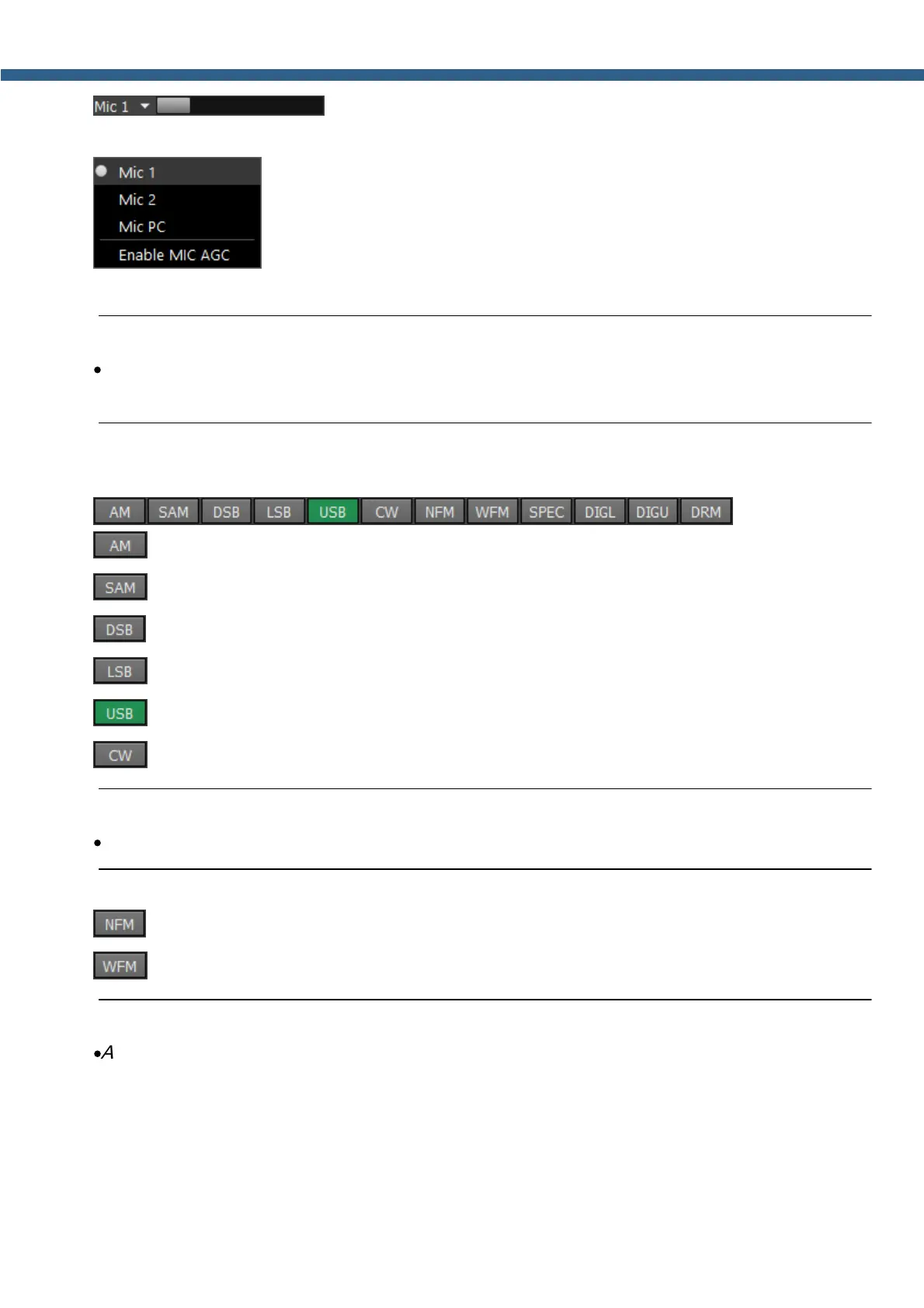
- slider for the microphone gain level. In CW mode, it switches to
the Speed button and duplicates the BreakIn functionality.
- In the drop-down menu, you can select Mic1, Mic2 - transceiver's
microphones, Mic PC - PC's microphone.
Note:
·
Remember, if you disable the MIC AGC, it may distort your signal and cause interference to
neighboring stations.
A panel of mode buttons:
- Amplitude Modulation
- Synchronous Amplitude Modulation
- Double Side Band
- Lower Side Band
- Upper Side Band
- CW mode.
Note:
·
It works in CW-U for all bands. It cannot be changed.
- Narrow FM
- Wide FM, supports receiving of the stereo signals
Note:
·
Amplitude Frequency Characteristic (AFC) has deemphasis when you operate in FM modes.
AFC slope in WFM is determined by a standard. Europe standard determines AFC slope with
time constant 50 ums (like in first order LPF), US standard 75 ums.
There is no such standards for NFM, thus we used our own parameter.
In NFM time constant is high, which allows to mute HF noise when there is no stations and



 To Next Page