DTC4500e_User Guide_EN, PLT-01669, Rev. 1.1
4.5.3 Printhead Cleaning
Caution: Turn OFF the printer and unplug the power cord from the printer.
Attention: Éteignez l'imprimante et débranchez le cordon d'alimentation de l'imprimante.
Step Procedure
1 Remove the ribbon cartridge.
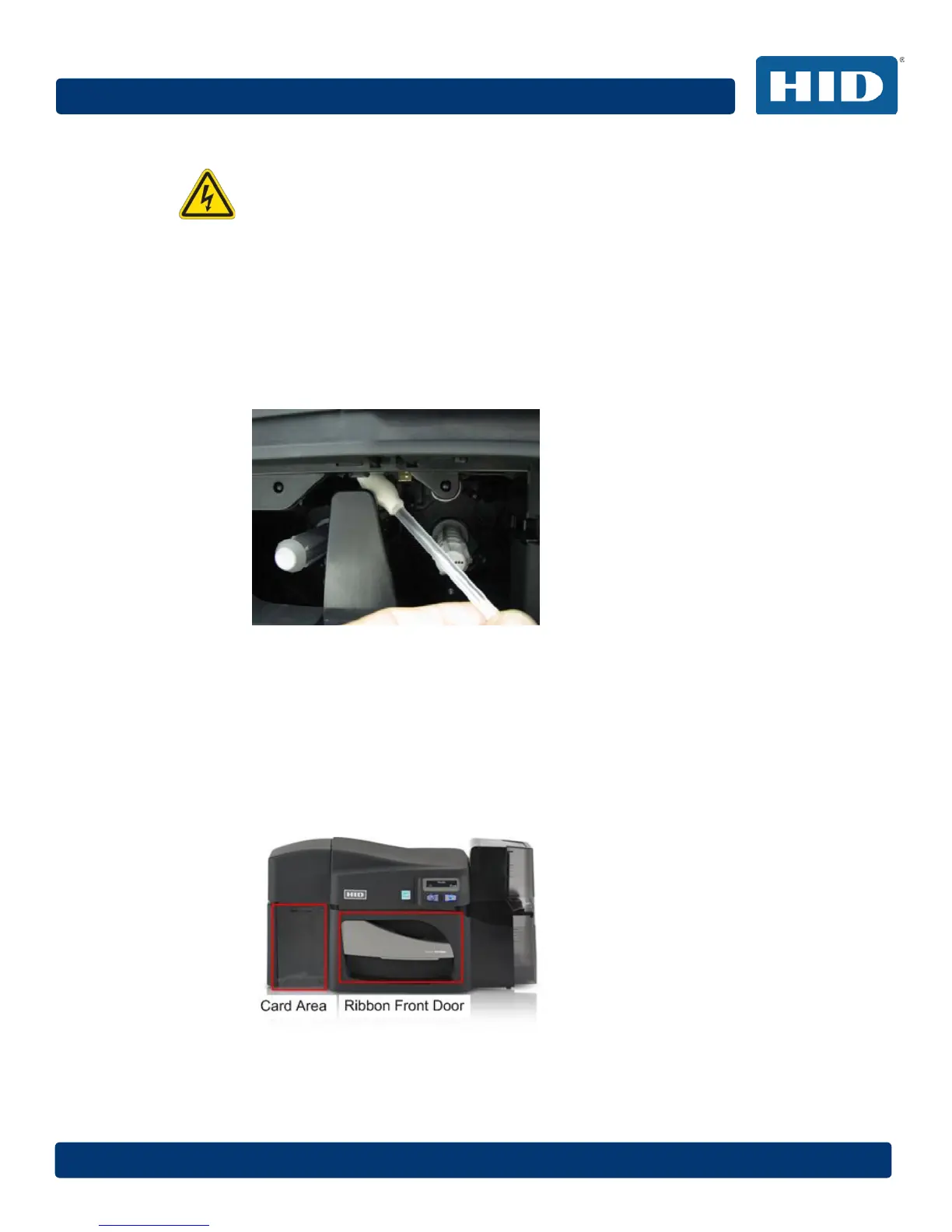
2 Open the printhead cleaning swabs. Break it to moisten the tip.
3 Swab the tip back and forth across the top of the printhead. Allow to dry thoroughly before
sending a print job.
4.5.4 Cleaning the Platen and the Card Feed Rollers
Perform this procedure approximately every 1000 prints to maintain a consistent print quality.
Note: The card feed rollers move the card throughout the print process. Rollers should be kept clean
to prevent card jams and card contamination. This cleaning process will ultimately lead to better print
quality and extended printhead life.
Step Procedure
1 Open the printer’s front cover, remove the print ribbon and close the front cover.
Remove all the cards from the printer’s input card hopper.



 To Next Page