DTC4500e_User Guide_EN, PLT-01669, Rev. 1.1
4.7.1 Supplies
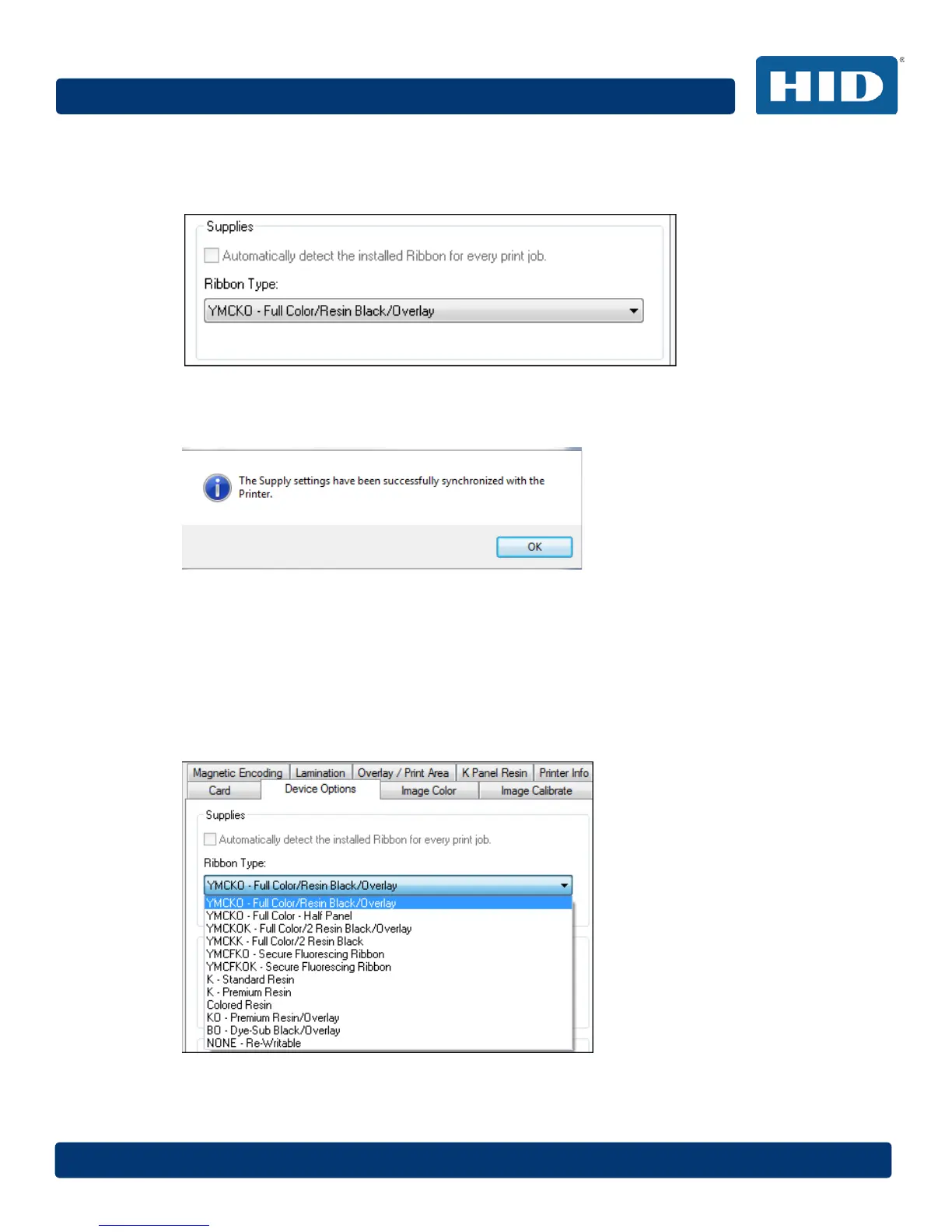
Click Automatically detect the installed Ribbon for every print job. to verify that the ribbon type
selected matches the installed ribbon. The printer changes the ribbon type to the correct setting.
A dialog box opens and indicates that the current setting has changed or that the current ribbon type
is correct.
4.7.1.1 Ribbon Type
Use the Ribbon Type option to manually select the ribbon type.
Step Procedure
1 Deselect Automatically detect the installed Ribbon for every print job.
2 Click the drop-down button of the Ribbon Type field.
3 Select the preferred ribbon type. The available choices will vary, based on compatibility with
your printer model. For rewritable cards, select None – Re-Writable.



 To Next Page