DTC4500e_User Guide_EN, PLT-01669, Rev. 1.1
Window Tab Procedure
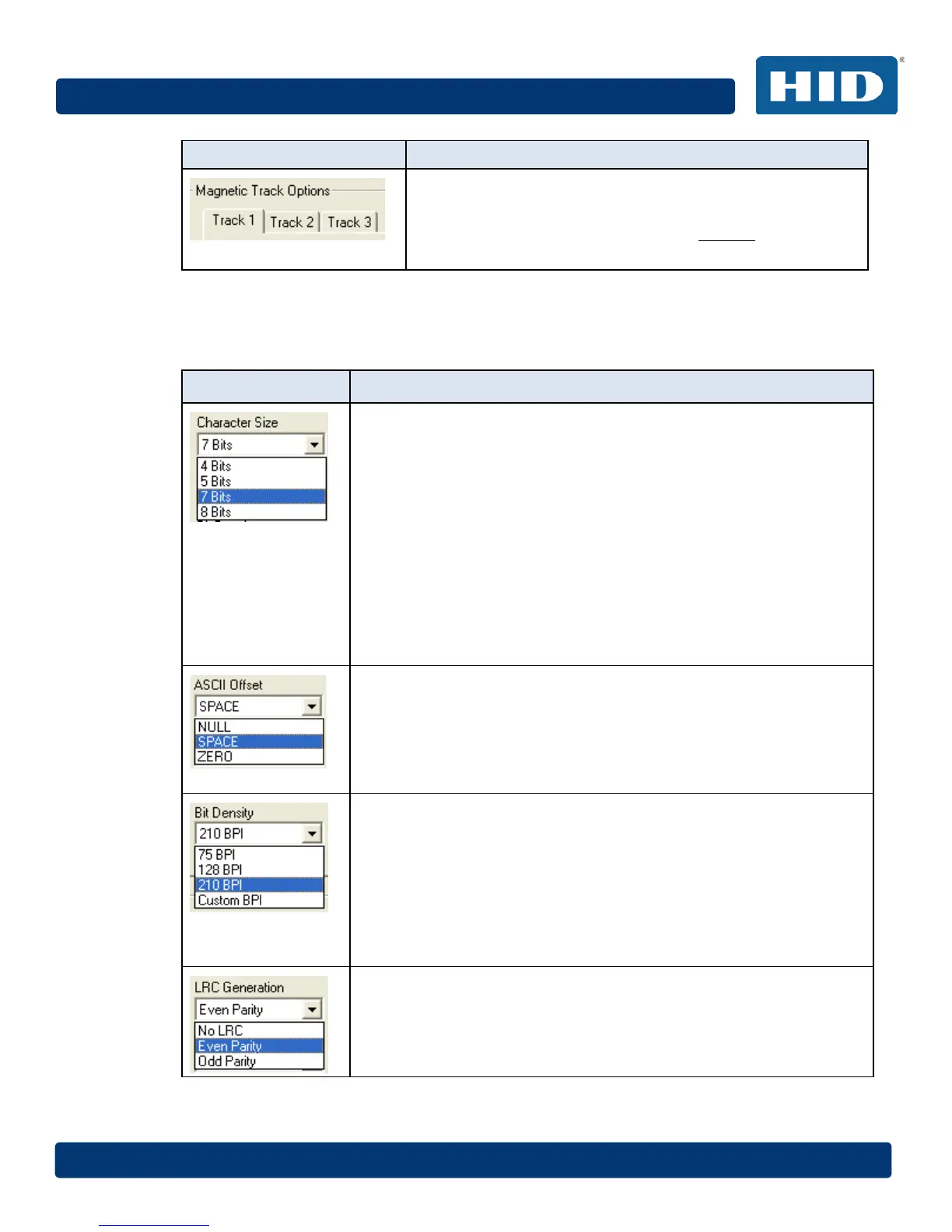
Select the Magnetic Track Selection option to specify which
track is to be configured through the Magnetic Track Options.
This applies if the application being used requires customization
of the standard ISO encoding process.
4.10.1.2 Custom Encoding or Raw Binary Encoding Mode
You can change the Magnetic Track options for Tracks 1, 2 and 3 when using the Raw Binary
Encoding mode or Custom Encoding mode. These options are not available for ISO or JIS II
encoding.
Window TAB Procedure
For Raw Binary Encoding mode, select 4 Bits to change the bits per
character to 4 BPC.
Note: This is the default for Track 1.
For Custom Encoding mode, select 5 Bits to change the bits per
character to 5 BPC.
Note: This is the default for Tracks 2 and 3.
For Custom Encoding mode, select 7 Bits to change the bits per
character to 7 BPC.
Note: This is the default for Track 1.
For Raw Binary Encoding mode, select 8 Bits to change the bits per
character to 8 BPC.
Note: This 8-bit setting is the default for all tracks 2 and 3.
Select NULL to change the ASCII Offset to NULL.
Select SPACE to change the ASCII Offset to SPACE.
Note: This is the default for Track 1.
Select ZERO to change the ASCII Offset to ZERO.
Note: This is the default for Tracks 2 and 3.
Select 75 BPI to change the bits per inch to 75 BPI.
Note: This is the default for Track 2.
Select 128 BPI to change the bits per inch to 128 BPI.
Select 210 BPI to change the bits per inch to 210 BPI.
Note: This is the default for Tracks 1 and 3.
Select Custom BPI, which enables the custom BPI text box.
Note: The lower limit is 75 and upper limit is 210.
Select No LRC to change the LRC Generation to none.
Select Even Parity to change the LRC Generation to Even Parity.
Note: This is the default for all tracks.
Select Odd Parity to change the LRC Generation to Odd Parity.



 To Next Page