DTC4500e_User Guide_EN, PLT-01669, Rev. 1.1
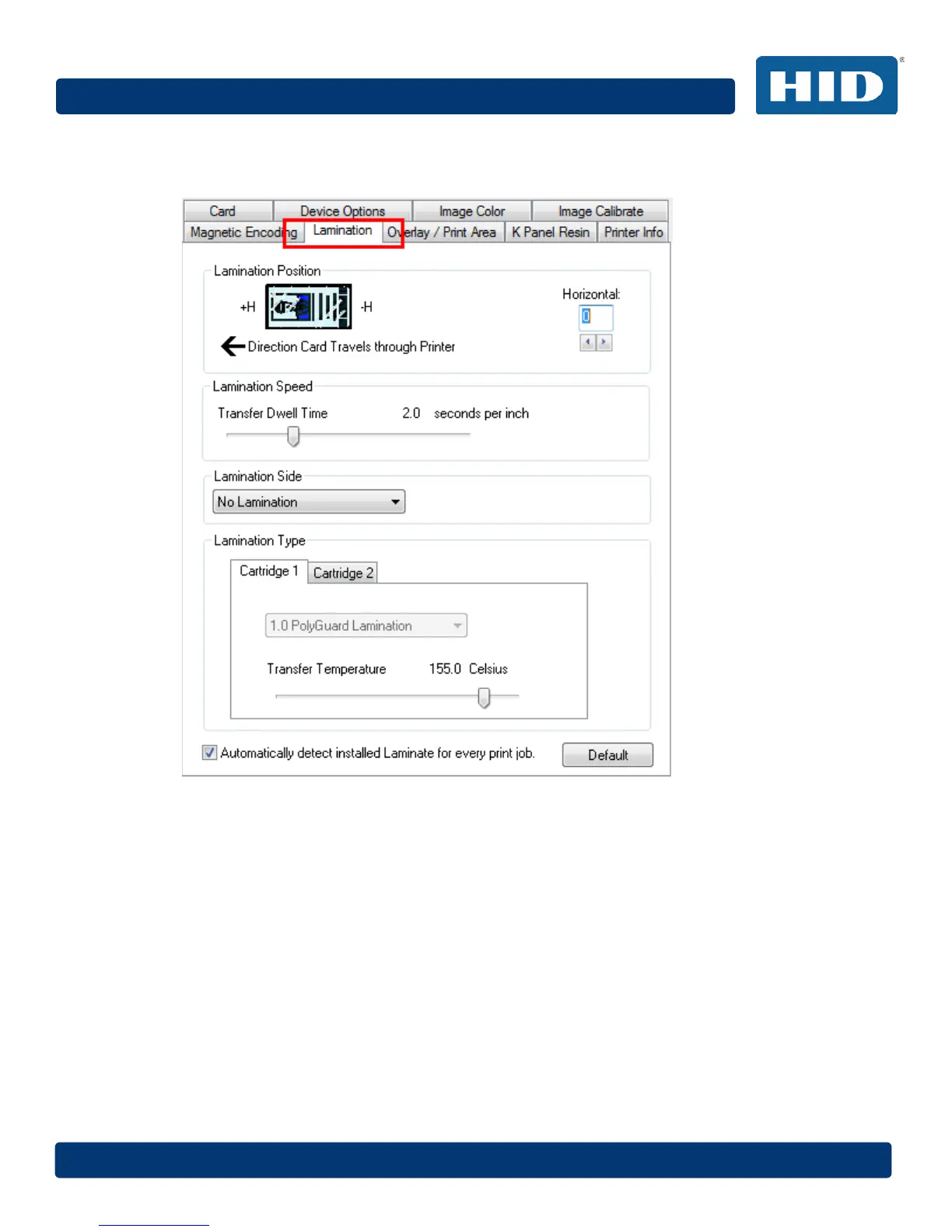
4.11 Lamination Tab
Use the Lamination tab to control the position of the PolyGuard Overlaminate.
4.11.1 Lamination Position
To adjust the lamination position, click on the Horizontal adjustment arrows. The value can range
from 0 to ±100 pixels (10 pixels is about 03.8mm). To move the overlaminate more toward the card
output side of the printer, enter a positive number. To move the overlaminate more toward the card
input side of the printer, enter a negative number. The default value is 0.
4.11.2 Lamination Speed
Adjust the Transfer Dwell Time to control the Lamination Dwell Time or through-put speed of a card
in seconds per inch and with the Lamination Temperature. The default Transfer Dwell Time is 2.0
seconds per inch. The maximum limit is 4.9 seconds per inch. The minimum limit is 0.8 seconds per
inch.



 To Next Page