DTC4500e_User Guide_EN, PLT-01669, Rev. 1.1
4.10.1.1 ISO Encoding
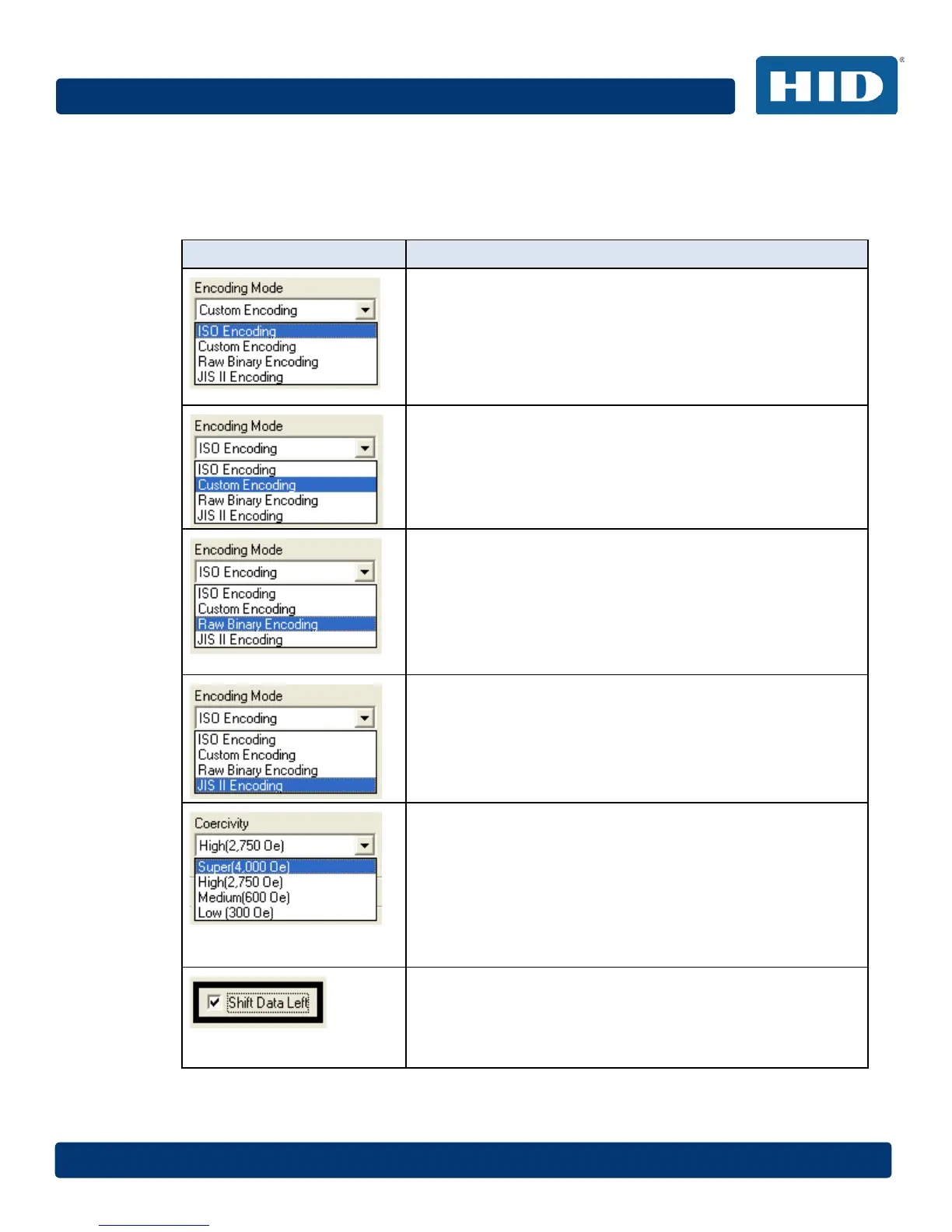
You can change the encoding mode and coercivity setting or modify the ISO standards for Tracks 1,
2 and 3. This can be done by correctly modifying these Magnetic Encoding options.
Window Tab Procedure
If you select ISO Encoding, you send down a formatted set of
characters.
This selection activates the track tabs. However, all functions on
the Track tabs are inactive or gray and display ISO defaults,
which are the defaults listed for each track below. The Shift
Data Left check box remains unchecked and inactive.
If you select Custom Encoding, all options are active.
The Default is ISO Encoding.
Note: The defaults are the same as the ISO Encoding defaults.
All functions on the Magnetic Track Options tabs are active.
If you select Raw Binary Encoding, you send down a raw
binary string rather than a formatted set of characters.
The Coercivity dropdown function is active and the Shift Data
Left checkbox is not active.
All functions on the Magnetic Track Options tabs are inactive
except for Bit Density.
If you select JIS II Encoding, specific standards are used.
This selection disables all the Magnetic Track Options tabs. It
also disables the Coercivity dropdown function and Shift Data
Left checkbox option.
The default Coercivity is 600 Oe.
Select the Coercivity option (Oersted) that matches the card
type.
High Coercivity 4000 Oersted
FARGO’s High Coercivity UltraCard IIIs are 2750 Oersted
Medium Coercivity=600 Oersted
Low Coercivity = 300 Oersted
Select this option to shift the recorded magnetic data to the left-
hand side of the card's Magnetic Stripe.
This is useful in situations that require cards to be readable with
insert type readers.



 To Next Page