DTC4500e_User Guide_EN, PLT-01669, Rev. 1.1
Omit Smart Chip Area – Select this option to overlay and/or print only in the space outside
the standard location of a smart chip.
Omit Mag Strip Area – Select this option to overlay and/or print only in the space outside
the standard location of an ISO-standard magnetic stripe.
Omit Signature Area – Select this option to overlay and/or print only in the space outside
the standard location of a signature panel.
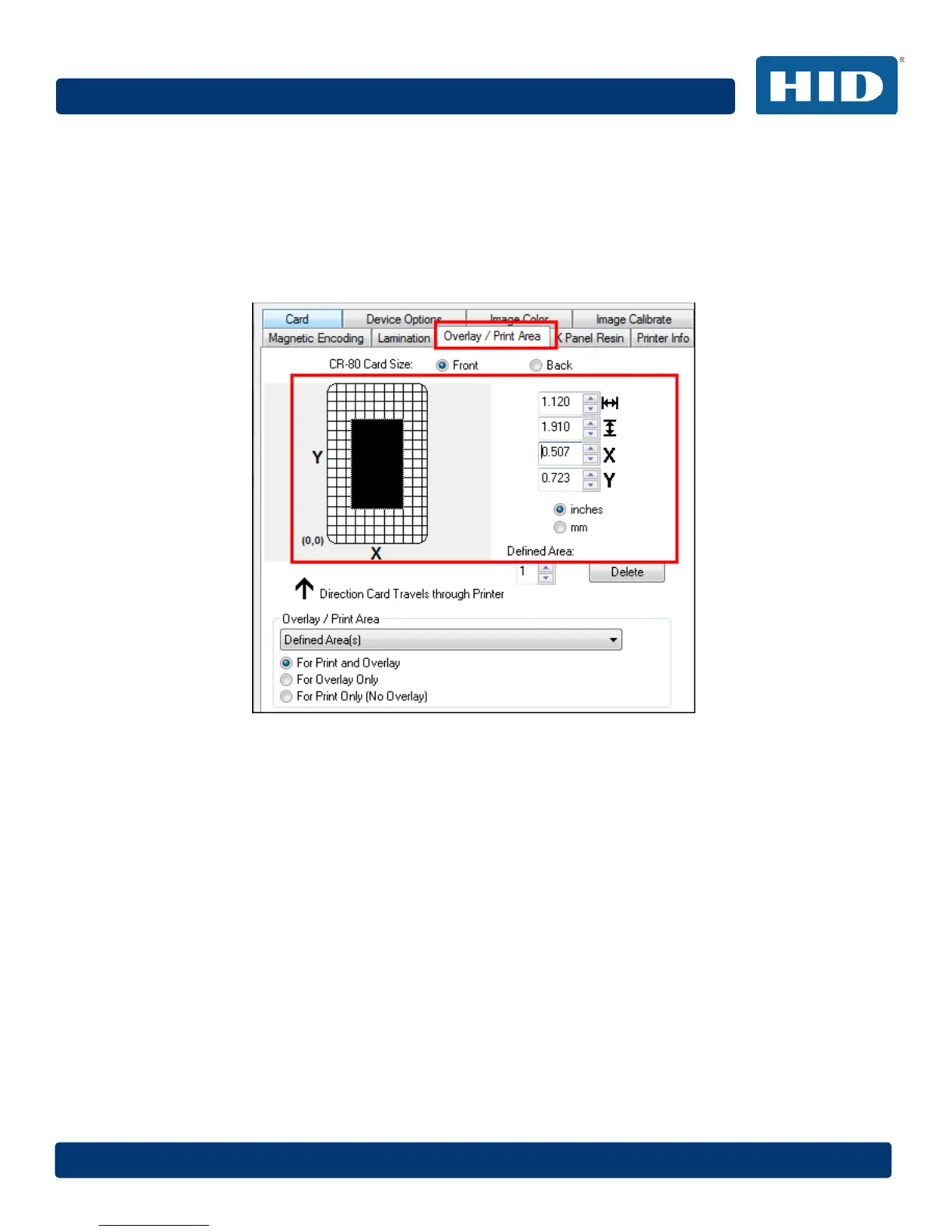
3 When you select an option, a default blacked area appears on the card design area grid.
4 Click and drag to enlarge the area and move it to the preferred location on the card. The
size and coordinates of the area update in the number fields using the units you specify,
inches or mm.
4.12.2 Deleting a Defined Area
Step Procedure
1 Use the Defined Area arrows to select the area.
2 Click the Delete button.
4.12.3 Overlay / Print Area
The Overlay / Print Area box includes several options:
• Defined Area
• For Print and Overlay
• For Overlay Only
• For Print Only (No Overlay)



 To Next Page