DTC4500e_User Guide_EN, PLT-01669, Rev. 1.1
4.6 Advanced Settings (Toolbox)
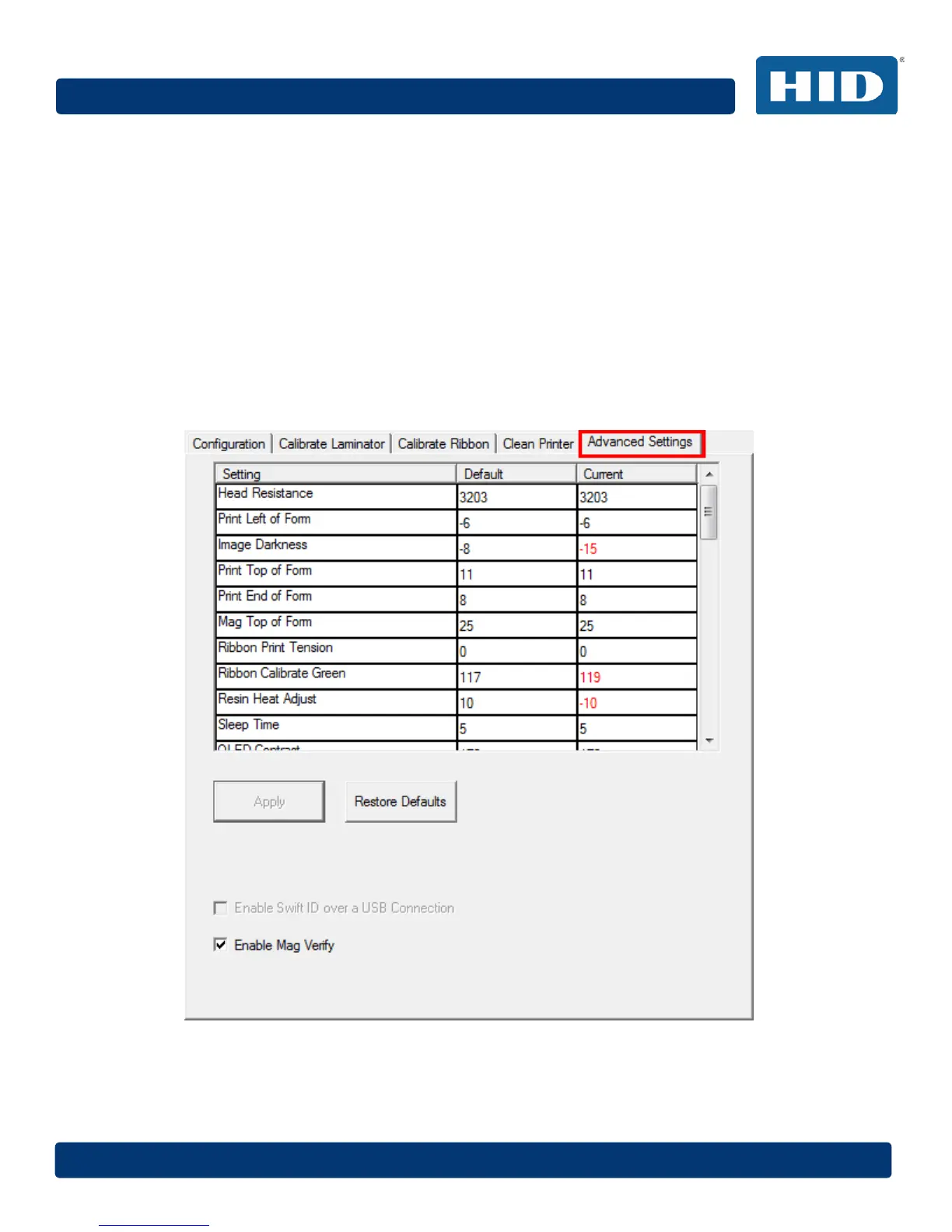
Use the Advanced Settings tab for adjusting the internal printer settings, which are customized for
every printer at the factory and saved directly within the printer's memory.
Note: You can click the Restore Defaults button to restore the internal default settings.
Settings enable users to change the values for firmware settings by clicking on the Current column.
• Setting Column: Displays the name of the setting.
• Default Column: Displays the default value for the setting.
• Current Column: Displays the current value of the setting.
• Apply Button: Applies changed values.
• Restore Defaults Button: Restores the default values.
• Enable Mag Verify: Check this box to verify that the data is written to the tracks correctly.



 To Next Page