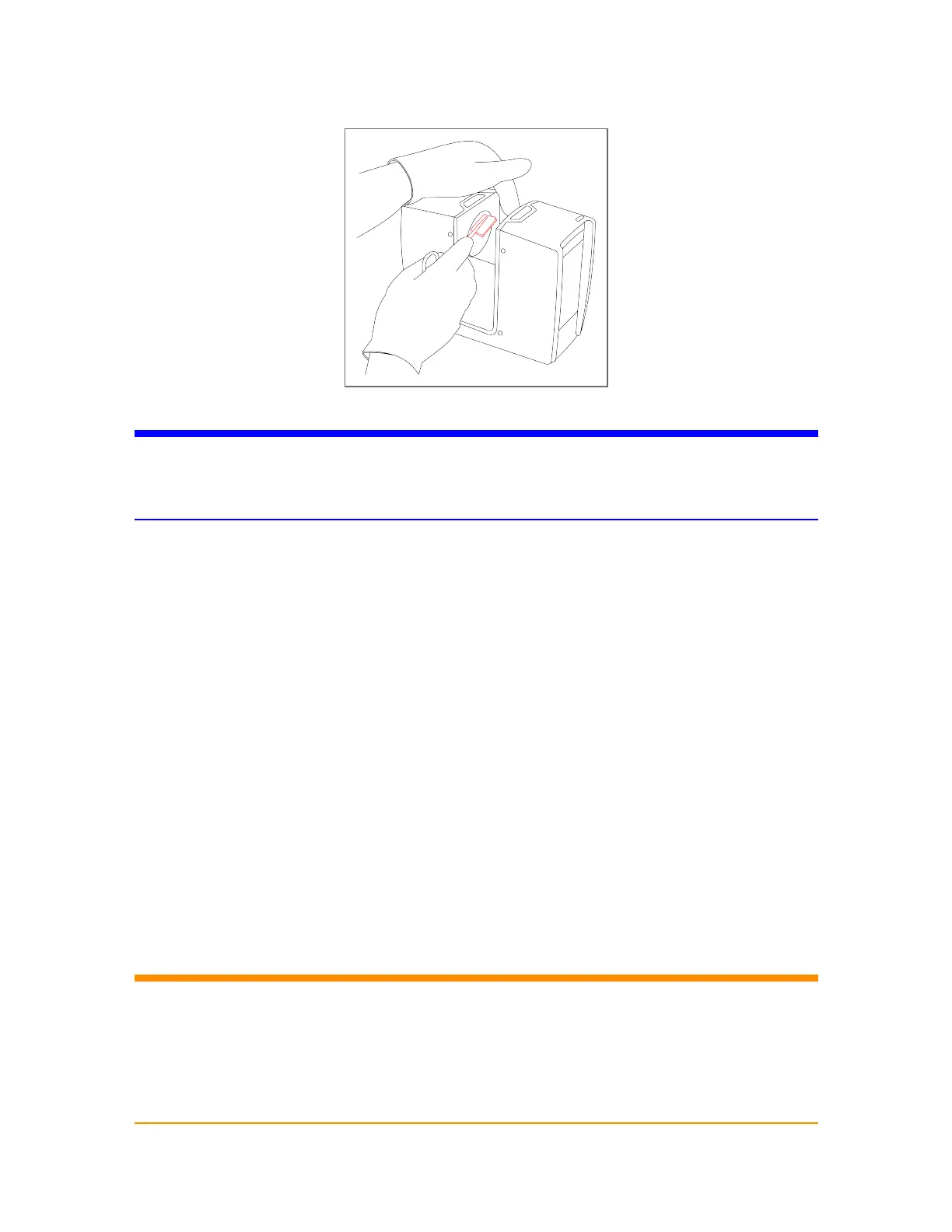
Figure 8-10 Cleaning sensor cover with pad and isopropyl alcohol or cleaning fluid
NOTICE: Damage of the scanner’s mirrors and lenses
Avoid any contamination of the cleaning tissue.
Do not apply pressure while wiping. This might damage the optical surface.
1. With a single, consistent linear motion from one end to the other, gently wipe the mirror or sensor
cover glass with the cleaning pad, as shown above.
2. After each cleaning cycle, discard the cleaning pad and prepare a new pad as described under
Prepare the Cleaning Pad on page124.
3. Repeat the cleaning until the full mirror or sensor cover aperture has been wiped once.
4. Check cleaning status by visual inspection.
5. Prepare another cleaning pad with isopropyl alcohol or optics cleaning fluid to finalize the
procedure.
6. Gently wipe the mirror's entire surface with gentle pressure and in a linear direction once through.
7. Check cleaning status by visual inspection. Ensure that no contamination remains. If there is still
contamination, repeat the cleaning with isopropyl alcohol or optics cleaning fluid.
Cleaning of Strongly Contaminated Optics
WARNING: Hand injuries due to spinning mirror
If the scanner is accidentally switched on, the mirrors may start to turn. Before starting
any cleaning activity:
- shut-down the laser scanner module and remove the battery pack.
- if using an external power supply, remove the power line.
This will prevent the mirror from turning during the cleaning.
FARO
®
Focus Premium Laser Scanner User Manual
Chapter 8: Maintenance
FARO Focus Premium (March 2022) Page127of157



 To Next Page