Editing an Operator Profile
To edit an operator profile, select it in the list and tap it once again to find its details.
Selecting an Operator Profile
Select an operator profile in the list by tapping the corresponding button. The selected operator profile is
highlighted, and assigned to the captured scans, until another operator profile is selected. To view or edit
the details of the selected operator profile, tap it again.
Sensors
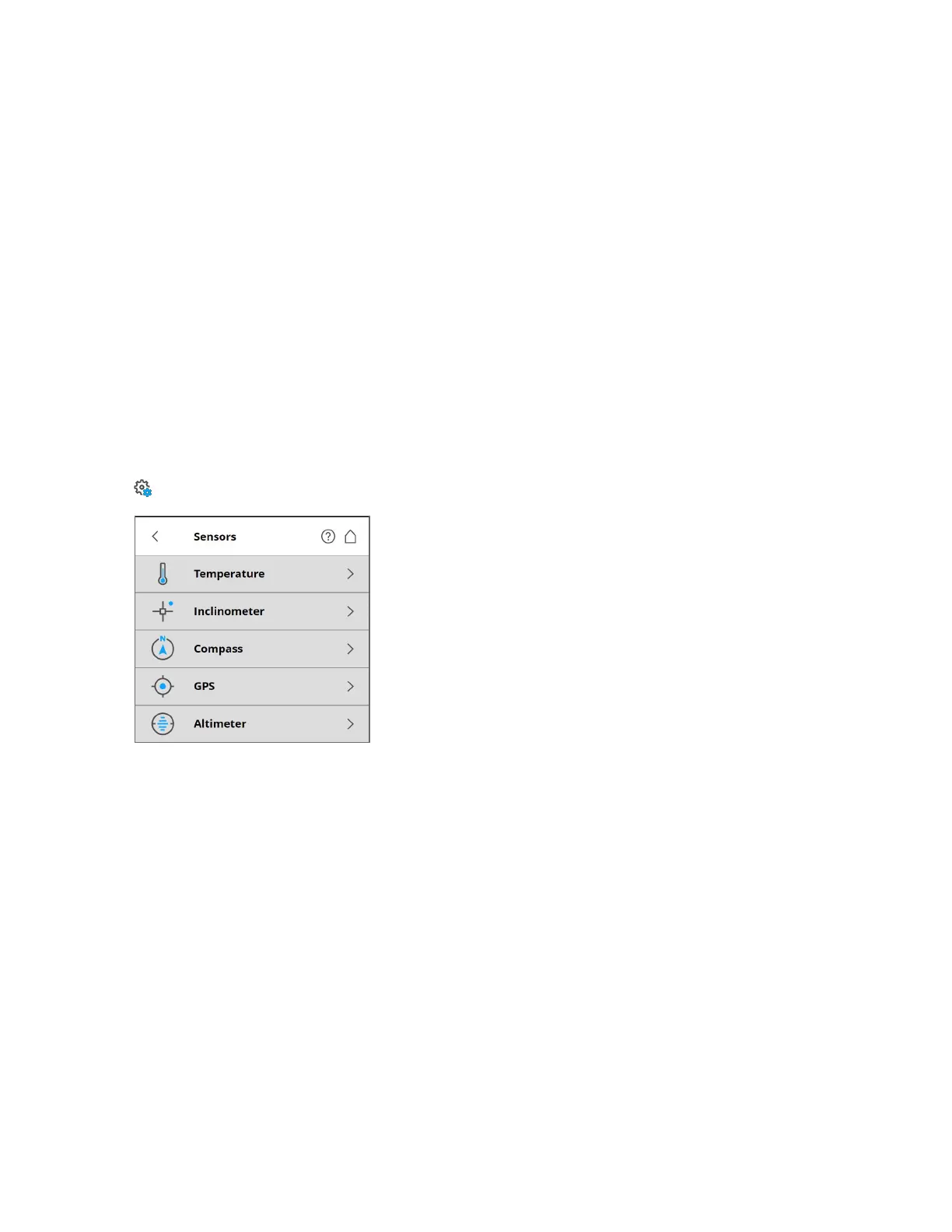
Manage > Sensors > Temperature
Figure 6-17 Sensors
Temperature - Tap to view the current scanner temperature and to switch the scanner's fan on or off. See
Temperature Sensors below.
Inclinometer - Tap to level the scanner. See Inclinometer (Dual-Axis Compensator) on the next page.
Compass - Tap to view the orientation of the scanner. See Compass on page83.
GPS - Tap to view details regarding the current GPS position and accuracy. See GPS on page84.
Altimeter - Tap to view the currently measured altitude of the scanner’s position and to sync the
altimeter with a reference height. See Altimeter on page85.
Temperature Sensors
The scanner has several integrated temperature sensors that measure the temperature at different points
inside the scanner. This screen shows the temperature of the sensor with the currently most critical value.
FARO
®
Focus Premium Laser Scanner User Manual
Chapter 6: Controller Software
FARO Focus Premium (March 2022) Page80of157



 To Next Page