FARO Stream
FARO Stream is an app for your phone that enables you to control a FARO laser scanner, get a real-time
view of the scan progress as it happens, add text and picture annotations to the scan, pre-register scans,
and upload the project to the cloud. This can help you be certain that you have correctly captured the
scan environment while still on-site.
Setting the Scanning Parameters
Resolution, quality, or scanning angles are the parameters used by the scanner for recording the scan data.
There are two ways to set the scanning parameters:
l Change them manually.
l Select a scan profile. These are predefined sets of scanning parameters.
When selecting a scan profile, its settings overwrite the scanning parameters.
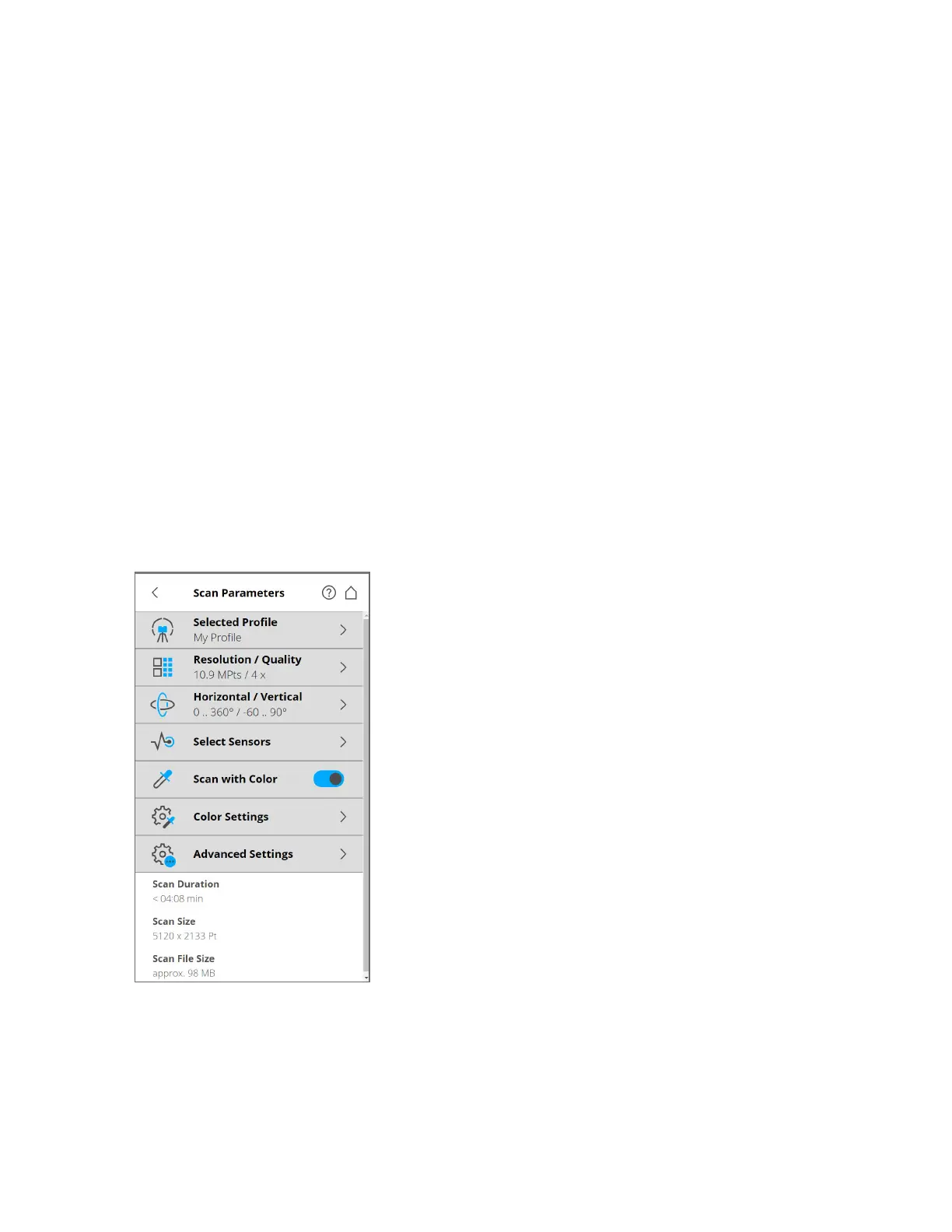
To choose a predefined scan profile, or change the scanning parameters, tap Parameters.
Figure 5-13 Change the Scan Parameters
Selected Profile - Shows the name of the selected scan profile. Tap to select a scan profile. If the
scanning parameters differ from the selected profile, altered is appended to its name.
FARO
®
Focus Premium Laser Scanner User Manual
Chapter 5: Getting Started
FARO Focus Premium (March 2022) Page40of157



 To Next Page