General Settings
Manage > General Settings
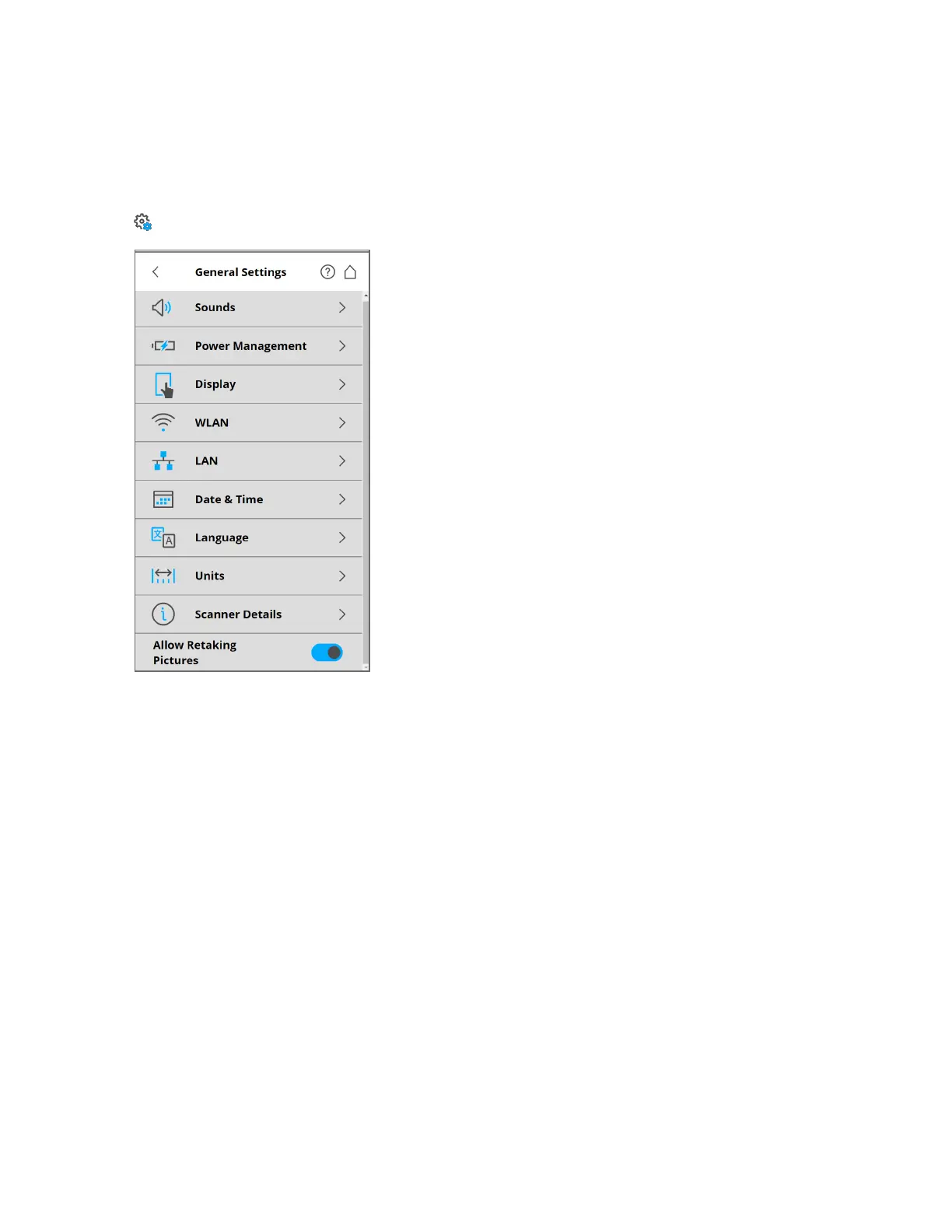
Figure 6-20 General Settings
Sounds - Change the volume of the scanner sounds. Enable or disable scanner sounds. See Sounds on the
next page
Power Management - View detailed settings regarding the administration of power, such as the battery
charge level. Enable or disable Start on Power, which causes the scanner to switch on when it is
connected to a power supply. Modify display settings to optimize power usage. See Power Management
on the next page
Display - Set the brightness of the screen or change the theme of the Home screen to Dark or Bright. See
Display on page88
Date&Time - Change the displayed time and date format, or change the date and time of the scanner.
See Setting the Date and Time on page37.
Language - Change the language of the controller software. See Setting the Interface Language on
page37.
Units - Change the unit used for length. See Setting the Unit of Length and the Temperature Scale on
page38.
Scanner Details - View and change details of the scanner. See Scanner Details on page96
FARO
®
Focus Premium Laser Scanner User Manual
Chapter 6: Controller Software
FARO Focus Premium (March 2022) Page86of157



 To Next Page