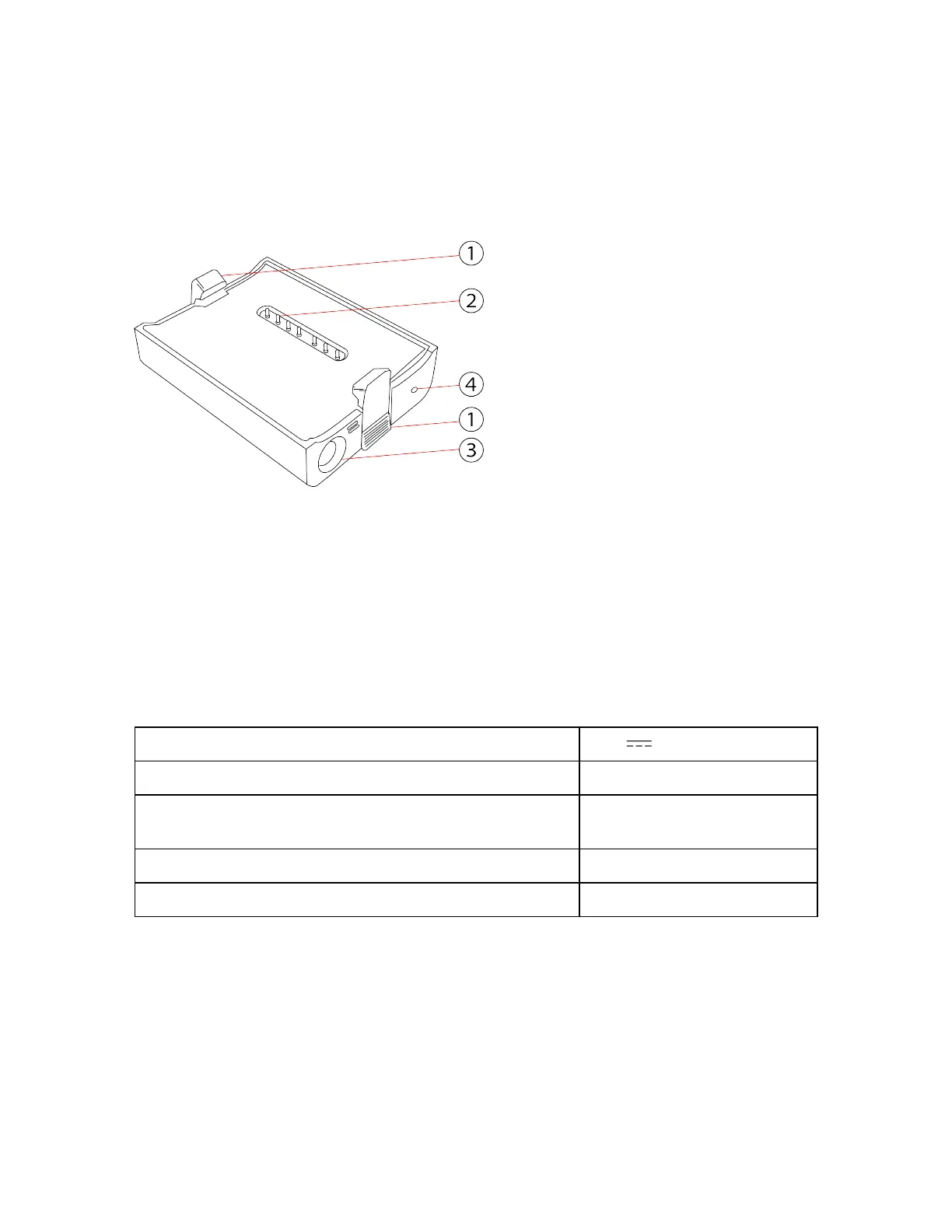
PowerDock Battery Charger
Figure 4-5 PowerDock Battery Charger
①
Safety latches - To insert the battery, push downwards. Push bottom area to open.
②
Connectors
③
Power socket
④
Power LED - for LED specifications, see below.
PowerDock Battery Charger Technical Data:
Rating voltage: 19 V
Maximum power: 75 W
Operating temperature:
0°C to +40°C
(+32°F to +104°F)
Humidity: Non-condensing
Environment: indoor (pollution degree 2)
LED Behavior when Battery Charger is Connected to
PowerDock or Scanner
When the battery charger is connected to the power source, its LED displays the charging state as
described in the table below. (Blinking = charging. Not blinking= not charging.)
FARO
®
Focus Premium Laser Scanner User Manual
Chapter 4: Parts and Their Functions
FARO Focus Premium (March 2022) Page19of157



 To Next Page