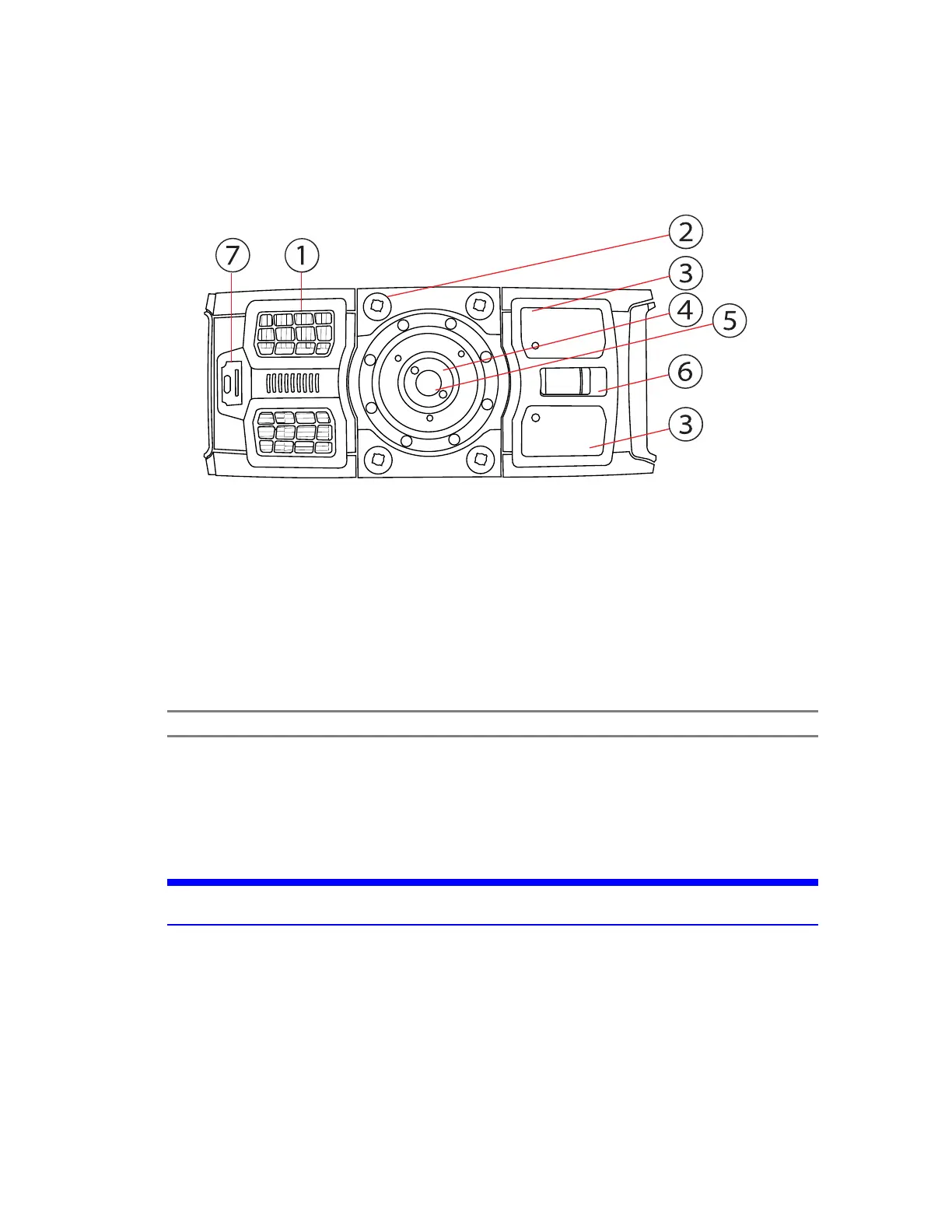
Bottom Side
Figure 4-4 Bottom View of the FAROFocus Premium
①
Cooling fan openings - Keep these openings uncovered and at least 18 cm (7 in) from the floor or
any other surface.
②
M5 screw threads - To mount the scanner to customer-specific fixtures.
③
Type label
④
Automation Interface
NOTE: The scanner base interface is not available on all scanner models.
⑤
3/8" screw thread - To mount the scanner to standard photo tripods.
⑥
Battery compartment cover release mechanism
⑦
USB-C port / service & maintenance port (cover not shown)
NOTICE: Do not plug any type of charger into this connector. Only USBslave devices may be
attached.
FARO
®
Focus Premium Laser Scanner User Manual
Chapter 4: Parts and Their Functions
FARO Focus Premium (March 2022) Page18of157



 To Next Page