Mounting and Using the Quick Release
The quick release enables you to quickly and safely attach and remove the scanner from the tripod. The
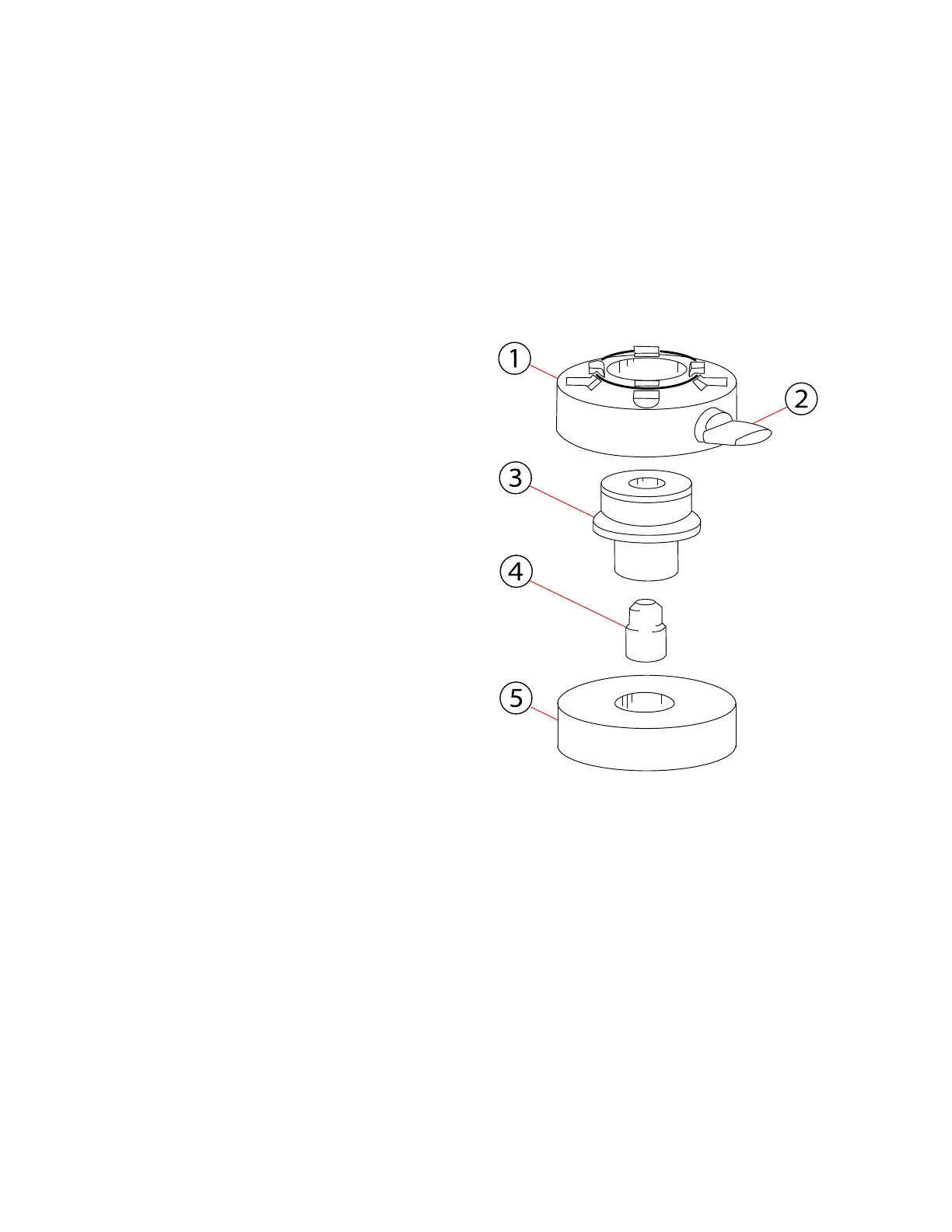
quick release consists of these parts:
①Scannerplate ②Fixationscrew ③Centerspindle ④Spindlescrew ⑤Tripodplate
Prepare the Tripod
Figure 5-7 Quick release parts
1. Extend the tripod legs and place the tripod on
a stable surface at a convenient height. Ensure
that all legs of the tripod are secure.
2. Your tripod might be equipped with one or
more set screws in the platform. Ensure that the
set screws are recessed below the platform.
They must not stick up out of the surface.
3. Place the tripod plate over the center screw of
the tripod.
4. Ensure that the spindle screw is firmly screwed
into the narrow side of the center spindle.
5. Screw the center spindle firmly onto the tripod.
Prepare the Scanner
1. Place the scanner upside down on a stable, flat
surface. Use the included mirror protection
foam to protect the mirror from dirt, dust, or
falling objects.
2. Place the scanner plate onto the base of the scanner. Ensure that it slides into the circular depression
surrounding the center thread.
3. Use a 4 mm hex key to tighten the four screws, so that the scanner plate is firmly attached to the
scanner. Tighten the screws crosswise. Do not over-tighten.
4. Extend the tripod legs and place the tripod on a stable surface at a convenient height. Ensure that
all legs of the tripod are secure.
FARO
®
Focus Premium Laser Scanner User Manual
Chapter 5: Getting Started
FARO Focus Premium (March 2022) Page32of157



 To Next Page