Chapter 4: Parts and Their Functions
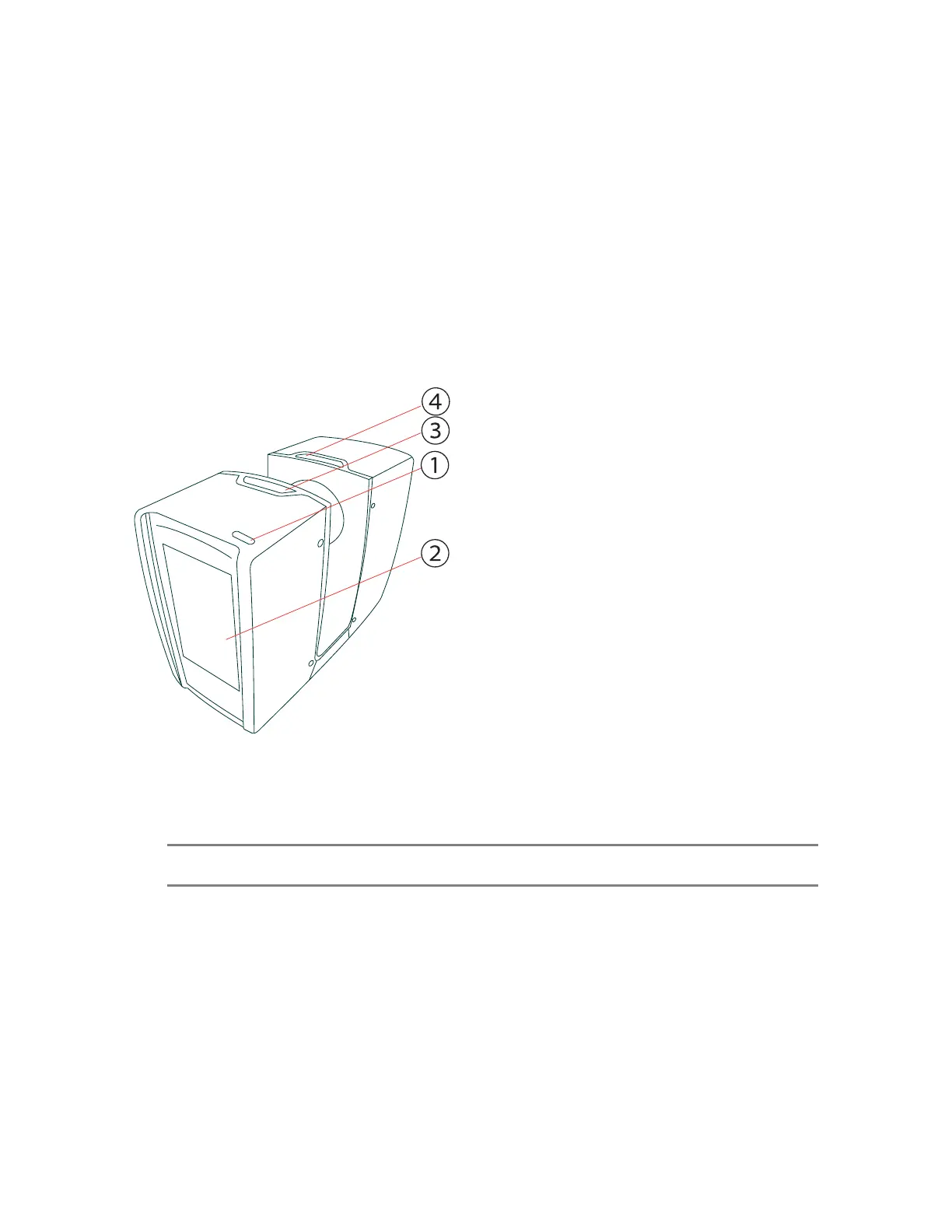
Display Side
Figure 4-1 Display side of the FAROFocus Premium
①
Power On/Off button - Press for a few seconds (until the LED blinks) to turn on the FAROFocus
Premium. If the scanner is on and running, press again to turn it off. You must confirm shutoff by
tapping on the display.
NOTE: In exceptional cases, such as if the shut-down mechanism does not work or the scanner is
non-responsive, press and hold the button until the scanner shuts down.
②
Touchscreen display
③
Accessory bay 1
④
Accessory bay 2
FARO
®
Focus Premium Laser Scanner User Manual
Chapter 4: Parts and Their Functions
FARO Focus Premium (March 2022) Page15of157



 To Next Page