Compass
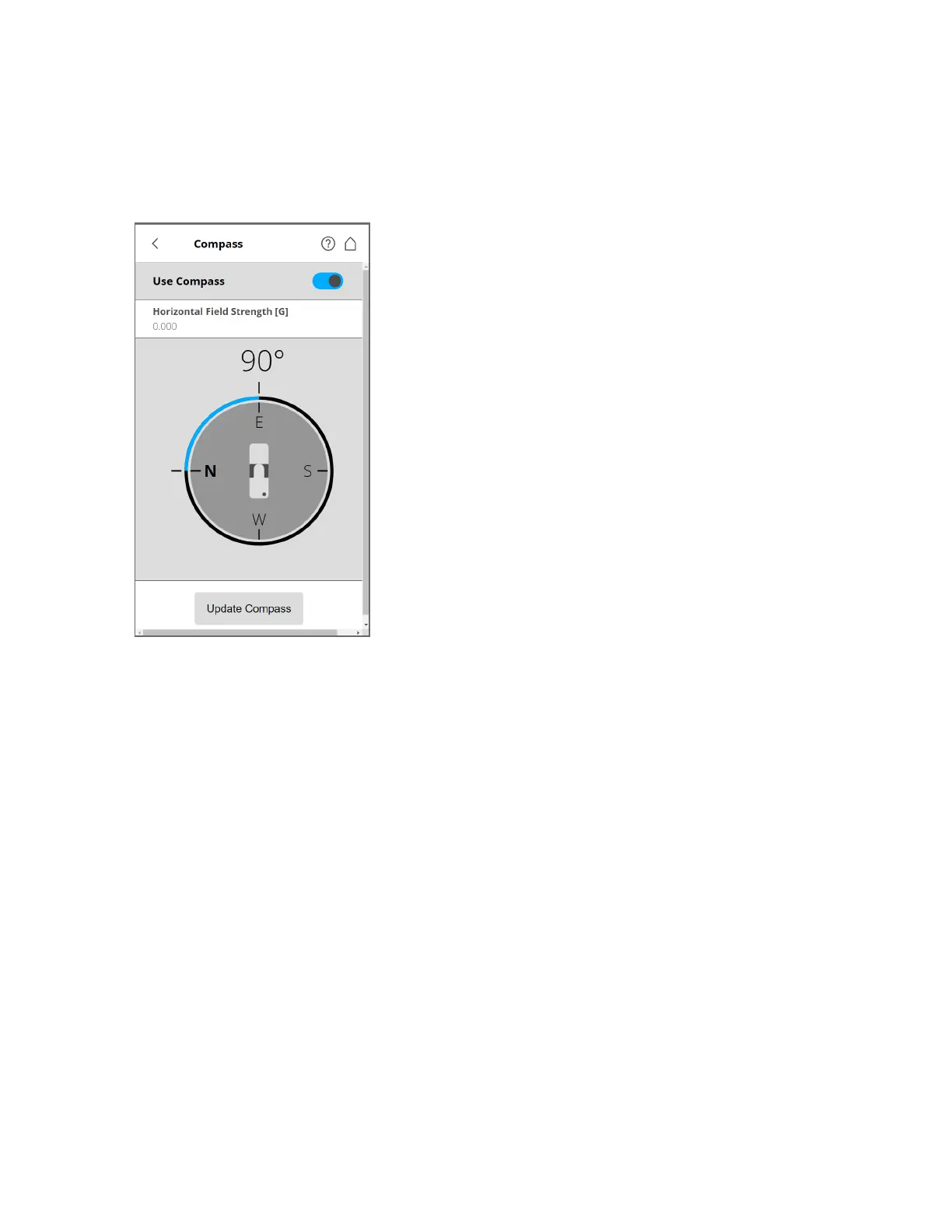
Figure 6-19 Compass
The built-in electronic compass measures the orientation of the scanner on the earth's surface. This
information is useful for the registration process.
It is attached to each scan and can be used for the scan registration in SCENE. See the SCENE user
manual for more information.
If you want SCENE to use the compass data for the scan registration, switch the Use Compass function
to ON. Otherwise, switch it to OFF. This setting affects the current scanning parameters, and has the same
function as the equivalent button in the parameters settings. See Setting the Scanning Parameters on
page40.
You can monitor the current orientation of the scanner on this screen. Initially, when entering this screen,
the orientation is not displayed. To see the current orientation of the scanner, tap the Update Compass
button on the bottom. For the measurement, the scanner needs to turn horizontally by 360°. Ensure that
the scanner can move freely, and do not move the scanner during the measurement.
As soon as the scanner has completed the rotation and determined its orientation, a compass is displayed
as if it were mounted on top of the scanner. This compass illustrates the current scanner orientation.
Additionally, the measured orientation value is displayed in degrees.
To get updated orientation data, for example, if the scanner has been moved to another position, tap
Update Compass again.
FARO
®
Focus Premium Laser Scanner User Manual
Chapter 6: Controller Software
FARO Focus Premium (March 2022) Page83of157



 To Next Page