NOTICE: When adjusting the height of the tripod, assure that the scanner is NOTmounted. During
leg adjustment, the tripod may become temporarily unstable, and could tip over, causing
damage to the scanner.
While Working with the Laser Scanner
l Due to long recording times and high data-quality requirements, you must ensure that the tripod is as
stable as possible.
l Because a laser scanner moves during operation, the tripod must always be as rigid as possible.
To Achieve Stability and Rigidity
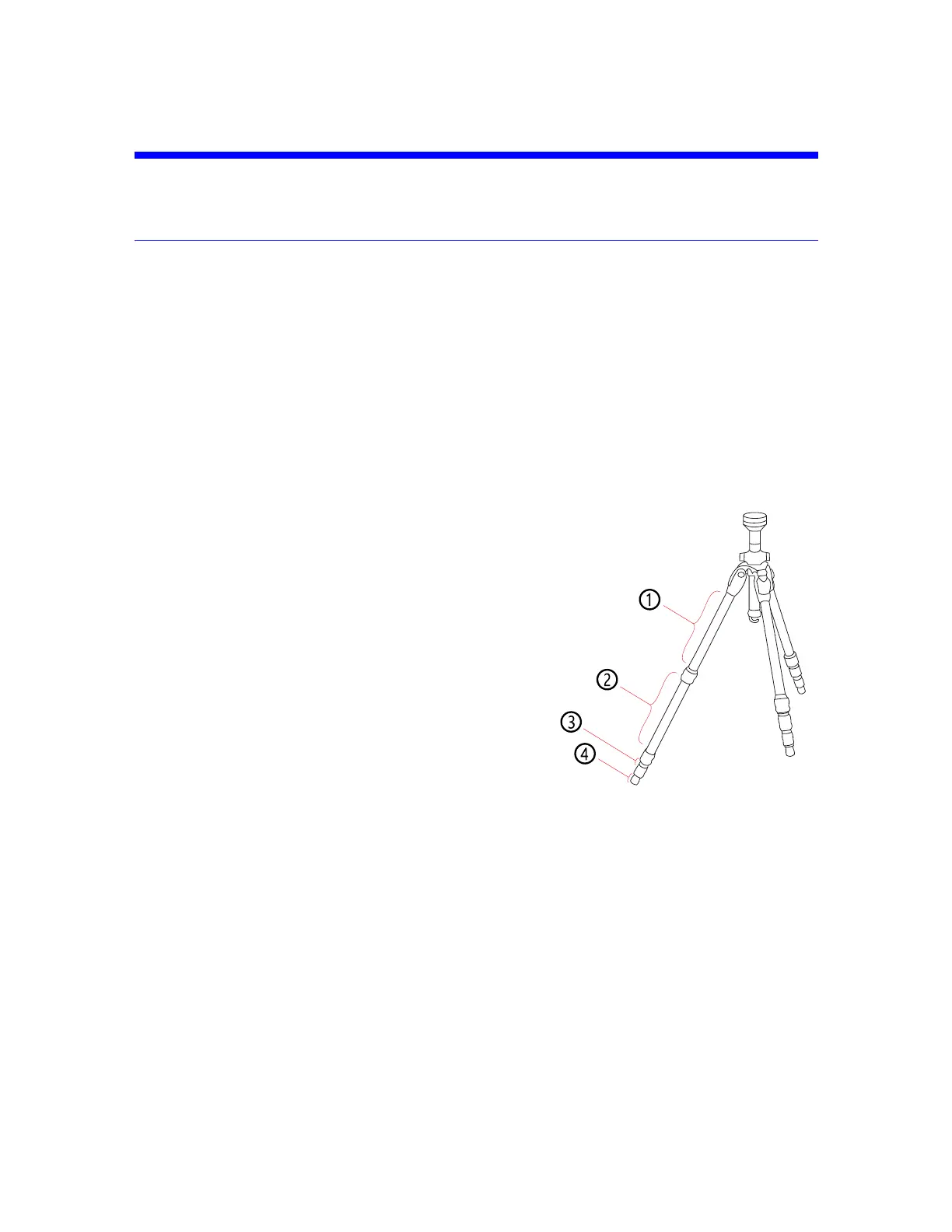
Figure 5-6 Tripod
l Extend the tripod as little as possible. Less height means more accuracy.
l Extend the thicker segments of the legs before the thinner.
l You can extend a leg segment partially, if necessary, to
achieve a specific height, but do not partially extend
several segments of the same leg.
l The tripod has four leg segments, three of which are
extendable. Fully extend segment ②, leaving segments
③ and ④ collapsed. This results in a working height of
approximately 130 cm (51.2 in).
l The tripod is equipped with large, adjustable rubber feet.
Each time you move the tripod, ensure that the feet are
correctly resting on the ground. If you need to place the
tripod on unstable ground (e.g., grass, gravel, mud), use the
supplied spikes instead of the rubber feet. Press the spikes individually into the ground until they
reach a stable, load-bearing layer.
l After you set the tripod on the ground, check the leg latches. If any latches are loose, spread the legs
slightly until the latches cannot be wiggled. This ensures that the tripod is firmly planted on the
ground, and unlikely to shake or vibrate during scanning.
l The use of the center column significantly reduces the rigidity of the tripod. We recommend that you
avoid using the center column. If you need higher working heights, we recommend using a larger
tripod. Make sure that a such a tripod is also stable.
FARO
®
Focus Premium Laser Scanner User Manual
Chapter 5: Getting Started
FARO Focus Premium (March 2022) Page30of157



 To Next Page