FARO
®
Laser Scanner Focus
3D
X 130 Manual
January 2014
57
Chapter 5: Getting Started
a preview picture of the captured scan. Now, you may move the scanner to the
next scan position and start a new scan
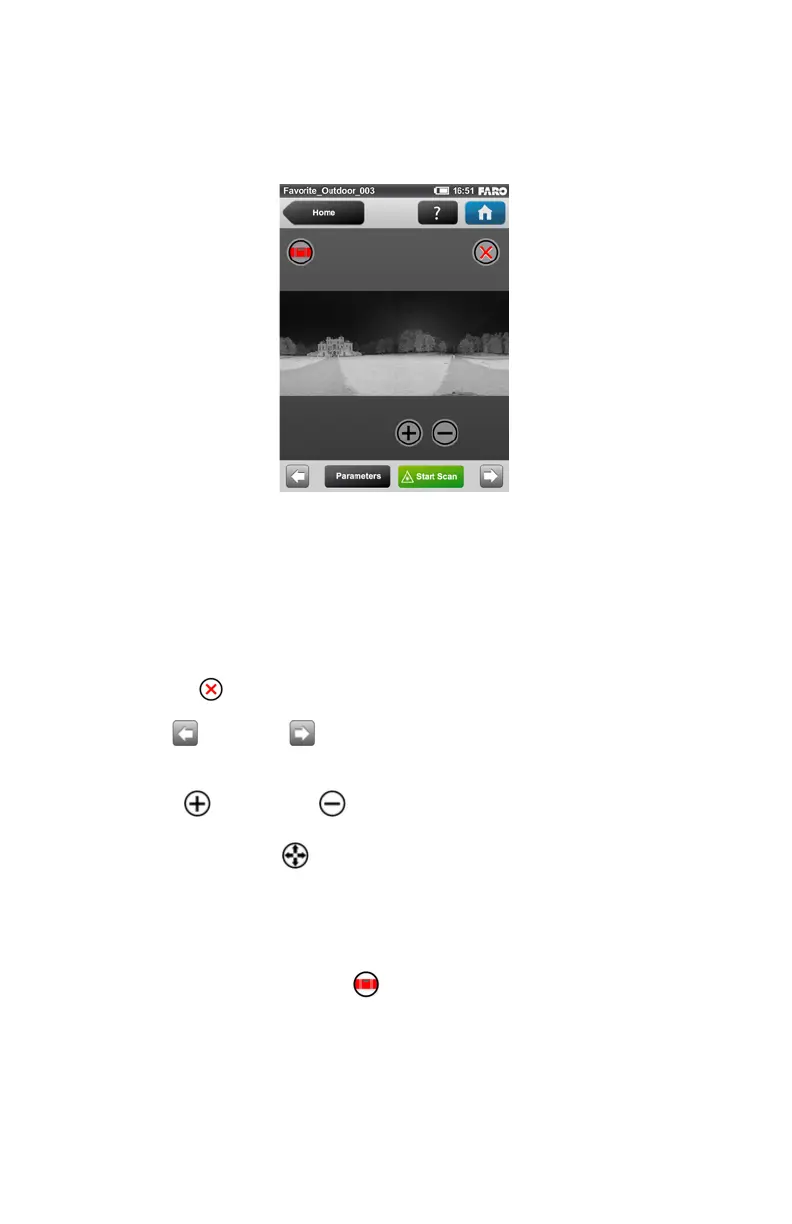
The scan preview shows a grayscale picture of the captured scan to verify the
scan itself and to check if all objects (e.g. targets) are clearly visible. This
preview does not show color.
Parameters button - Change the scanning parameters for the next scans.
Start Scan button - Starts the next scan.
Delete Button - deletes the viewed scan file.
Use the left and right arrow buttons to browse through already
captured scans.
Use the plus and minus buttons to zoom in or out.
The Reset Zoom button is only visible when you zoom into the scan
picture. With this button the scan picture can be zoomed back to its original size.
When zoomed in you can move the zoomed picture by dragging it with your
fingers in any direction.
The Inclination Warning button is only visible when the current
inclination of the scanner is above 5°. To get reliable measurements from the
built-in dual axis compensator you should set up the scanner with an inclination
less than 5° before starting your next scan. For this, you may use either a bubble
inclinometer at the tripod or the inclinometer screen. Click this button to get to
Figure 5-31 Scan Preview



 To Next Page