3-57
1
2
3
Basic Usage
Frequently Used Functions
3-7-6 [SC] Reset
Resets the settings of this product.
Selectable Options
You can select from the following reset modes.
Selectable option Function description
Setting reset Returns the settings of this product to the factory defaults. The preset data in which
product settings have been registered are excluded.
For details on presets, refer to page 4-27.
Factory reset Returns all of the settings of this product to the factory defaults.
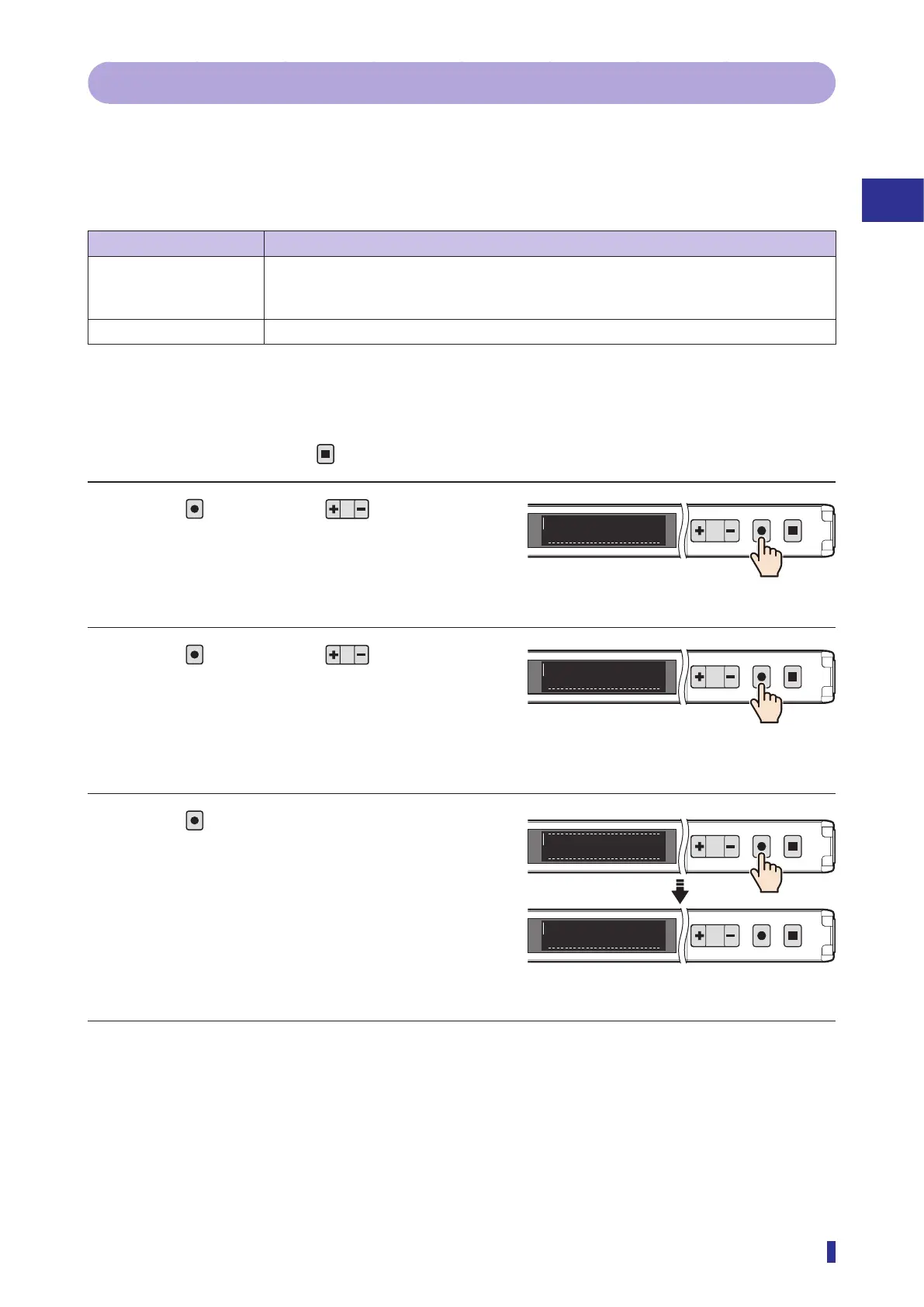
Operation Procedure
* To cancel the setting, press the
key.
1 Press
, and then use to select the
menu.
Display “Reset” on the main menu.
2 Press
, and then use to select the
option to set.
Display the reset mode.
3 Press
.
This completes the reset.
The initial settings screen is displayed, so carry out
the procedure in “3-2 Setup on First Startup”
(page 3-4) again.
1
2
MENU
OK
TEACH
ESC
SC
Reset
<Options>
No, Setting reset, Factory reset
1
2
MENU
OK
TEACH
ESC
SB
Factory reset
Initial settings screen
1
2
MENU
OK
TEACH
ESC
Completed
1
2
MENU
OK
TEACH
ESC
English
1/3



 To Next Page