4-2
List of Setting Options
4-1 List of Setting Options
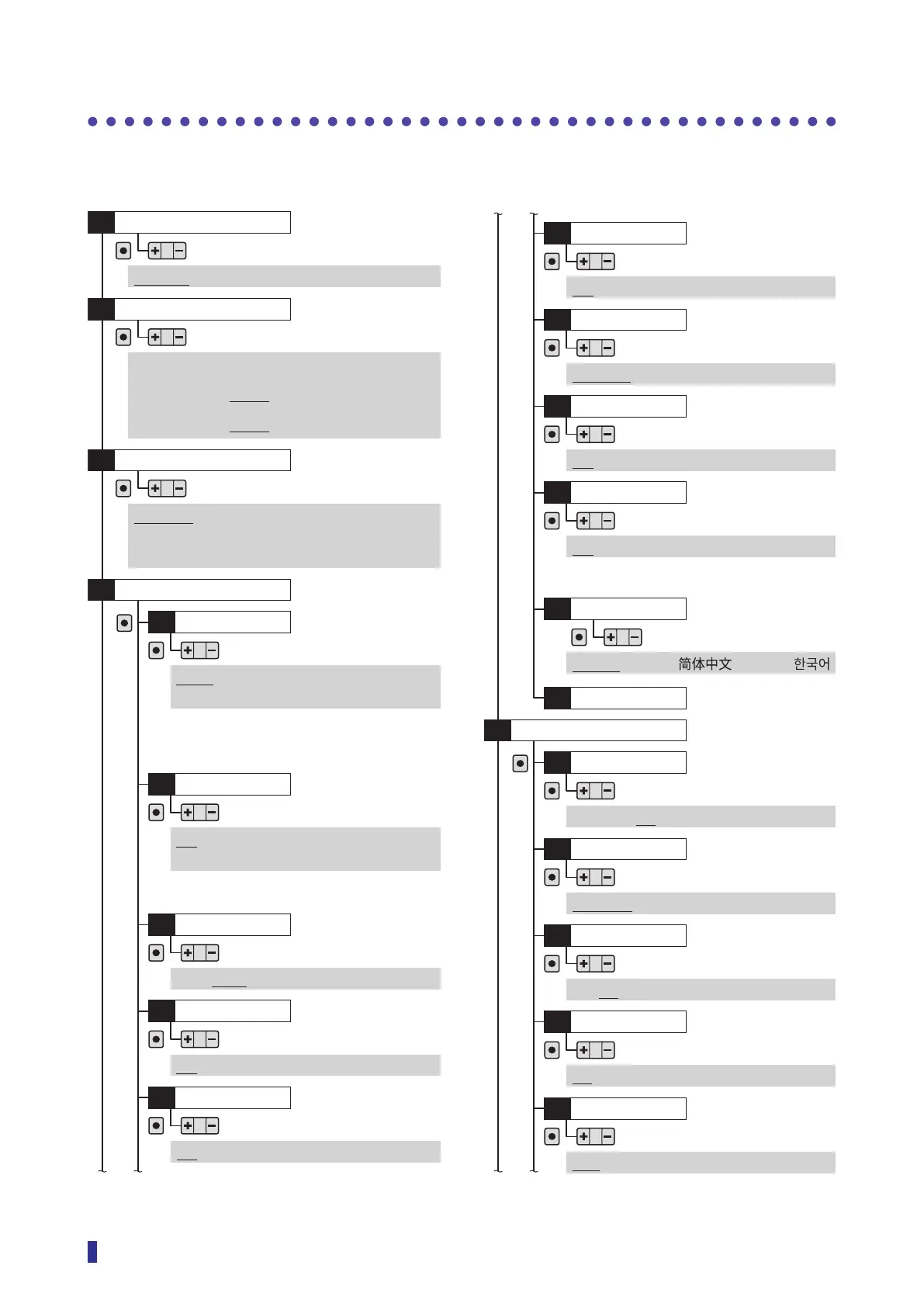
A list of the options that can be set on this product is shown below.
The initial settings are indicated with underlining.
Output mode
S1
OK
(N.O./N.C.)
Light on, Dark on, (N.O./ N.C.)
Response time
S3
OK
Timer
S4
OK
Not used, On delay, Off delay,
On/off delay, Pulse output,
On delay pulse (1 to 30,000 ms)
Display mode
P1
OK
OK
Value, Percentage, Bar graph,
Counter
*1
, Edge
*2
Display
S6
Hysteresis
D1
OK
OK
1 to 90% (5%)
Detection
S7
Threshold mode
D2
OK
Standard, Edge height, Not used
APC
D3
OK
Off, On
ASC
D4
OK
Off, On - standard, On - fast, On - max
Emitter power
D5
OK
Max, Mid, Min, Auto
Hold display
P2
OK
Off, Peak/bottom, Peak, Bottom,
Time, On*
Brightness
P3
OK
10 to 100% (10% increments)
Rotate display
P4
OK
Off, On
Alarm display
P6
OK
Off, On
Zeroing
P7
OK
Not used, Execute
Eco mode
P8
OK
Off, On
Stretch mode*
P9
OK
Off, On - x10, On - x50
To main menu
PB
*: Displayed when “Standard” or “Not used” is selected
in “D2 Threshold mode” .
*1: Displayed when “On” is selected in “D6 Counter”.
*2: Displayed when “Edge height” is selected in “D2
Threshold mode”.
*: Only “Off” or “On” can be selected when “Edge
height” is selected in “D2 Threshold mode”.
Stand-alone unit and inter-connection main unit with
stand-alone use
: 16 µs, 70 µs, 250 µs, 500 µs, 1 ms, 2 ms, 8 ms
Main and expansion units connected
: 22 μs, 70 μs, 250 μs, 500 μs, 1 ms, 2 ms, 8 ms
Language
PA
OK
English,
日本語
,
, Espanol,
Invert display
P5
OK
Off, On
Page 4-5
Page 4-6
Page 4-7
Page 4-9
Page 4-9
Page 4-11
Page 4-11
Page 4-11
Page 4-12
Page 4-12
Page 4-13
Page 4-13
Page 3-45
Page 4-14
Page 4-15
Page 4-15
Page 4-16
Page 4-17
Page 4-17
Page 4-18



 To Next Page