2. Commissioning
2-19
Festo Festo P .BE CP FB13-E-EN en 9910c
2.2.3 Station selection with COM PROFIBUS 5.0
12
34
5
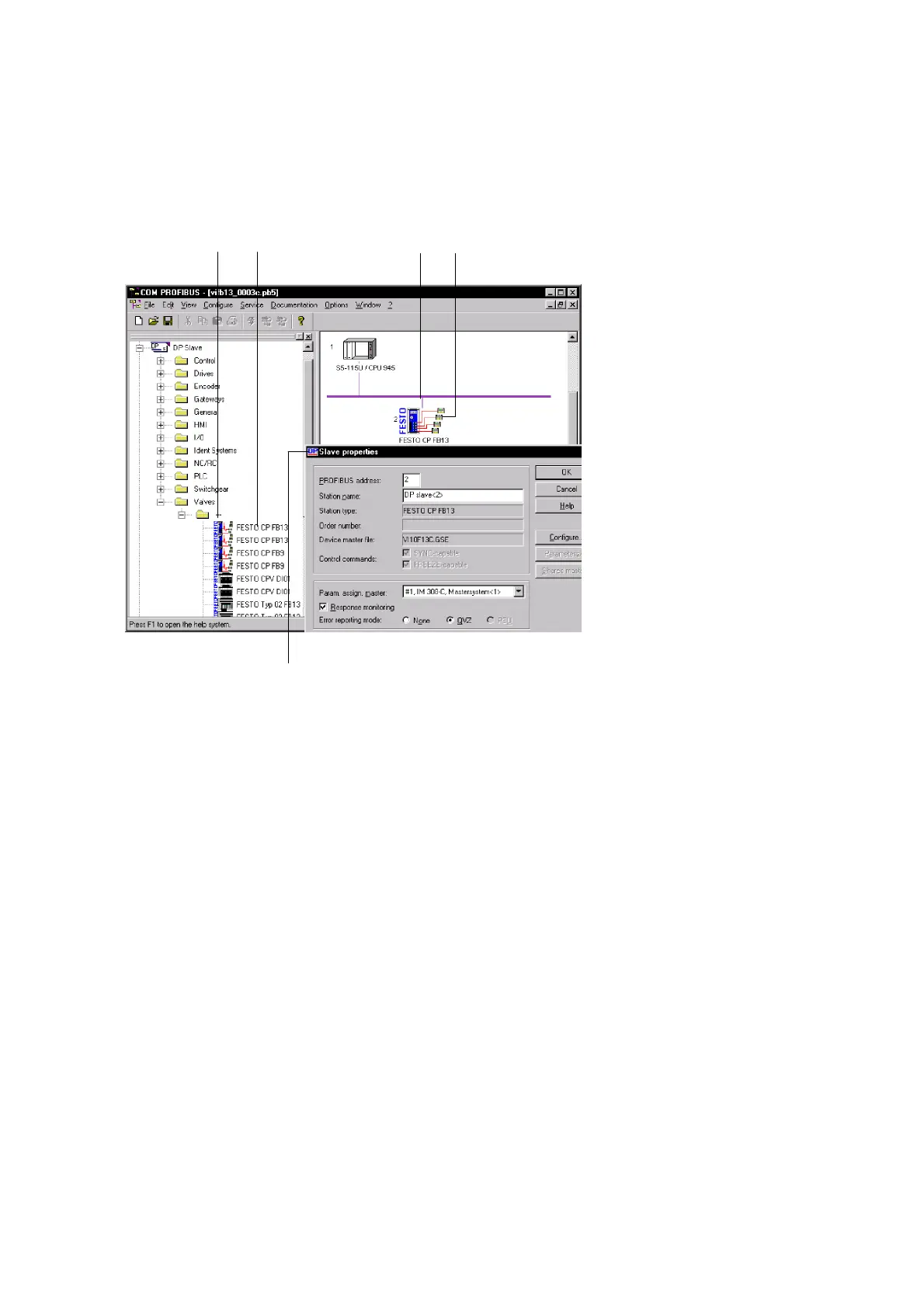
Fig. 2/9: Station selection with COM PROFIBUS 5.0
Proceed as follows:
1. Open the directory in the hardware catalogue
\DP slave\valves\... 1
The Festo valve terminals are listed. Prerequisites: You
havecopiedthedevicedatabaseasinstep1oftheprep-
arations.
2. Click the left-hand mouse key on the symbol of the valve
terminal 2. Pull the mouse with the key pressed down
onto the PROFI BUS line on the DP master 3.
The symbol of the valve terminal appears 4.








 To Next Page