2. Commissioning
2-15
Festo Festo P .BE CP FB13-E-EN en 9910c
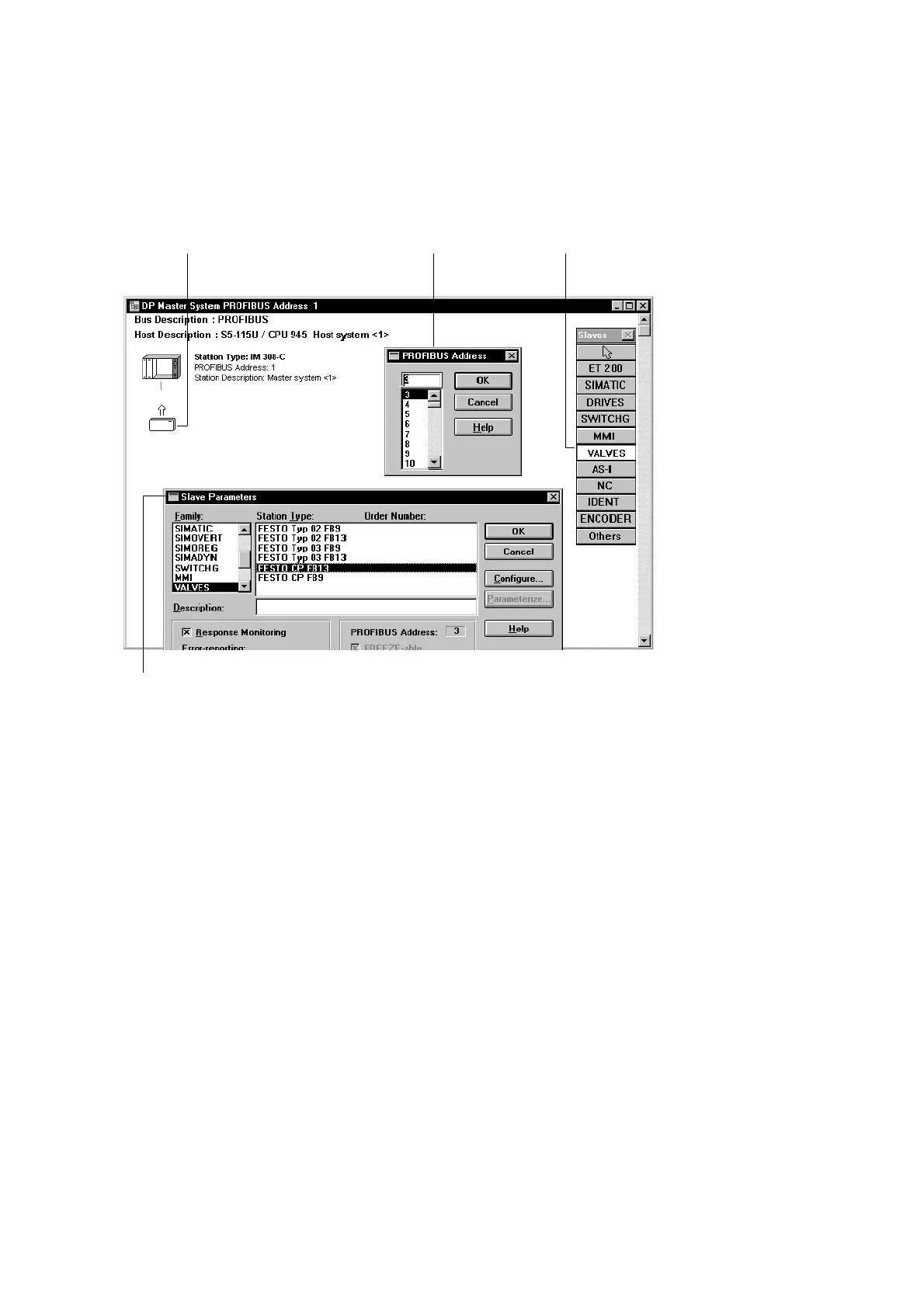
2.2.2 Station selection with COM PROFIBUS 3.x
123
4
Fig. 2/6: Station selection with COM PROFIBUS 3.x (The masks shown are not all visible
at the same time, see text)
Proceed as follows:
1. Use the left-hand mouse key to mark the slave type
“VALVES” in the slave catalogue 1.
The slave type “VALVES” appears when you copy the de-
vice data base (see step 1 of the preparations).
2. Move the mouse to the left and click below the
graphic 2.
The mask “PROFIBUS address” appears 3.








 To Next Page