Operation
© Festo Didactic Conveyor 85
6.3.3 Operator assistance with call of htm-page
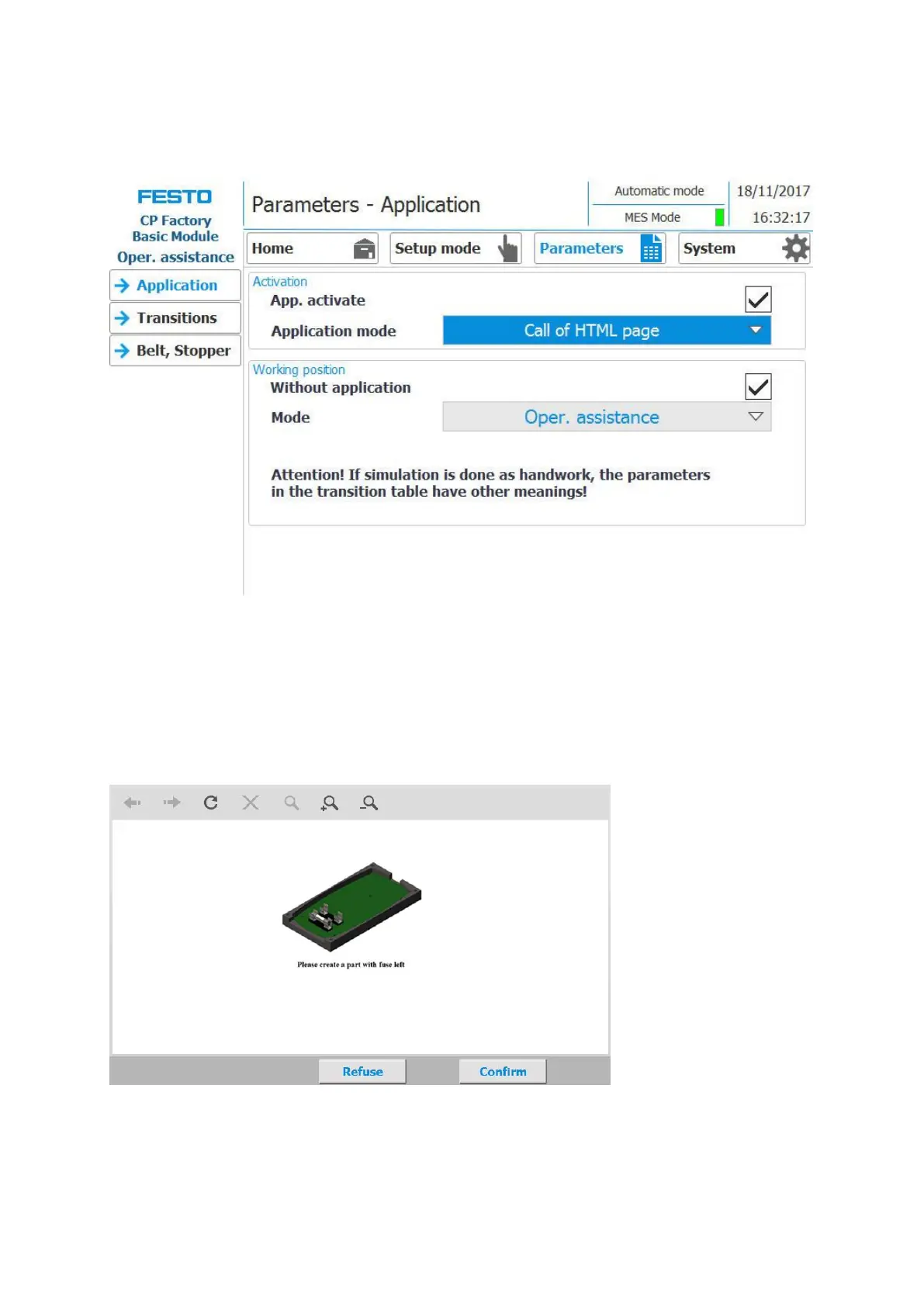
1. If the mode of the application is set to "operator assistance" (application mode must be set to call of
HTML page / only possible in MES mode) and a carrier moves into the application, it will be stopped.
2. The worker now has to complete the specified work task. This is described on a html page, which must
be created by the customer. The URL of this page, which must be present on the MES PC, can be
specified in the work plan of the MES. This worker guide (depending on the html page content) is
started if the OpNo 510 is selected for the AP in the work plan and the URL points to this URL link in the
work step
3. In this case, the html page was designed so that a work instruction for mounting the front fuse appears
in the worker's guidance.
4. If the worker has completed the task, he must press the Confirm button to complete the task. The data
is transmitted to MES
5. The carrier is released from the working position.


 To Next Page