FIK-NIC Wiring Options Networking Common Communicator List
FCP-75 Manual — P/N:LS10147-003FK-E:A 3/17/2021 53
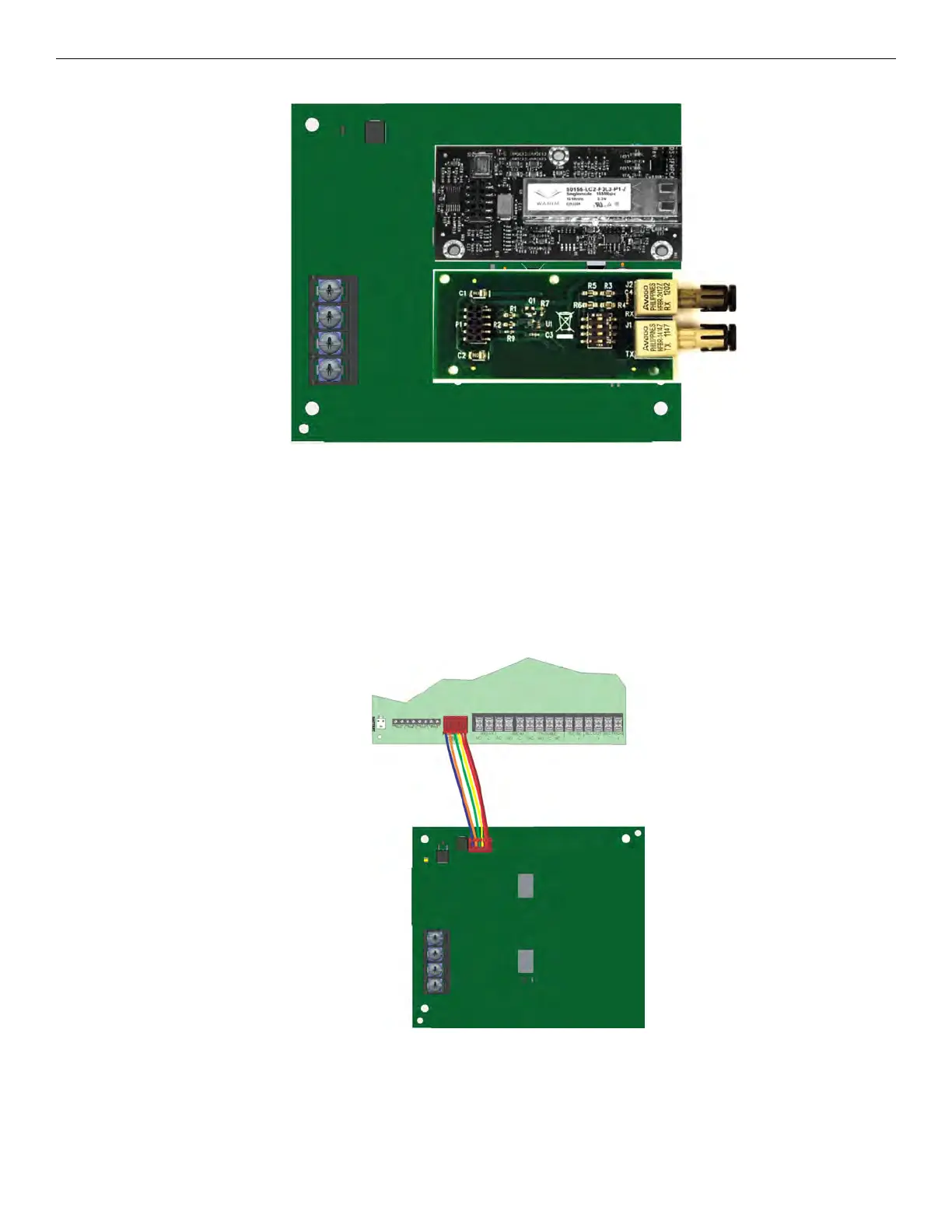
Figure 5.53 FIK-NIC with Fiber Loop Modules
FIK-NIC-KIT Mounting Kit
The FIK-NIC can be mounted in an accessory cabinet. Accessory kits P/N FIK-NIC-KIT are available that include a FIK-NIC, small cabinet
with door, cable & mounting hardware. The accessory kit is necessary to install the FIK-NIC outside of the FCP-75 cabinet.
5.3.2 FIK-NIC Installation
The FIK-NIC is designed to mount on the bracket inside the accessory cabinet. Use the following steps to properly mount the FIK-NIC-KIT.
1. Place the FIK-NIC on the mounting bracket.
2. Use the 6-pin cable included with FIK-NIC to connect the FCP-75 to the FIK-NIC. The 6-pin cable must be run in conduit. See
Figure 5.50.
Figure 5.54 Panel to FIK-NIC Connection
3. Each FIK-NIC has the ability to monitor for earth ground faults on the twisted pairs connected to Port 1 of its terminal block TB2. Earth
fault detection for any wiring at Port 2 of TB2 is done at the next/previous FIK-NIC due to these wiring connections being connected to
Port 1 of TB2 at the next/previous FIK-NIC.
4. Unused optic ports on fiber loop modules must have their dust caps placed on the port.



 To Next Page