76 FCP-75 Manual — P/N LS10147-003FK-E:A 3/17/2021
Programming Overview Programming Using an Annunciator
8.4.1 Entering / Exiting the Program Menu
To enter the Program Mode:
1. Enter the installer code if requested.
2. Select 7 for Program Menu.The Menus described in Section 9 of this manual will display. Section 8.5 of this manual is a quick
reference listing all programmable options and JumpStart Autoprogramming defaults.
To Exit Program Mode:
When you have completed working with the Menus, press Left Arrow button several times until you are exited from programming mode.
Two prompts will display. The first prompt is to make sure you intended to leave the Program Menu (select Yes or No as appropriate). The
second prompt is for accepting all changes. If you select No, any changes you have made since you entered the Program Menu will have no
effect.
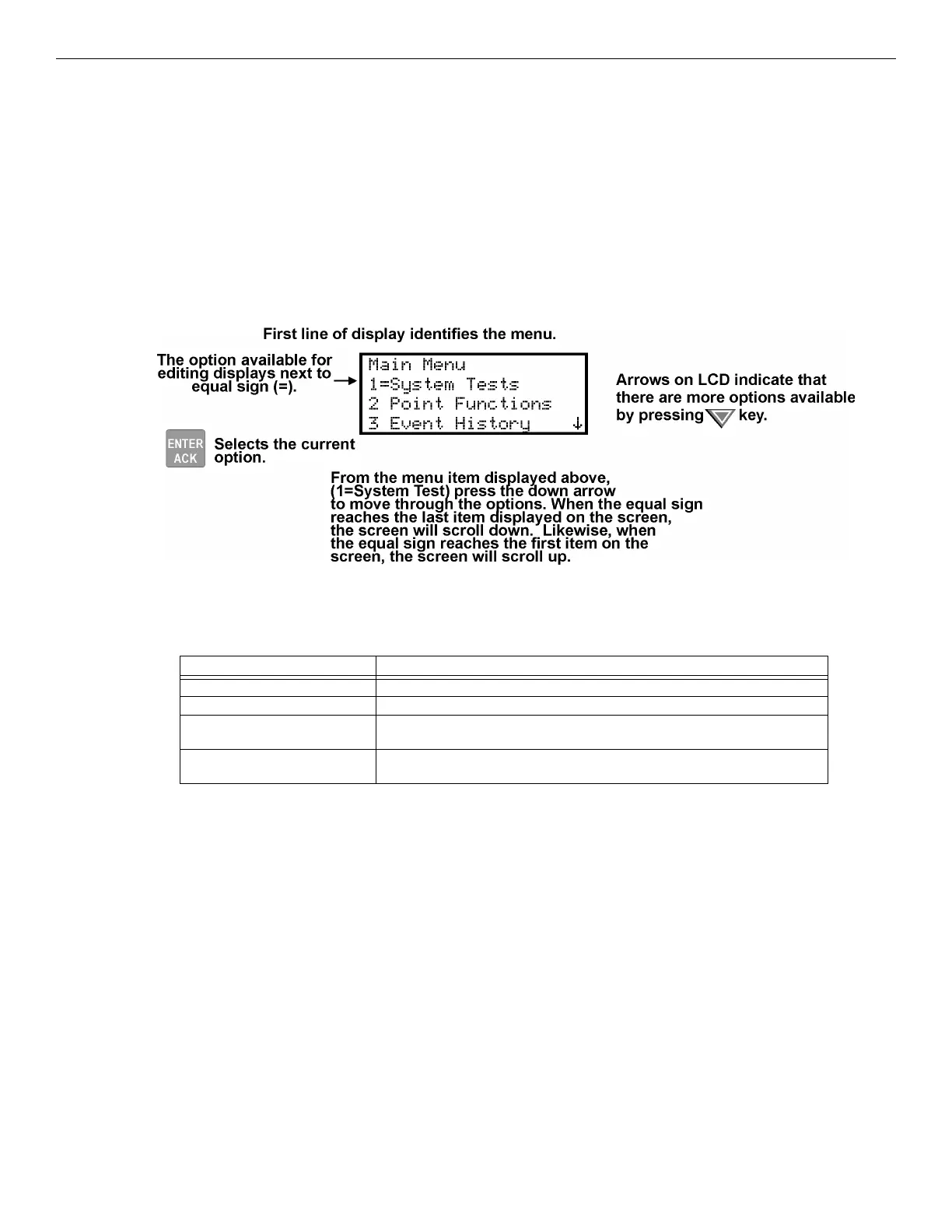
8.4.2 Moving through the Menus
Figure 8.7 shows how to move through Menu screens, using the System Tests screen as an example.
Figure 8.7 Moving through Program Menu
8.4.3 Selecting Options and Entering Data
There are several ways to make programming selections using the control panel depending on which screen you are currently using. The
chart below is a generic explanation.
To Press
Select from a Menu. Enter the number of the option.
Enter numeric data. Press the appropriate number on the annunciator.
Enter text (alphanumeric data). Enter each character individually by using up and down arrow keys until the one
you wish to select displays. Then press the right arrow to select the character.
Select from a scrolling list. Use the up and down arrow to move through a list of available options. When the
option you want to select is displayed, press ENTER.
Table 8.2 Menu Options



 To Next Page