58 FCP-75 Manual — P/N LS10147-003FK-E:A 3/17/2021
Networking Common Communicator List Setting the Panel ID for each Panel Network
5.4 Setting the Panel ID for each Panel Network
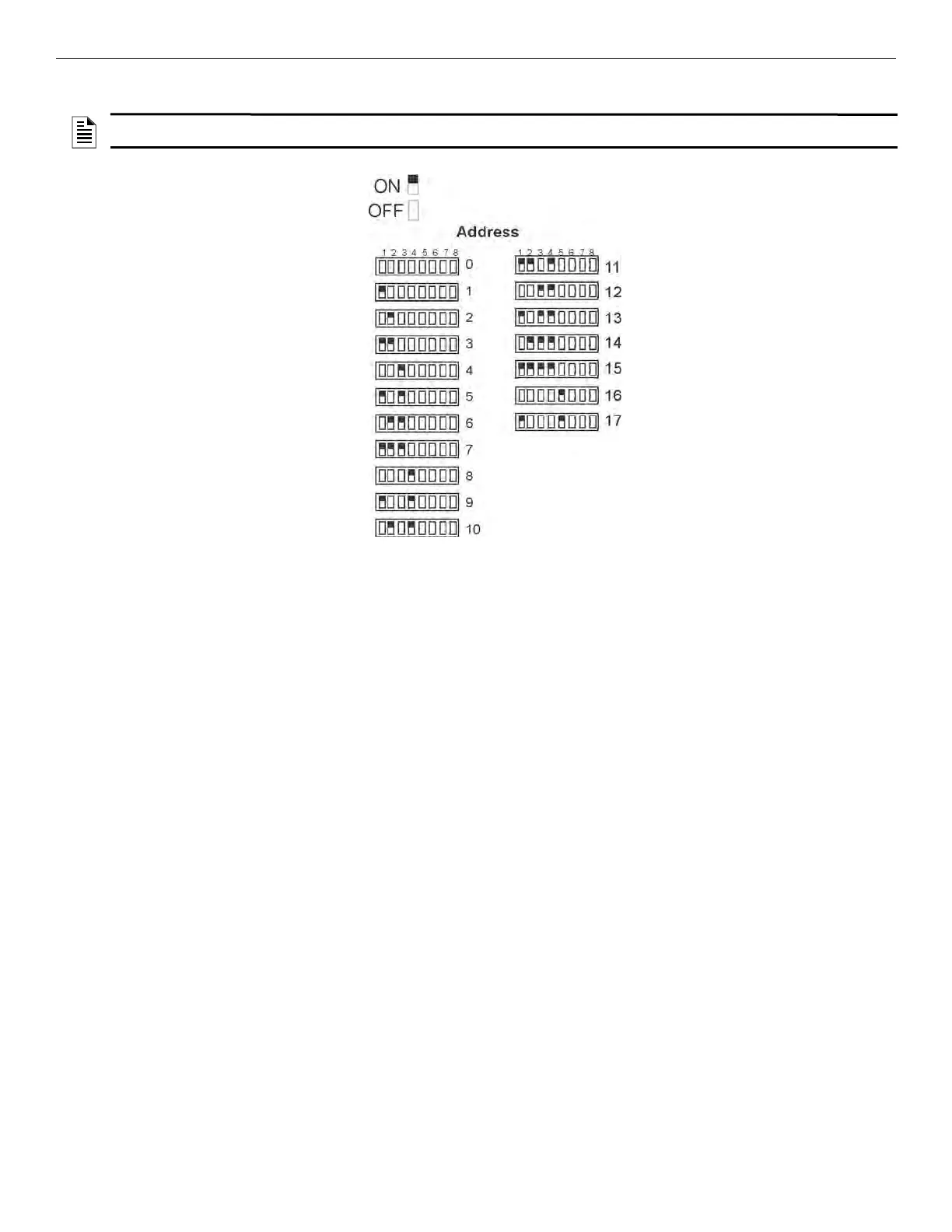
The network ID for each panel is set using DIP switch positions 1 through 5. See Figure 5.59 below for possible DIP switch settings.
Figure 5.59 Network ID Settings
NOTE: It is important that much thought is given when choosing the network IDs for each panel. It is difficult to change the IDs once panel
programming has begun.



 To Next Page