System Options Programming
FCP-75 Manual — P/N:LS10147-003FK-E:A 3/17/2021 95
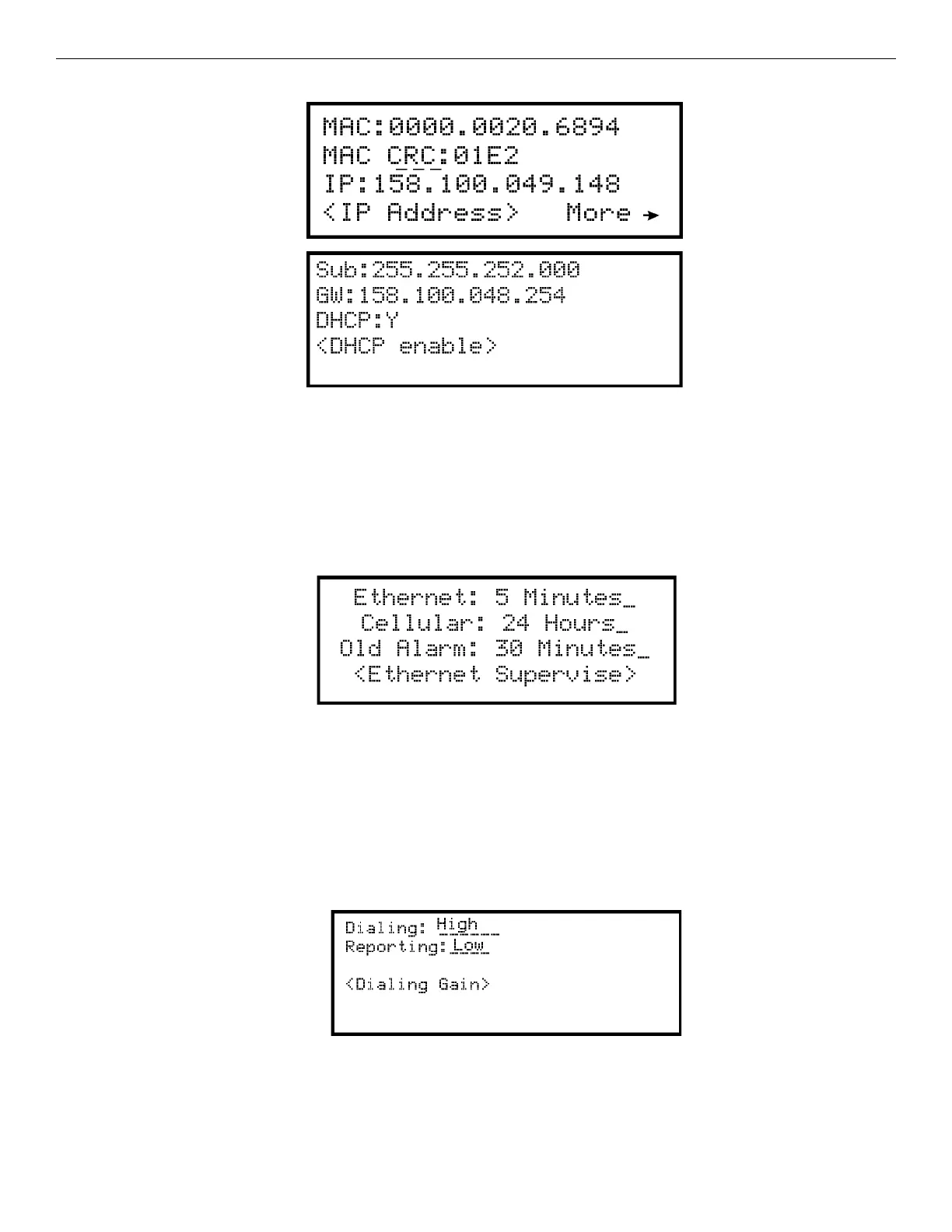
5. Select 3 for Edit Ethernet.
Figure 9.8 Edit Ethernet Message
AlarmNet Timers
1. Enter the Installer Code. The panel will automatically go to the Main Menu.
2. Select 7 for Panel Programming.
3. Select 5 for System Options.
4. From the next Menu, select 1 for Communication Options.
5. Select 4 for AlarmNet Timers.
6. The available options for AlarmNet Timers are as follows:
• Ethernet: *5 minutes, 3 minutes, 90 seconds, 75 seconds, none, 30 days, 24 hours, 1 hour.
• Old Alarm *30 minutes, 15 minutes, 10 minutes, none, 24 hours,12 hours, 6 hours, 4 hours,2 hours, 1 hour *defaults
Figure 9.9 AlarmNet Timers
Phone Line Gains
1. Enter the Installer Code. The panel will automatically go to the Main Menu.
2. Select 7 for Panel Programming.
3. Select 5 for System Options.
4. From the next Menu, select 1 for Communication Options.
5. Select 5 for Phone Line Gains
6. The available options:
• Dialing: Low, *High (default), Normal
• Reporting: *Low (default), High, Normal
Figure 9.10 Phone Line Gains
9.6.2 Daytime/Nighttime Sensitivity
If you need to change the time that sensitivity levels take effect (that is, the time that “Day” and “Night” begin), follow these steps.
1. Enter the Installer Code.



 To Next Page