FCP-75 Manual — P/N:LS10147-003FK-E:A 3/17/2021 33
FIK-RA2000 Remote Annunciator Installation Control Panel Installation
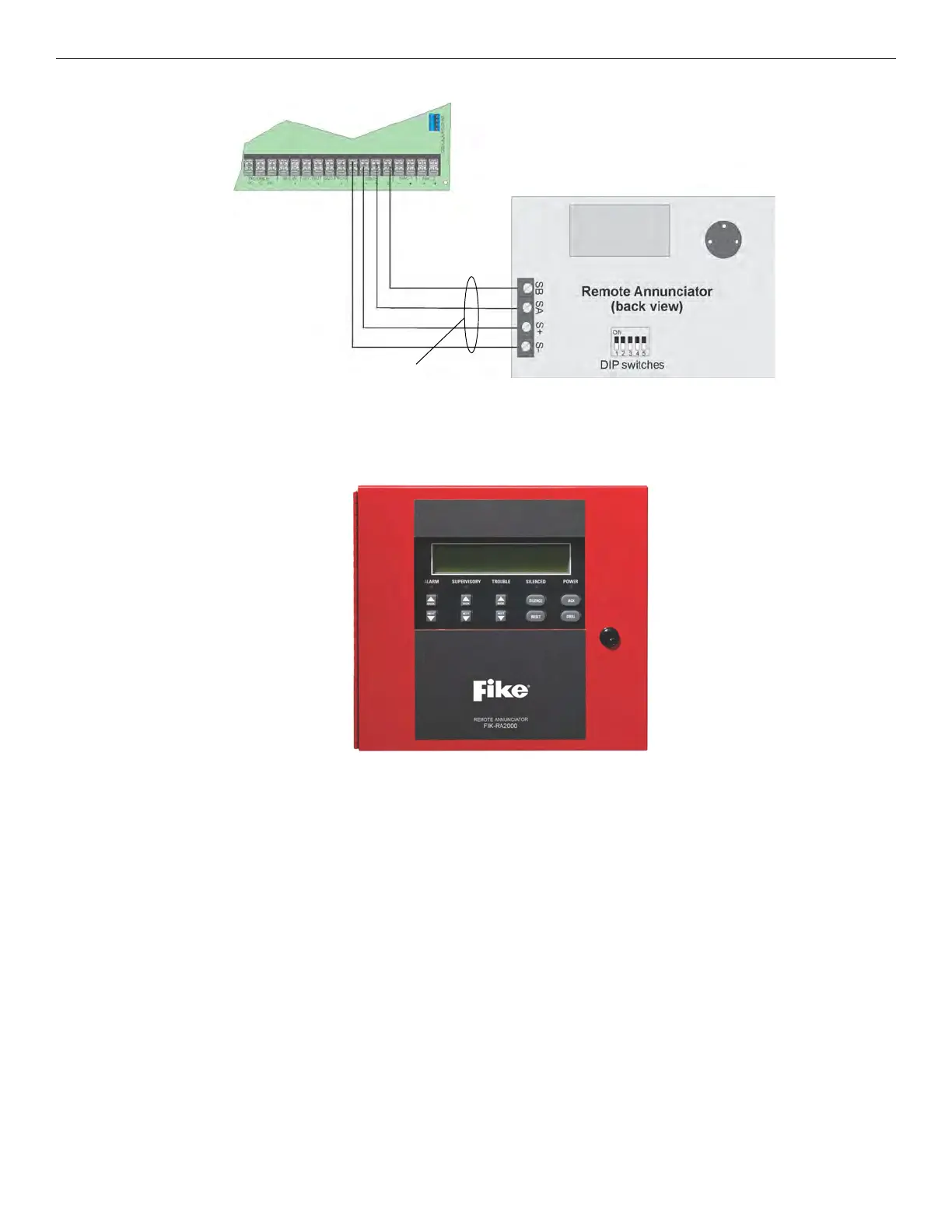
Figure 4.21 Model FIK-RA1000R Connection to the Panel
4.7 FIK-RA2000 Remote Annunciator Installation
The optional Model FIK-RA2000 Remote Annunciator, shown in Figure 4.22. The FIK-RA2000 can be surface or flush mounted.
Figure 4.22 FIK-RA2000 Remote Annunciator, Front View
FIK-RA2000 installation involves the following steps:
1. Make sure power is off at the panel.
2. Mount the FIK-RA2000 in the desired location (see Section 4.7.1).
3. Connect the FIK-RA2000 to the panel (see Section 4.7.2).
4. Use the DIP switches on the back of the FIK-RA2000 to assign an SBUS ID# to the FIK-RA2000 (see Section 4.11.1).
5. The FIK-RA2000 module must be added to the system through programming. JumpStart Auto-Programming will add the module
automatically (see Section 8.1).
4.7.1 Mounting the FIK-RA2000
This section of the manual describes mounting the remote annunciator. The annunciator can be flush or surface mounted.
Flush Mounting
This section of the manual describes flush mounting. Follow these steps to flush mount the FIK-RA2000
1. The back box dimensions are 9¼” W x 8 3/8” H. The minimum depth required is 2". The back box can be mounted prior to the
complete installation of the FIK-RA2000 using any of the mounting holes shown in Figure 4.10.



 To Next Page