General operation
Page 140 - Chapter 10: General operation 30.10.12
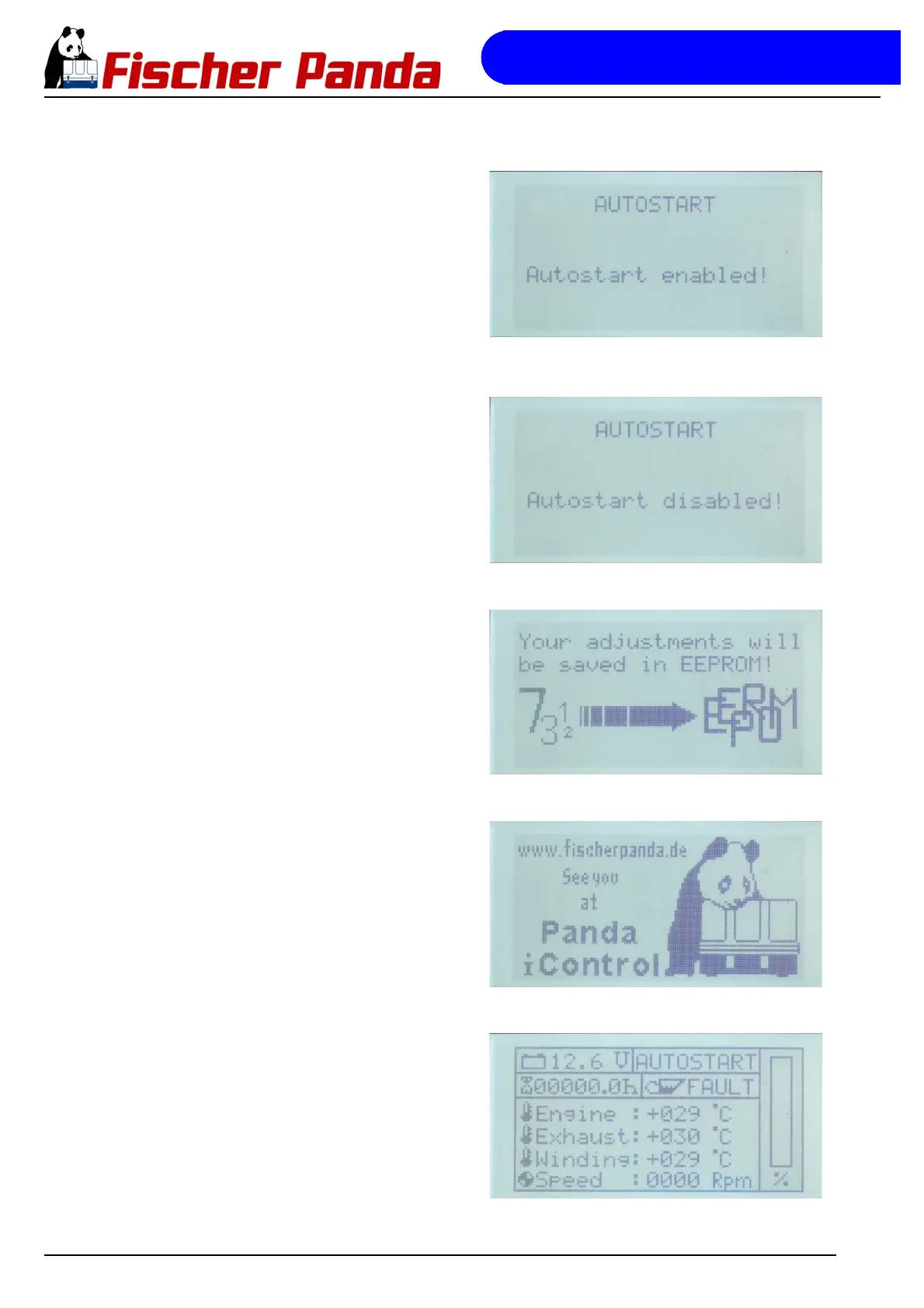
Fig. 10.2.6-3: Message "Autostart enabled" after confirming the
selection
Message "Autostart enabled" after confirming the selection
Fig. 10.2.6-4: Message "Autostart disabled" after confirming the
selection
Message "Autostart disabled" after confirming the selection
Fig. 10.2.6-5: Selection is saved to the EEPROMThe activation/deactivation of the autostart function is then
saved to the EEPROM of the control panel.
Fig. 10.2.6-6: Goodbye screen prior to shutting downThen, the controller is shut down.
Fig. 10.2.6-7: Default display screen in autostart modeAfter switching the controller back on, the display status field
reading "AUTOSTART" indicates that the autostart function is
active, or, if it reads "STANDBY", this means that the autostart
function was deactivated:



 To Next Page