EasyManua.ls Logo

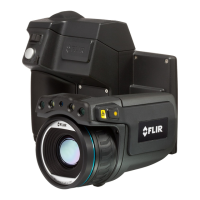
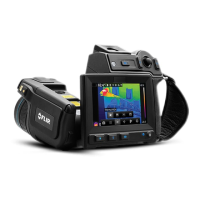
FLIR ThermaCAM P45 - User Manual

FLIR ThermaCAM P45
216 pages
Print Icon
To Next Page IconTo Next Page
Loading...
nual – Benutzerhandbuch Manual del usuarioManuel de l’utilisateur – Manuale dell’utente – Manual do utilizador – Felhasználói kézikönyv – Käyttäjän opas – Betjenings-
dning – Brukerveiledning – Instrukcja obsługi – Bruksanvisning – Kullanım Kılavuzu – Uživatelská příručka – Gebruikershandleiding
User’s manual – Benutzerhandbuch Manual del usuarioManuel de l’utilisateur – Manuale dell’utente – Manual do utilizador – Felhas-
ználói kézikönyv – Käyttäjän opas –
Betjeningsvejledning – Brukerveiledning – Instrukcja obsługi – Bruksanvisning – Kullanım
Kılavuzu – Uživatelská příručka –
Gebruikershandleiding
ThermaCAM™ P45
Users manual
1557966Publ. No.
a155Revision
English (EN)Language
February 6, 2006Issue date

Table of Contents

Questions and Answers

  • B
    Brianna VillanuevaAug 13, 2025
    What to do if my FLIR Thermal camera LCD shows no image?
    • J
      joshuahenryAug 13, 2025
      If the LCD on your FLIR Thermal camera displays no image, there might be several reasons: * The camera or LCD may have been switched off automatically due to power settings. Try pressing the ON/OFF button. * The remote control cable might not be properly inserted. Ensure it's correctly connected. * There might be no battery or the battery is depleted. Insert a charged battery or charge the existing one. * If using a power supply, check all connections: to the camera, the mains plug, and the cable itself.
  • L
    Leslie KimAug 16, 2025
    Why is my FLIR Thermal camera image quality poor?
    • G
      gary25Aug 17, 2025
      If the image quality on your FLIR Thermal camera is poor, it could be due to several factors: * The level or span may need adjustment. Try changing them. * The camera might need to be autoadjusted. Perform an autoadjustment. * The target's temperature range may not match your current settings. Adjust the range accordingly. * The current palette may not be suitable. Try changing the palette.
  • R
    Ryan EvansAug 20, 2025
    What to do if my FLIR Thermal camera displays a blurry infrared image?
    • J
      Jeffrey ThompsonAug 20, 2025
      If the LCD or viewfinder of your FLIR Thermal camera displays a blurry infrared image: * The target may be out of focus. Try focusing the camera by pressing and holding the A button. * The ocular diopter adjustment of the viewfinder may be incorrect. Adjust it using the knob on the bottom side of the viewfinder.
  • E
    Erik ValenzuelaAug 25, 2025
    What to do if my FLIR Thermal camera displays a blurry visual image?
    • B
      Bonnie JohnsonAug 25, 2025
      If the LCD or viewfinder on your FLIR Thermal camera displays a blurry visual image, the target may be out of focus. Try focusing the visual camera by rotating the focus ring.
  • C
    Curtis AdamsAug 28, 2025
    How to fix low illumination on my FLIR Thermal camera display?
    • D
      Debra EllisAug 28, 2025
      If the LCD or viewfinder of your FLIR Thermal camera displays an image with low illumination, the LCD illumination level may be set too low. Try increasing the LCD illumination.
  • T
    teresaortizSep 1, 2025
    What to do if my FLIR Thermal camera does not display the correct date and time?
    • E
      Elizabeth BradySep 1, 2025
      If the LCD or viewfinder of your FLIR Thermal camera does not display the correct date and time, the camera may have been set to the wrong date and time. Change the date and time in the camera's settings.
  • P
    Peter AdkinsSep 5, 2025
    Why is my FLIR Thermal camera not showing image on external monitor?
    • J
      Jared WatersSep 5, 2025
      If no image appears when connecting your FLIR Thermal camera to an external video monitor: * Check that the video cable connector is properly inserted into both the camera and the external monitor. * The camera may be set to a different video format (PAL or NTSC) than the monitor supports. Change the video format in the camera's settings.
  • J
    Jonathan RogersSep 8, 2025
    What to do if my FLIR Thermal camera can't store any more images?
    • A
      Ashley ClarkeSep 8, 2025
      If your FLIR Thermal camera can't store any more images, it may be because: * The internal flash memory is full. Download the images to your computer using ThermaCAM™QuickView to free up space. * The CompactFlash card is full. Either download the images to your computer using ThermaCAM™QuickView or replace the card with an empty one.

FLIR ThermaCAM P45 Specifications

General IconGeneral
IR Resolution320 x 240 pixels
Field of View (FOV)24° x 18°
Spatial Resolution (IFOV)1.3 mrad
Image Frequency/Frame Rate60 Hz
Accuracy±2°C or ±2% of reading
Laser PointerYes
Voice AnnotationYes
Image StorageCompactFlash card
Detector TypeFocal Plane Array (FPA), uncooled microbolometer
Thermal Sensitivity/NETD<0.08°C @ +30°C
FocusManual
Temperature Range-20 °C to 350 °C
Display3.5 in. color LCD
Battery TypeRechargeable Li-ion
Operating Temperature Range-15°C to +50°C
Spectral Range7.5 - 13 μm
Video OutputPAL/NTSC

Related product manuals