Chapter 4: Maintenance
Check the Cooling System Air Filter
128 CyTOF XT User Guide
boundaries (120,000 steps). If this occurs, manually rehome the system from Instrument
Configuration > Alignment.
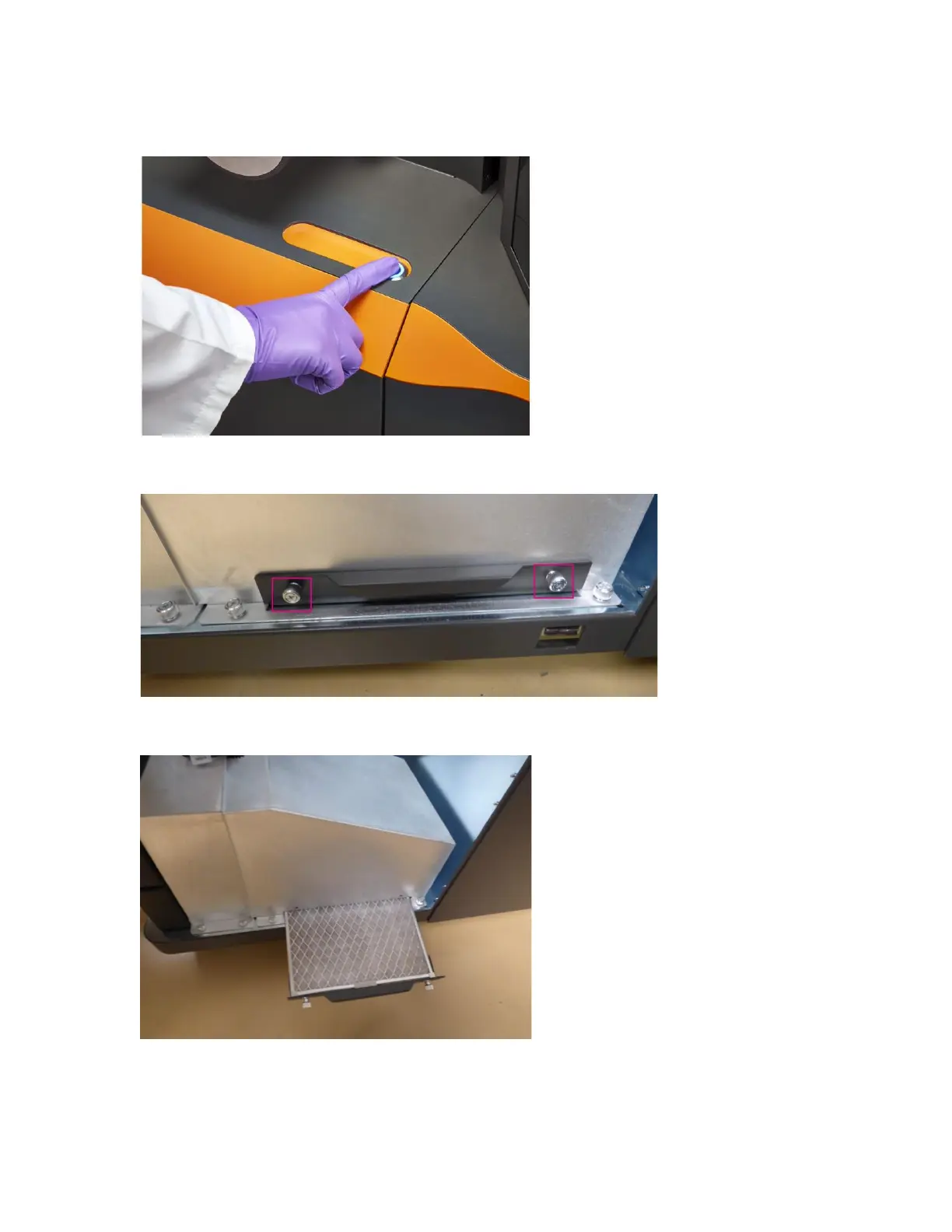
3 Loosen the 2 thumb screws on the air filter bracket.
4 Pull on the air filter bracket to remove the air filter.
5 If air filter is dirty, contact Fluidigm technical support to order a new one.
6 Return the air filter to its position and tighten the thumb screws if air filter condition is
good or while waiting for a replacement filter.



 To Next Page