Chapter 4: Maintenance
Autosampler Module Maintenance
94 CyTOF XT User Guide
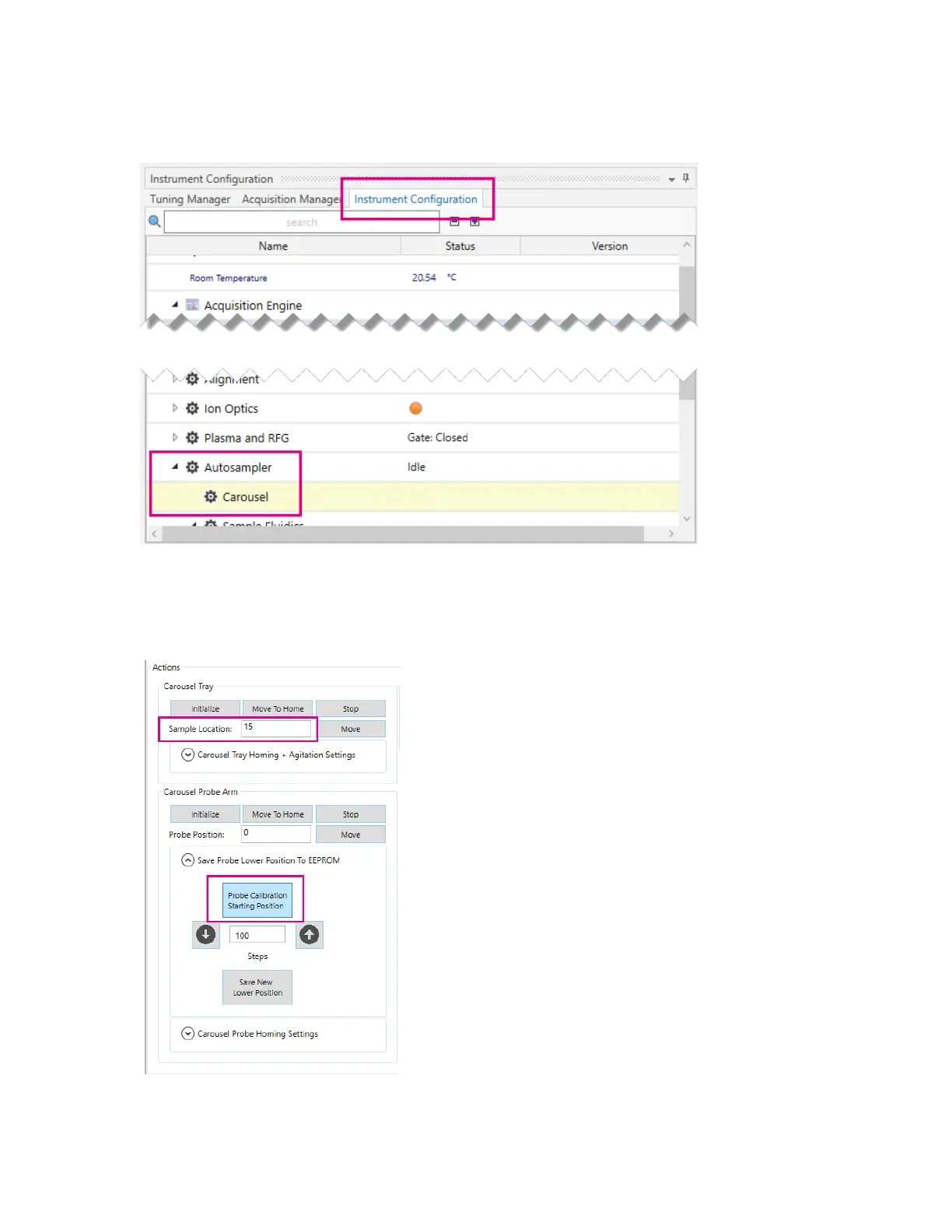
3 Click the Instrument Configuration tab. Expand the Autosampler menu and click
Carousel to display the Carousel tab.
4 Under Carousel Tray in Sample Location, enter the location number of the empty tube.
5 Click Probe Calibration Starting Position. The probe line lowers into the empty tube
until it reaches the calibration start position.



 To Next Page