l
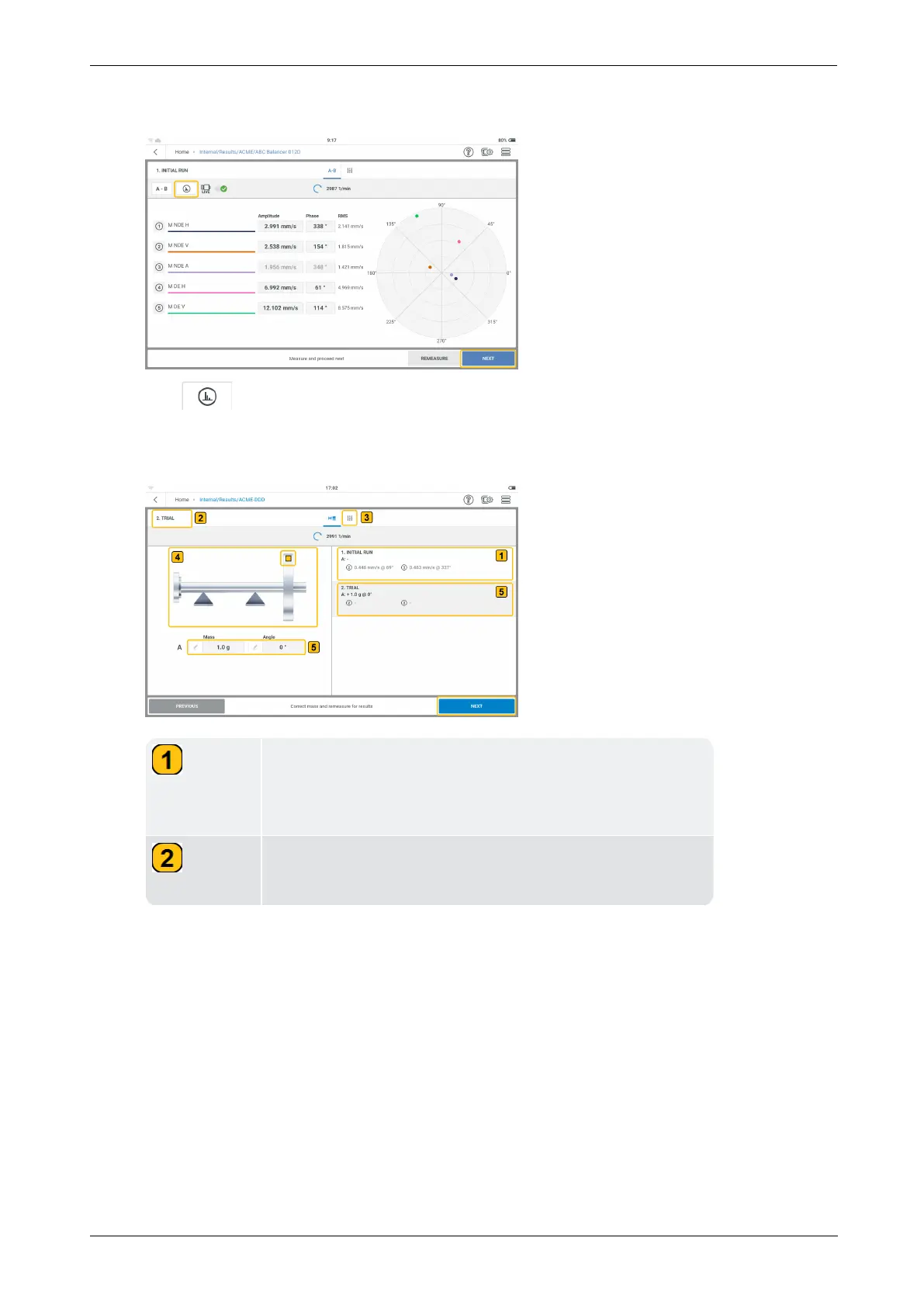
Tap STOP then switch the machine off.
Tap to see detailed vibration results.
l
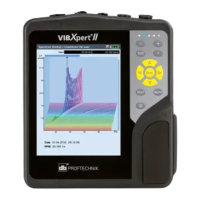
Tap NEXT then proceed to enter the mass and angle for the trial weight, and if neces-
sary, select the corresponding rotor type.
Shows the velocity and phase angle of the synchronous
signal measured in the initial run at the different meas-
ure locations.
Shows current balancing step; in this case it is the
second step which is trial run.
108 Version:1.0
On-board help



 To Next Page