Replace the impeller
Before you replace the impeller, you must drain the oil in the oil housing. See applicable steps in Empty the
oil (page 88).
When replacing the impeller, the mechanical face seal should be replaced to ensure maximum sealing
properties. Use an ITT new or factory reconditioned mechanical face seal unit. This work requires special
tools and should be carried out by a service technician authorized by ITT.
Remove the impeller
WARNING:
A worn impeller and/or pump housing can have very sharp edges. Wear protective gloves.
1. For all pumps except C3300/6x5 HT, complete these steps:
a) Disconnect and lift off the drive unit from the pump housing.
b) Lay the drive unit in a horizontal position.
Make sure it cannot roll.
WARNING:
Make sure that the pump cannot roll or fall over and injure people or damage property.
2. Depending on which pump model you have, do one of the following:
Pump Action
C3300/6x5
LT and MT
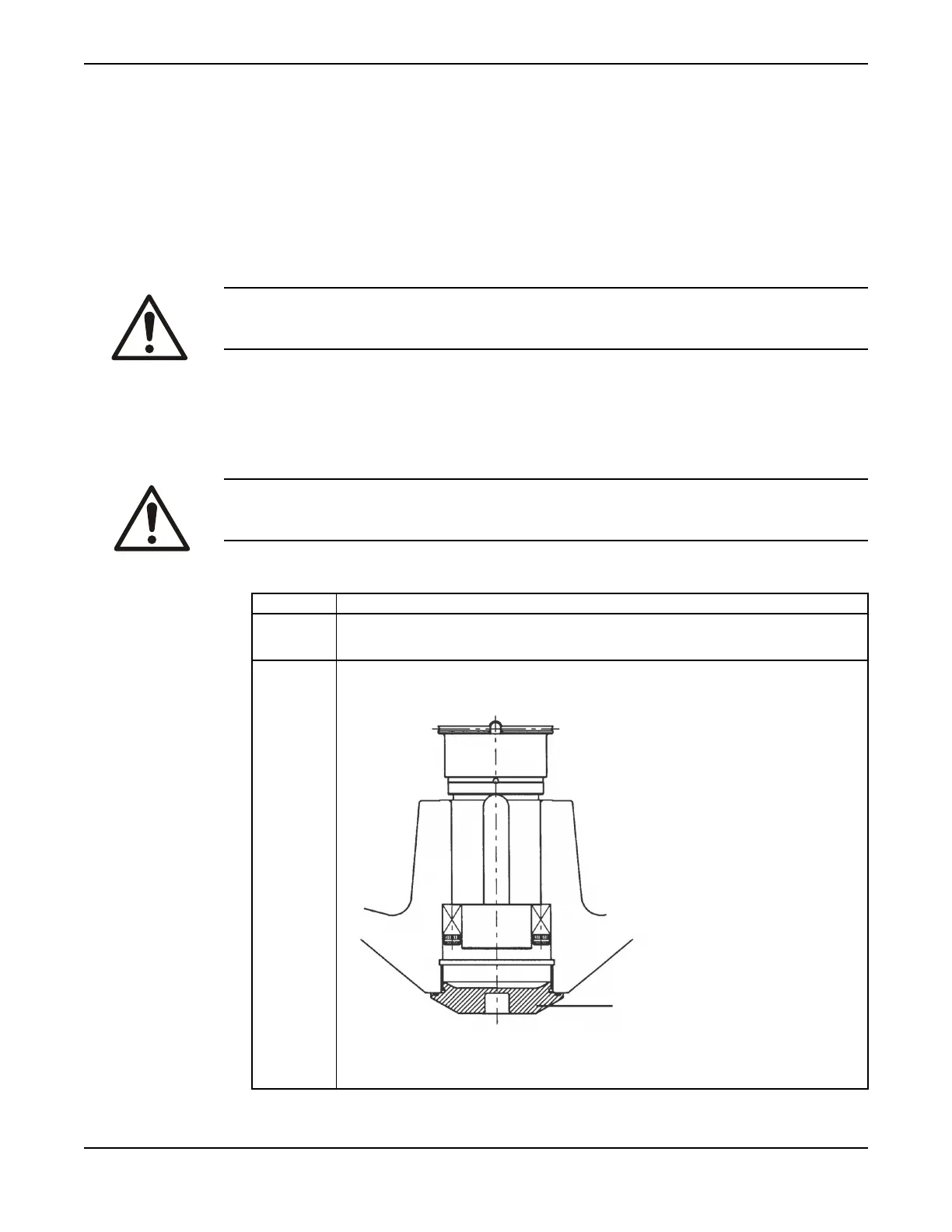
Remove the centre screw in the impeller-sealing washer.
The locking assembly is now accessible for removal.
C3231,
C3306, or
C3356
Remove the impeller-sealing washer (A) using the Allen key hole in the washer. (The
washer is threaded into the impeller hub.) Use a 19 mm Allen key.
The locking assembly is now accessible for removal.
Maintenance
92 C3300/6x5, C/R3231, C3240, C3306, C3312, C3351, C3356, C3400, C3501, C3531, C3602, C3800 Installation,
Operation and Maintenance Manual



 To Next Page