43
4-2-3. Re-entry
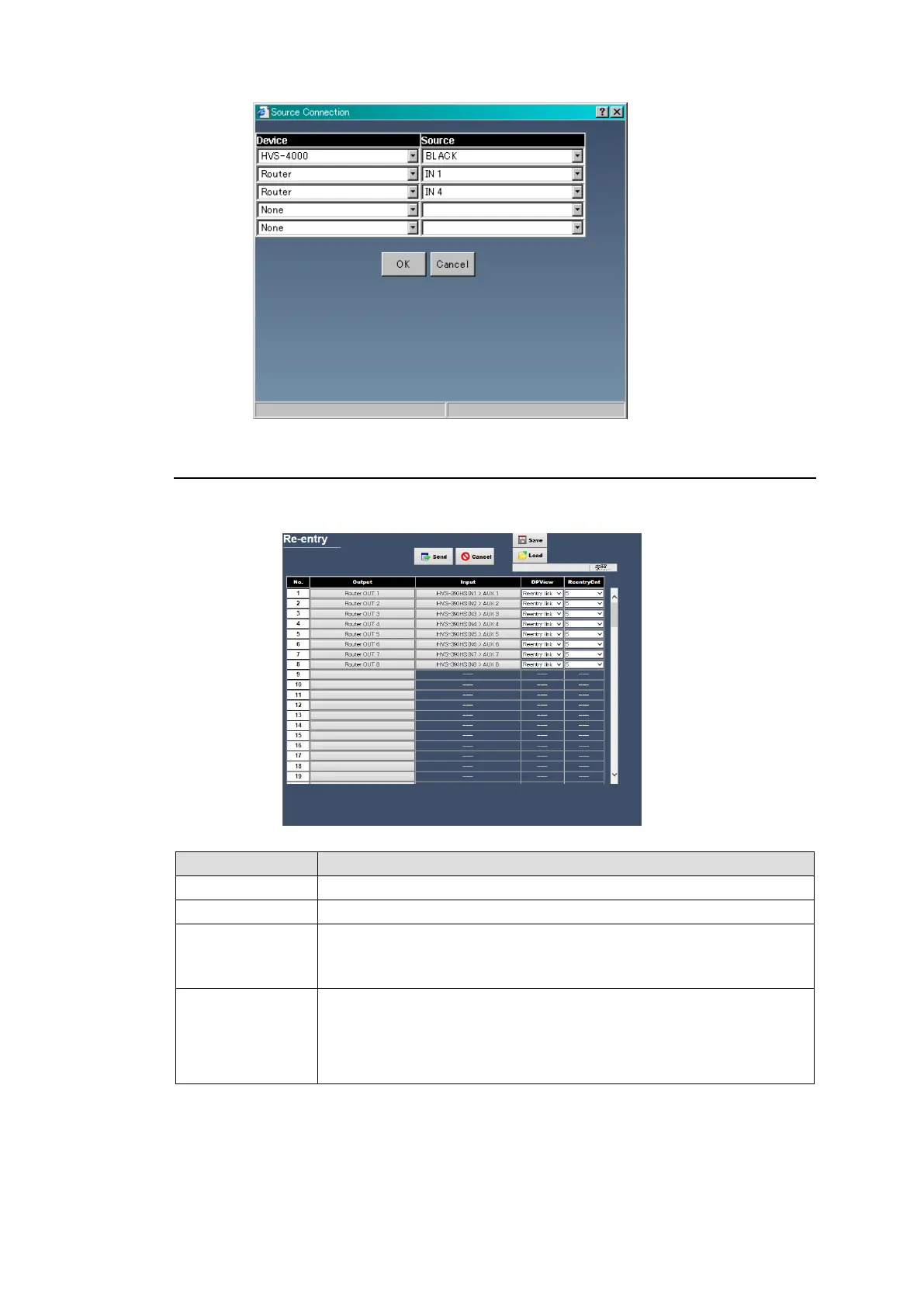
The Re-entry page allows you to set the connection relation settings when a signal output
from the system is re-input to the system.
Selects the Output channel.
Selects the Input channel.
Selects the name to display on the UMD or MV window.
Reentry link: Traces back and displays the original source.
Source: Displays the connected source.
Re-entry may be looped, for example, if the re-entered output signal
selects other signal that is re-input to the system. In such case, the
number of tallies to be traced back can be specified.
If tally indication of a reentry output is improper, verify that the sufficient
number is set in ReentryCnt.
Selecting Output and Input Signals
Clicking a button under Output or Input displays the dialog box as shown below. Select output
and input signals and click OK. To connect to multiple devices, up to 5 input signals can be
selected.
Devices and channels are indicated by switcher and channel name settings in Sec. 4-2-5.
“Device Select”.



 To Next Page