67
5-6-4-1. Loading a Layout
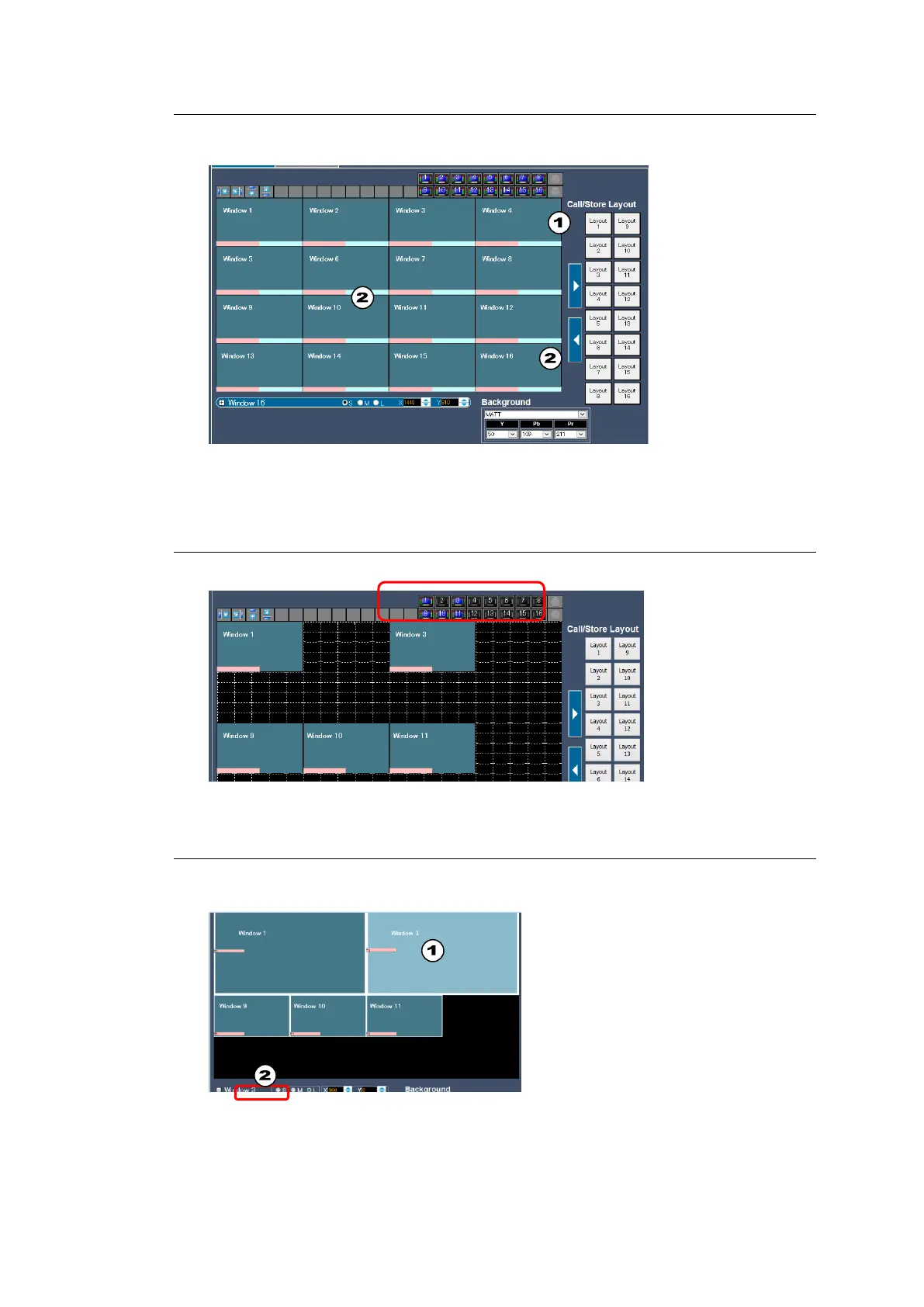
At first, click Layout1 (with 16 windows) to load the base layout.
1. Click Layout1 at right.
2. Click the left arrow. A layout with 16 windows is displayed in the workspace.
5-6-4-2. Removing Unnecessary Windows
Use window ON/OFF icons to remove windows and leave Windows 1, 3, 9, 10 and 11.
5-6-4-3. Changing the Window Size
To change Windows 1 and 3 to Large (1/4 size) and Window 9 - 11 to Middle (1/9 size),
proceed as follows
1. Select a window
2. Check the S, M or L radio button.



 To Next Page