74
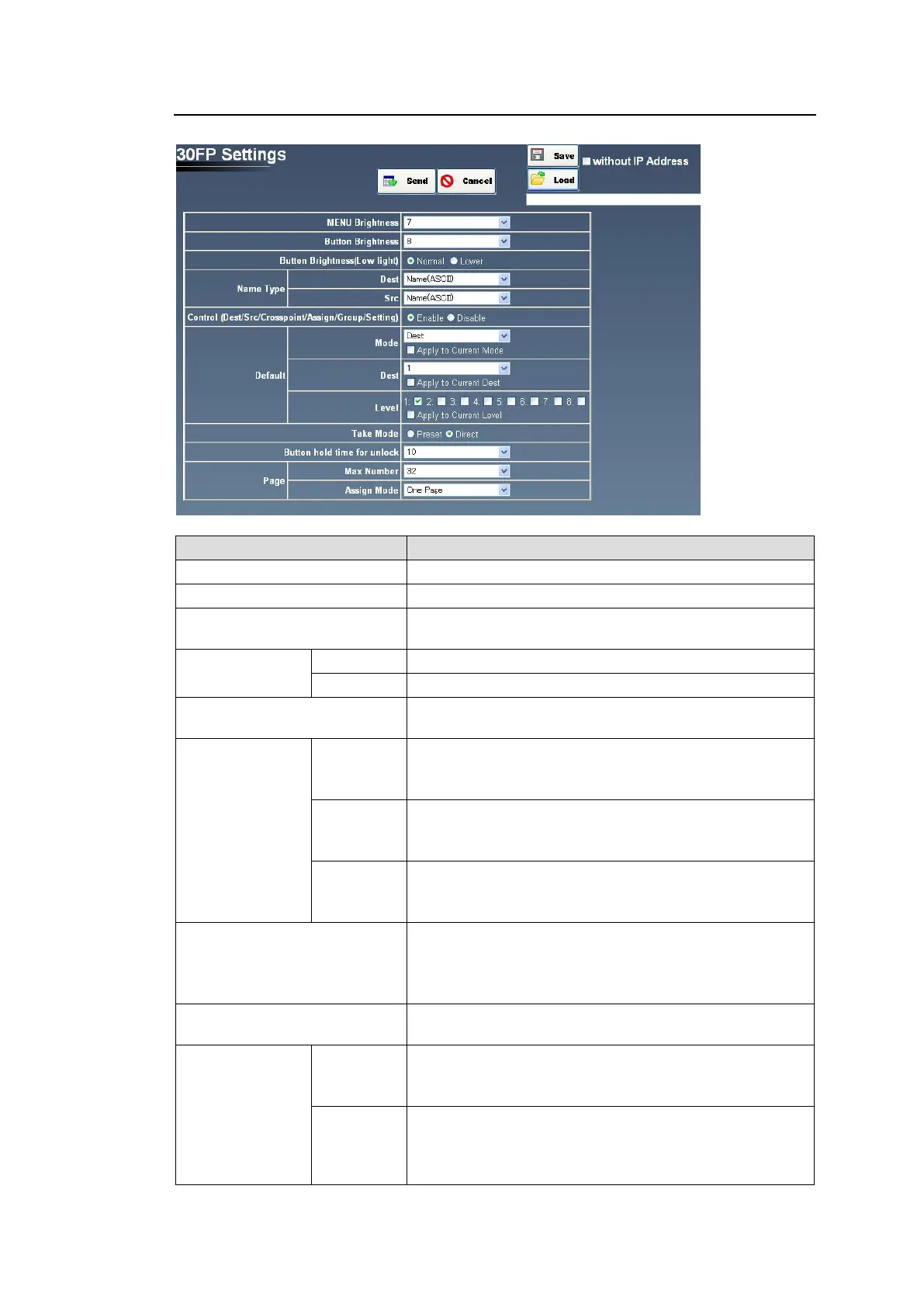
5-7-3. 30FP Settings
The 30FP Settings page allows you to change button properties.
Sets the display panel brightness (1-16).
Sets the button LCD brightness (1-8).
Button Brightness
(Low light)
Selects the button low-light brightness between Normal
and Lower (dim-light).
Sets the destination name display format.
Sets the source name display format.
Control(Dest/Src/Crosspoint/
Assign/Group/Setting selector)
Enables/disables CONTROL.
Sets the default menu mode.
Checking Apply to Current Mode applies the setting
immediately after the Send button is clicked.
Sets the default destination channel.
Checking Apply to Current Dest applies the setting
immediately after the Send button is clicked.
Sets the default level.
Checking Apply to Current Level applies the setting
immediately after the Send button is clicked.
Sets TAKE operation mode.
(Preset: The TAKE function is enabled when the TAKE
button is clicked.
Direct: The TAKE function is enabled at any time. )
Button hold time for unlock
Sets the unlock duration for the 30FP Lock button
between 6 to 10 seconds.
Sets the maximum page number.
If decreasing the number, a confirmation dialog appears.
Click OK to apply the change.
Sets page button assignment mode.
One Page: Assigns PAGE to the button in the selected
page. All Pages: Assigns PAGE to the button in all
pages.
(*1) Changes are applied after the main unit is rebooted.



 To Next Page