EasyManua.ls Logo

FOR-A MFR-3232 - Connection

FOR-A MFR-3232
105 pages
Print Icon
To Next Page IconTo Next Page
To Previous Page IconTo Previous Page
Loading...
8
2-2. Connection
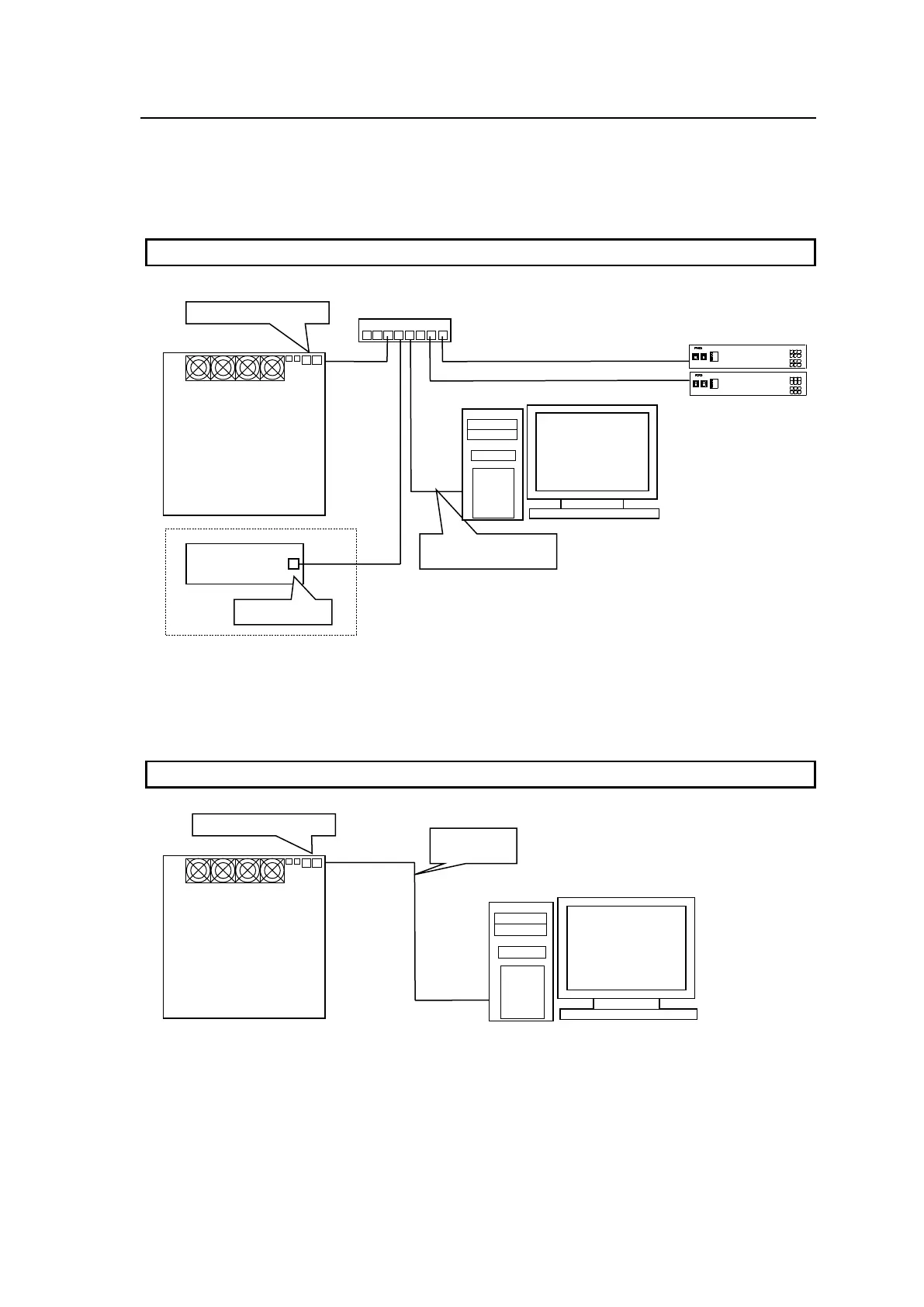
There are two ways to connect the MFR series main unit to a PC.
Connecting the main unit to a PC through a hub
Use a straight-through LAN cable.
Connecting the main unit directly to a PC
Use a crossover LAN cable.
System
Control PC
PC-LAN (or TO PC)
MFR Series
Main Unit
Rear
Crossover
LAN cable
Straight-through
LAN cable
MFR-TALM
PC-LAN
* If MFR-TALM is configured:
HUB
ON
POWER 1
OFF
POWER 2
OFF
ON
MULTI VIEW ER
MV-3200
GENLOCK
FAN ALARM
POWER 1
POWER 2
Devices such as
Multi Viewer, etc.
System
Control PC
ON
POWER 1
OFF
POWER 2
OFF
ON
MULTI VIEW ER
MV-3200
GENLOCK
FAN ALARM
POWER 1
POWER 2
PC-LAN (or TO PC)
MFR Series
Main Unit
Rear

Table of Contents

Other manuals for FOR-A MFR-3232

Related product manuals